Win+V makes you stop working. Edge-Drop doesn't. It lives on the edge of your Windows screen - invisible until you hover. Then a clipboard shelf springs open. Copy text, screenshots, files, or links and drag them straight into any app. Stack files, pin keepers, stay in flow. No shortcuts, no tray, no account. History never leaves your PC. Free and open source. Windows 10 and 11. GitHub or Microsoft Store.
Hey, I’m Deepender - solo maker.
I got tired of Win+V: copy, switch window, hunt history, paste. Then again for a screenshot into Photoshop.
Edge-Drop is a hover shelf on the Windows screen edge. The desktop stays click-through until your cursor hits the edge. Then you drag the thing out native Windows drop, not fake paste.
Free, Apache-2.0, Windows 10/11. Store and GitHub both work.
What’s the copy/paste motion that still wastes your time?
@dheeraz thanks a lot for the kind words. Hope you like the experience.
Report
for me it's writing a bug report - I copy 3 or 4 screenshots in a row while I still have the context in my head, but the OS clipboard only holds one, so I end up pasting after every single copy instead of just gathering everything and dropping it all into the doc at the end. a shelf that holds multiple items until I'm ready would fix that. does the shelf let you drag out several items in one go, or is it still one paste per item?
@galdayan you can create stacks of multiple items bu dragging tme on each other like images and files mix and then you can drag that while stack out to your destination.
like you copied 6 images you stacked them you went to chatgpt or some other place and just drag the whole collection out to paste
Edge Drop
Softorino 💻📲
Screenshots are what break my flow, since I copy one and lose it to the next copy. Do pinned items survive a restart or does the shelf reset?
Edge Drop
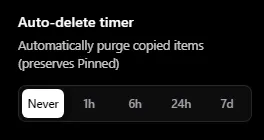
@yelyzaveta_kibets yes Pinned items stay after restart and there are lot of settings inside the app that you can customize as you need.
Softorino 💻📲
@deepender_yadav Pinning is where I would live, so surviving a restart was the make or break. That answers it, thanks.
Edge Drop
@yelyzaveta_kibets happy to hear that.
Crazy man. thanks for this, i was looking for this product.
Edge Drop
@dheeraz thanks a lot for the kind words. Hope you like the experience.
for me it's writing a bug report - I copy 3 or 4 screenshots in a row while I still have the context in my head, but the OS clipboard only holds one, so I end up pasting after every single copy instead of just gathering everything and dropping it all into the doc at the end. a shelf that holds multiple items until I'm ready would fix that. does the shelf let you drag out several items in one go, or is it still one paste per item?
Edge Drop