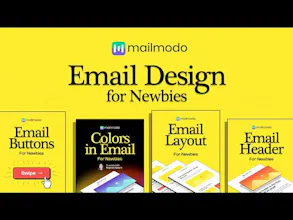
Transform your email designs with this crisp, to-the-point design booklet 💛 Become an email design expert with a comic-style ebook 💡 Get actionable tips for beginners & experienced marketers 📈 Increase email production without compromising on quality
Your "Email Design for Newbies," sounds like a valuable resource for anyone looking to enhance their email design skills. I'm curious to know if you have any specific tips or examples within the ebook that address the challenges of mobile email design. With the increasing use of mobile devices for email consumption, understanding how to create responsive and visually appealing emails on smaller screens is crucial. Can you share any insights or strategies you cover in this regard? 📧📱
Report
Maker
@gipetto Yeah we have a Responsive Email Design for Newbies chapter. That will help you with the design on mobile phones.
Subject: Email Design for Newbies: Tips and Tricks
Dear [Recipient's Name],
Are you new to email design and looking to create eye-catching, effective emails that engage your audience? Look no further! We've put together a brief guide to help you get started with email design.
1. Keep it Simple:
Start with a clean and uncluttered design. Simple, uncluttered layouts are more effective at grabbing readers' attention and delivering your message.
2. Mobile-Friendly Design:
Most people check their emails on mobile devices. Ensure your emails are responsive and look great on both desktop and mobile screens.
3. Choose the Right Font:
Select easy-to-read fonts and maintain a consistent font style throughout your email. Two fonts (one for headings, one for body text) are usually sufficient.
4. Use Eye-Catching Images:
Incorporate relevant, high-quality images to complement your content. Ensure your images are properly sized to load quickly.
5. Color Scheme:
Stick to a color scheme that matches your brand. Use colors that convey your message effectively and create a harmonious design.
6. Call-to-Action (CTA):
Make your CTA button prominent and compelling. Use action-oriented language to encourage clicks.
7. Personalization:
Address your recipients by their first name, if possible. Personalization can increase engagement.
8. Preheader Text:
Craft a compelling preheader text. This snippet gives readers a preview of your email's content and can entice them to open it.
9. A/B Testing:
Experiment with different designs, subject lines, and CTAs. A/B testing helps you identify what works best for your audience.
10. Responsive Layout:
Ensure that your email adapts to various screen sizes. Test your email on different devices and email clients.
11. White Space:
Don't overcrowd your email. White space helps in better content digestion and readability.
Thats cool, it's much easier to consume than classic books or video courses. You guys really nailed it with the format — simple images, no fluff, and straight to the point. Love it!
Report
Maker
@danilov_den Thanks Denis, good to know we were able to pull it off.
@arshaq_ahmed Go to the link and there are download options as well as you can bookmark the page. .You can also try Mailmodo, the ESP to see if that helps.
Report
Great job on the design and user interface. What inspired your design choices?
Report
Maker
@elisekenne we wanted to make it pop-out and our designer @arundev helped us bring a personality to these. Of course, there are many LinkedIn folks who inspired us who bring out beginner carousels and guides



Toofan
Toofan
DiffSense
Mailmodo
DiffSense
Stratum UI Design Kit for Figma
HURMA System
ClearFeed