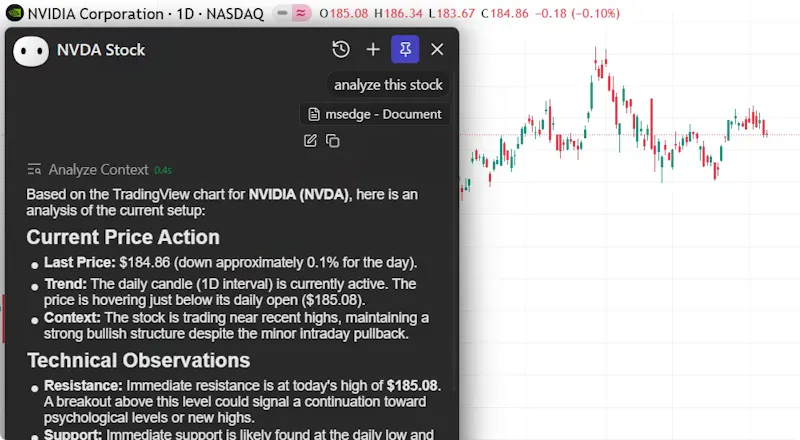
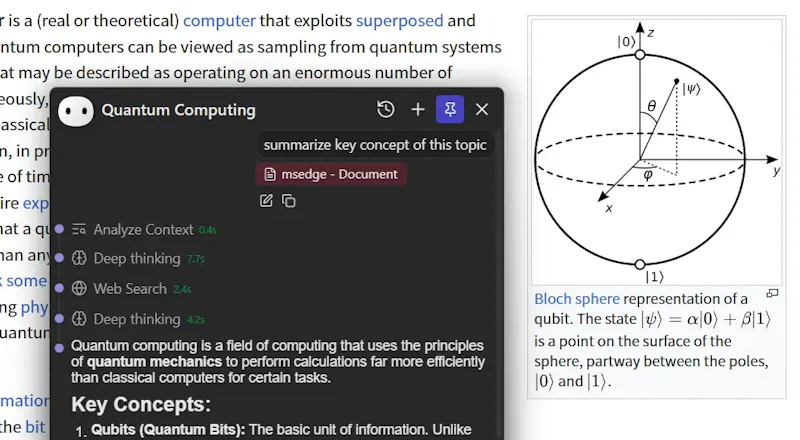
Everywhere is dedicated to liberating AI from browser tabs and standalone apps, making it a ubiquitous, native capability of your operating system. We believe true productivity gains stem from the seamless integration of AI with your current tasks. Unlike conventional tools like ChatGPT, Everywhere perceives and understands any content on your screen in real-time. No need to screenshot, copy, or switch apps—simply use a hotkey to get the help you need, right where you are.
Native macOS Support: A fully optimized, high-performance Mac version that matches our Windows experience.
Selection Context (Experimental): Move beyond just words. When you select text, Everywhere now captures the surrounding context, drastically improving the accuracy of translations and explanations.
Integrated Settings: No more digging through menus. Open and tweak your settings directly from the chat window.
Smarter Tools: Enhanced file encoding detection and optimized web search prompts for more precise answers.
@vik_sh It's up to you! Everywhere runs locally and handles context and screen reading on your device. You can pick between local models (Ollama, LM Studio) or connect to APIs with your own keys.
Report
Context engineering is all about delivering the right slice of state to the model at the right time. Hotkey + on-screen perception feels spot on. Curious if you’ll ship a rules engine (App → Model/Tools/Prompt) so context becomes programmable rather than ad-hoc?
@spikethecowboy This is an excellent idea. In fact, we plan to introduce an operation mode similar to Quicker in the future, allowing users to select elements with the mouse and access context-based (such as element type, process, etc.) shortcuts. We also intend to make this feature configurable.
Report
The screen-aware AI assistance feels impressively seamless during multitasking. A personal observation: adding customizable keyboard shortcuts would further streamline workflows for power users.
Report
This is such a great vision — moving AI out of the tab and into the flow of work just makes so much sense. Love how community-driven the build has been too. 🚀
This is such a cool idea! Does Everywhere run fully locally, or does it connect to external models through APIs?
Everywhere
@vik_sh It's up to you! Everywhere runs locally and handles context and screen reading on your device. You can pick between local models (Ollama, LM Studio) or connect to APIs with your own keys.
Context engineering is all about delivering the right slice of state to the model at the right time. Hotkey + on-screen perception feels spot on. Curious if you’ll ship a rules engine (App → Model/Tools/Prompt) so context becomes programmable rather than ad-hoc?
Everywhere
@spikethecowboy This is an excellent idea. In fact, we plan to introduce an operation mode similar to Quicker in the future, allowing users to select elements with the mouse and access context-based (such as element type, process, etc.) shortcuts. We also intend to make this feature configurable.
The screen-aware AI assistance feels impressively seamless during multitasking. A personal observation: adding customizable keyboard shortcuts would further streamline workflows for power users.
This is such a great vision — moving AI out of the tab and into the flow of work just makes so much sense. Love how community-driven the build has been too. 🚀