

FetchTheChange
A reliable website change-monitoring tool.
3 followers
A reliable website change-monitoring tool.
3 followers
FetchTheChange monitors any value on a page (not just prices) and—when a selector stops matching—helps you recover instead of failing silently. Key features: - Works on modern, JavaScript-heavy sites - Monitors any value (prices, availability, metrics, text, status messages) - Shows clear failure states (e.g. “selector missing” vs “blocked”) Includes a built-in “Fix Selector” helper that suggests working selectors
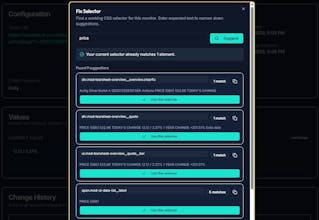


Many website change monitors break silently when pages are JavaScript-heavy or when the DOM structure changes.
FetchTheChange is my attempt to fix that. It monitors any value on a page (not just prices) and—when a selector stops matching—helps you recover instead of failing silently.
CSS Selectors Keep Breaking? Why It Happens and How to Fix It
You set up a website monitor. You pick the element you want to track, configure your CSS selector, and everything works perfectly. For days, maybe weeks, the monitor hums along — capturing changes, sending alerts, doing exactly what it should. Then one morning you check your dashboard and find nothing. No data. The selector stopped matching.
This is the single most common reason website change monitors stop working. Not bot blocking, not rate limiting, not CAPTCHAs — selector breakage. The element you were targeting still exists on the page, the value you care about is still there, but the path your selector used to reach it no longer works. The monitor sees an empty result and, depending on the tool, either alerts you to an error or — far worse — silently records nothing and moves on as if everything is fine.
It happens because modern websites are not static documents. The DOM is a moving target. Class names change between deployments, elements get restructured during feature work, and front-end frameworks generate unpredictable markup that shifts every time the development team pushes an update. The page looks the same to a human visitor, but the underlying structure your selector depends on has changed completely.
This article explains the five main reasons CSS selectors break on modern websites, how to write selectors that survive longer, and what to do when they inevitably fail.
Continue this read in my blogpost.
FetchTheChange vs Distill, Visualping, Hexowatch (and others): Which Website Change Monitor Should You Use?
There are dozens of website change monitoring tools available today. Each has its strengths and tradeoffs. This article provides a factual comparison to help you choose the right one for your use case.
TL;DR
FetchTheChange — Best for value-level monitoring with explicit selector failure detection and recovery assistance
Distill — Best for power users who need browser automation, macros, and recorded actions
Visualping — Best for visual/screenshot-based monitoring with easy setup
Hexowatch — Best for teams needing multiple watch types (visual, keyword, source, tech stack)
Continue this read in my latest blogpost.
How to Monitor Competitor Prices Without Getting Blocked (2026 Guide)
Monitoring competitor prices is a common practice in ecommerce, SaaS, and retail. Whether you're tracking a rival's product page or watching for price drops on a supplier's site, having accurate and timely data can directly impact your pricing decisions.
But most price monitoring setups fail — and not in the way you'd expect. The real problem isn't usually getting blocked outright. It's that your monitoring quietly stops working without any warning. Your tool keeps running, reporting no changes, while the actual price has shifted multiple times.
Continue reading in my blog.