
Flato
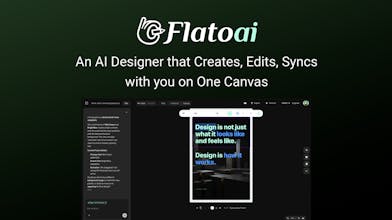
AI designer that creates and edits with you — on one canvas.
126 followers
AI designer that creates and edits with you — on one canvas.
126 followers
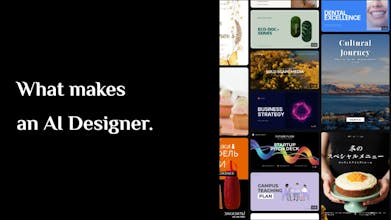
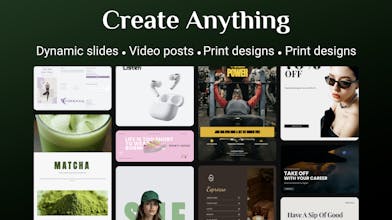
Flato is an AI designer native to the canvas. It sees what you see — understanding layout, hierarchy, and visual structure in real time — and edits alongside you with fully editable elements. From layout to motion to video, everything exists as one continuous system on a single canvas.


Nice launch! The canvas concept makes a lot of sense for AI design tools. Are you planning integrations with tools designers already use (like Figma or Webflow)? That could make adoption much faster.
@rokypm。Thanks! That’s a great point. Integrations with tools designers already use (like Figma or Webflow) are definitely something we’re considering.
Right now we’re mainly focused on making the AI + canvas workflow really solid, but connecting Flato with existing design ecosystems would definitely help teams adopt it more easily.
Just explored Flato — the canvas-native approach is interesting. Most AI design tools generate assets but don’t give much control after that. This feels closer to an actual design workspace. Curious how the team sees designers using it in daily workflows?
@john_spradling_ Thanks! That’s exactly the idea behind Flato — not just generating assets, but giving you a real workspace to keep editing and refining with AI.
In daily workflows, we see designers using it for things like quick layout exploration, slides, and social visuals, where AI can speed up the initial structure and image matching, while the designer keeps full control on the canvas.
Next3 Offload
@shahriardgm Great question. We’re working on a feature that lets Flato remember and manage brand identity, similar to a “skill” for your brand — coming soon.
You’ll be able to define fonts, colors, and design rules, and Flato will follow them when generating or editing visuals, keeping everything consistent.
@taoef I tried making a slide with flato, and it’s surprisingly good — even better than Gamma in some cases.
The image matching is especially impressive. It automatically found great images for every page in seconds.
Nice work! I’ve already used up my credits — could I get a code for more?
@isreal_becker Thanks for trying Flato and for the kind words! Really happy to hear the slide experience worked well for you — the image matching is something we spent a lot of time tuning.
Here’s a one-time code for more credits so you can keep experimenting:
7BB1EE67210BC5FE13C2
Feel free to push it a bit further — try posters, social content, or even animating the slides on the same canvas. I’d love to hear what else works (or doesn’t) as you explore!
As a freelance marketer, Flato.ai has been a total pivot from the usual "random prompt" chaos. Most AI design tools feel like gambling—you hope for something usable, but the typography is usually a mess. Flato actually understands visual logic. I used it to adapt a French campaign into English, and it maintained the brand’s layout integrity without me having to manually nudge every pixel. It’s like having a junior designer who actually listens.
@chengcang_wang Thanks for sharing your experience! Love that Flato could help maintain layout integrity and feel like a “junior designer who listens.” That’s exactly what we aimed for — making AI truly assistive rather than just generating random assets.
do you happen to have any extra credits or promo codes for the Product Hunt community to fully test it out?
@xjn Great question! Yes — here’s a one-time code for you to try more features:
95D3A77511577EBC72A3
Feel free to use it and push Flato a bit — posters, slides, motion, anything. I’d really love to hear what you think after testing it.
If anyone else from the Product Hunt community wants extra credits to experiment with Flato, just leave a comment and I’ll share more codes.
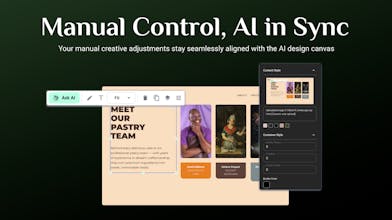
Congratz; curious, how does the AI maintain the context of the layout if I manually move or resize elements on the canvas?
@mohamed_zaidi Thanks! Flato tracks the layout context in real time — it’s state-aware, so when you move or resize elements, the AI understands the updated structure and adapts its suggestions accordingly. This lets you refine designs without losing the overall composition.