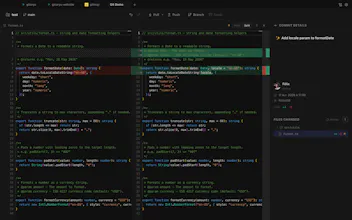
A modern Git client with visual history, interactive rebase, merge conflict resolution, AI commit messages, Gitmoji, changelog generation and GitFlow. Free for private repositories. Built as a fast alternative to GitKraken, SourceTree and Fork.
No reviews yetBe the first to leave a review for Gitoryx
Maker
📌
Hi Product Hunt! 👋
I’m Félix, the creator of Gitoryx.
I built Gitoryx because I wanted a Git tool that combines the speed of a CLI with the features developers usually expect from GUI clients.
Over the past months, I’ve added features that make everyday Git workflows easier:
* Interactive rebase from the terminal
* Git bisect
* Gitmoji support
* Automatic changelog generation
* Sprint visualization
* Advanced Git commands in a simple CLI
* And much more
One thing that motivated me from the beginning was making advanced Git features accessible without forcing developers to pay just because they work on private repositories. That’s why Gitoryx includes a free tier that works with private repos.
This is still the beginning of the project, and I’d genuinely love your feedback. Whether it’s about the UX, missing features, performance, or your Git workflow in general, every comment helps shape the roadmap.
Thanks for checking out Gitoryx! I’ll be around all day to answer questions.
Report
Gave it a quick spin on a messy rebase branch and the visual history made it way easier to spot where things went sideways. The AI commit messages were surprisingly on point too.
Report
The interactive rebase UI looks really clean from what I can see, especially how you surface conflicts right in the flow instead of dumping you into a separate tool. As someone who fights with rebase constantly, that alone makes me want to give it a spin.
Report
honestly the visual history view is what sold me, makes it way easier to wrap my head around branches than the command line ever did. curious to see how the AI commit messages hold up on a bigger project.
Report
The visual history view makes it so much easier to understand branch structure at a glance, and the AI commit messages actually save me real time. Finally a Git client that feels modern without being bloated.
Gave it a quick spin on a messy rebase branch and the visual history made it way easier to spot where things went sideways. The AI commit messages were surprisingly on point too.
The interactive rebase UI looks really clean from what I can see, especially how you surface conflicts right in the flow instead of dumping you into a separate tool. As someone who fights with rebase constantly, that alone makes me want to give it a spin.
honestly the visual history view is what sold me, makes it way easier to wrap my head around branches than the command line ever did. curious to see how the AI commit messages hold up on a bigger project.
The visual history view makes it so much easier to understand branch structure at a glance, and the AI commit messages actually save me real time. Finally a Git client that feels modern without being bloated.