Launched this week

Glasshand
Give your agent a real iPhone and Mac
622 followers
Give your agent a real iPhone and Mac
622 followers
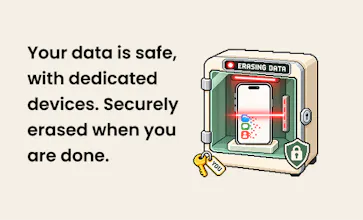
Glasshand gives your AI agents real iPhones and Macs to work on. Connect Claude Code, Codex, or any other agent, and it can rent a device with a single prompt. The hardware sits in our data center, and your agent uses it the way you would: posting on TikTok, booking an Uber, or building and testing iOS apps. Each device is yours alone for as long as you rent it. When you’re done, we erase your data and factory-reset it.





Free Options
Launch Team / Built With


ClarifyThe Full-Stack AI CRM that replaces 5 tools
Promoted
Interesting angle: real devices instead of emulators. As someone who juggles several Apple IDs and Google accounts across companies, I'm curious how you handle sign-in friction on a rented device, e.g. 2FA prompts to the owner's phone and Activation Lock/Find My when the device is reset between renters. Is that part of the reset flow you described?
@modiyilreji This is exactly like setting up a new phone for yourself, you can go through the two of eight prompts and respond them on your own phone to finish the setting up process.
Real devices make sense for apps that fingerprint emulators, but I wonder about the other side. TikTok and Instagram are pretty aggressive about flagging automated behavior, so does an agent tapping around from a data center IP on a rented SE put the user's account at risk? Curious if you have seen bans or step-up verification during testing.
@galdayan In our testing so far, we haven’t seen TikTok or Instagram ban an account when the agent does the kinds of things you’d normally do by hand.
How you use the phone matters too. Sending the same DM to a hundred people can get you flagged even if you tap Send yourself. And if you’d prefer to use a carrier connection, you can put an eSIM on the phone and use mobile data.
Real devices instead of emulators is a big deal. As a front-end dev, half my “works on my machine” bugs only show up in Safari on an actual iPhone. Could an agent use Glasshand to open a staging URL in mobile Safari, run through a flow, and report back with screenshots? That would be a huge time saver for mobile web QA. Congrats on the launch!
I'd let it get an Instagram carousel into drafts. I still want to pick the cover and write the caption myself.
@andy2026 yes you can do that! One of the advantage of doing that with Adrian is that you can totally customize your flow
Renting a real phone for an afternoon to book an Uber through an agent is such a different proposition from simulating taps, and the factory reset at the end is the part that makes me comfortable with it.
Real hardware instead of a simulator is the right call for anything touching iCloud sign-in or SMS codes, which is exactly where agent flows usually stall. How do you handle Apple's 2FA and trusted-device prompts when an agent signs into iCloud on a freshly reset phone?
Using real devices makes sense here—iCloud authentication and SMS verification are often where agent workflows get stuck. When an agent signs into iCloud on a freshly reset iPhone, how do you manage Apple’s 2FA checks and approval prompts on trusted devices?