
Heywa
Tappable visual stories instead of ChatGPT text walls
433 followers
Tappable visual stories instead of ChatGPT text walls
433 followers
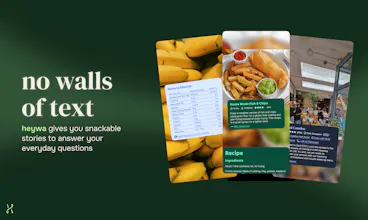
From prompt to visual story in seconds. Heywa dynamically builds the right visual experience around your question, so you can browse, compare, and go deeper - without endless tabs or long chat responses.



Congrats on the launch! - qq, how does heywa decide which structure a story should have (cards, comparisons, steps etc) for different types of questions?
Heywa
@tomhennigan thanks, that's a great question - we try to match the structure of the answer to the intent of the query, rather than returning the same format every time.
Roughly speaking, the system first infers what kind of problem the user is trying to solve. For example:
• Decision questions: comparisons (e.g. “Which air fryer should I buy?”)
• How-to questions: step-by-step cards (e.g. “How to make ramen broth”)
• Exploration topics: swipeable collections (e.g. “Best hikes in the Dolomites”)
• Concept questions: structured explainers (e.g. “What is solipsism?”)
Once we detect the intent, we generate a story schema (basically the layout + card types) and then fill it with content. So instead of a single block of text, you get something closer to a mini app tailored to that question.
We’re still improving this - sometimes we get the structure wrong - but over time the goal is that the interface adapts naturally to the kind of answer you need.
Is it limited to only one picture per answer or there could be more. Also, it's only pictures, not videos, right?
Heywa
@viktorgems thanks! It’s definitely not limited to one picture. Most stories actually include multiple images across cards, so as you swipe through you get a more visual understanding of the topic (for example different dishes in a recipe list, different travel spots, steps in a process, etc.). We are
Right now we’re mostly using images, but the format itself isn’t limited to that. We feature some short background videos, as well as relevant TikToks if available in our search index. We are also experimenting with a rotating gallery on relevant cards (e.g. if you search for "top cafes in Camden" it will show multiple images slowly rotating in the background of each place-specific card.
The goal is definitely for the answer to feel more like browsing a small interactive guide than reading a wall of text.
Heywa
Quick behind-the-scenes note on how Heywa actually works, since a few people asked 👀
One thing we felt strongly about when building this is that prompt engineering shouldn’t be a requirement for getting good answers. Most AI tools expect you to write the perfect prompt. If you don’t, you get a worse result.
With Heywa we tried a different approach: You can explore the answer by tapping through sections, narrow things down with suggested refinements, or take actions directly from the story (like jumping to comparisons, deeper explanations, or practical next steps) without having to keep rewriting your question.
Curious what you all think about this direction. Do you prefer conversational chat interfaces, or something more visual and navigable when you’re trying to figure things out?
If you want to try a few things that show the format well:
• “Best beginner strength training routine”
• “Why do stock markets crash”
• “How to host a dinner party for 8”
• “Best European train journeys”
Would love to hear what queries you throw at it.
This is a really smart take on the "AI search" space. The visual story format feels way more natural than scrolling through walls of text — especially for topics like recipes, travel, or product comparisons where you actually want to see things. Curious how it handles more technical/code-related queries though. Does it fall back to text for those, or still try to visualize? Either way, love the UX direction here.
Heywa
@sparkuu Very important question! I think a lot of the existing AI platforms out there are heavily slanted towards answering technical and code related queries, with far more resources than we have, so we'd struggle to compete with them. I think it's fair to say heywa is for more every day, non technical or code related questions and queries. I believe building a focussed product is much more about defining what it's not for than what it is. Do let me know if you give it a try though!
This is a really interesting idea. I agree that most ways of finding answers online still feel stuck in the blue links or long text format. The concept of turning answers into a visual, tappable story feels much closer to how people already use modern apps. What kind of questions seem to work best with Heywa so far?
Heywa
@vik_sh as I answered to someone else, I personally think we see the best results with questions where you start with quite a broad ask, where there's lots of different possible answers that can all be quite visual (like, 'what should I do in a weekend in Brussels') and can then tailor in to a set of more concrete requirements once you've seen that initial suggestion (ie. 'I am vegan and I quite like stationary shops').
These answers give you the feeling of browsing a pinterest board or article, but then being able to dissect it and go deep on anything that takes your fancy (which really feels like the super power with our product).
Copus
The "Generative UX" concept is really compelling. We have been thinking about similar ideas at Copus, where we help people curate and rediscover web content. The challenge is always the same: how do you present information in a way that respects people's time and attention?
Visual stories feel like a natural evolution from walls of text. The fact that the interface itself adapts to the type of question is especially clever. Congrats on the launch!
Heywa
@handuo thanks so much - glad you like it!
Heywa
Lovely to see our work out in the world :)
From the design perspective one of the biggest challenges in developing heywa has been creating a system and logic that lets us create and tell a good quality, visual story to (almost) any question.
As Milena mentioned, Generative UX is our name for approach to this. It's about figuring out what the user wants, deciding the best way to tell a story that answers that query, then deciding how to display each step in a way that flows nicely and gets to the point.
We've started out focussing on the story format because it's a constrained canvas. We can refine and improve our approach without getting drowned in the scale and complexity of a full webpage or app (where I think a lot of products are falling down at the mo). Once we've got that nailed, I'm looking forward to introducing more interactivity and variety!