
Keyboard Cleaner
Lock your Mac keyboard from the menu bar while cleaning it
49 followers
Lock your Mac keyboard from the menu bar while cleaning it
49 followers
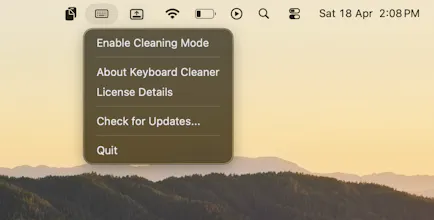
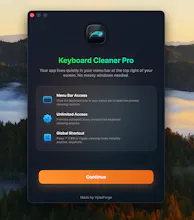
Keyboard Cleaner is a lightweight macOS menu bar app that temporarily locks your keyboard so you can clean it safely without triggering accidental typing or shortcuts. Perfect for wiping dust, smudges, or spills from your MacBook or external keyboard. Activate the lock, clean your keys, and unlock when you're done.

Free Options
Launch Team

CloudflareStill paying to deploy your apps? Try Cloudflare Workers for free
Promoted
@abhinnvyas This is awesome—I've genuinely been looking for something like this. Cleaning the keyboard without triggering chaos is such a pain 😅
Love how simple and focused it is. Great job on this!
@aditya_joshi22 Im glad it helps
The "does one thing well" menu bar app is a dying art — every "utility" ships as a bloated Electron suite now. Coffee-spill origin story is relatable. Curious whether Keyboard Cleaner auto-disables on key combos (like Cmd+Q) as a safety escape, or if it's strictly menu-bar-toggle.
@mcarmonas Hey Marti, I really appreciate you appreciation for the product. Also the keyboard cleaner enables with the menu bar but for disabling it you have two option 1. go to the menu bar and disable it 2. press the shortcut control+option+command+K ( I reduced the price from 10 dollars to 3 dollars just today because I thought maybe people were finding a bit pricey. What are your thoughts on it ? )
Just downloaded it and tried it. Works exactly as expected!
@vishakha_batham Hey thanks for the feedback
I’ve definitely opened random apps while trying to clean my keyboard before 😅 This is a neat solution.
@salehkhatri hey im glad that It helps