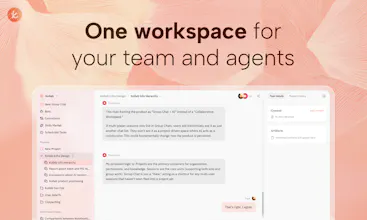
Kollab is a shared workspace where AI agents become part of your team. Bots bring agents inside your IM like Slack without switching apps, Skills let anyone reuse your best workflows, Connectors link the tools you already use, and Memory keeps context alive across every project. No setup, no busywork.
No reviews yetBe the first to leave a review for Kollab
How do you handle agent coordination across workflows? Building an AI scheduling assistant for TV and curious about your approach to chaining agent tasks.
@brian_h4 Great question! In Kollab, each agent can call any MCP server behind the scenes, so chaining tasks is really about connecting the right tools. For example, a scheduled task can pull data from one source, process it, then post results to a channel or update a doc, all in one flow. For something like a TV scheduling assistant, you could set up a skill that coordinates across your content database and team channels. Would love to hear more about what you’re building. Feel free to reach out!
Report
@jiayifun Thanks for breaking that down. The tool-coordination approach makes sense. In our case, we’re not using Claude MCP—we call Claude directly through the Anthropic SDK and combine that with our own scheduling data layer.
The tricky part for us is the user-facing scheduling logic. We want the AI to suggest “watch this Tuesday at 8pm,” but also handle requests like “skip Wednesday for me” and adapt the plan around preferences and availability. So for us it’s less about cross-tool task chaining and more about reliable stateful schedule updates.
But the way you’re handling coordinated workflows is interesting and could be useful as we scale. Thanks for the thoughtful response.
I've tried a bunch of AI productivity tools, and most of them feel like single-player experiences. Kollab is the first one that actually makes sense for a team.
@ristan_nakko Thanks! You nailed it. Most AI tools are built for solo use, but real work happens as a team. We designed Kollab around that from day one. Agents run in a shared workspace where everyone can see the output, reuse skills, and build on each other’s work. Glad that came through!
Interesting concept. Quick question on the privacy side: how does Kollab handle sensitive information that lives in Notion but shouldn't end up in a shared briefing, things like HR notes, salary data, or confidential client details? Does it respect page-level permissions, or does the briefing pull from everything the workspace has access to?
@edo_campos After authorizing the workspace, you can access all content with the appropriate permissions, which depends on the notion MCP authorization.
If it's just "readable," there are two ways, different departments use different spaces. Different spaces use different MCP authorizations, which is a complete data-level separation.
If your scenario is to provide it to others through a slack bot, you can also restrict it via bot prompt.
In summary, for large teams, multiple spaces may be a solution, with each department having its own space. The data source can be the same, but with different access permissions configured.
Interesting positioning. Feels less like “another agent tool” and more like an orchestration layer across where work already happens. If teams can actually rely on it for day-to-day ops, this could become pretty sticky.
@colin_yu_123 Thanks! That’s exactly how we think about it — not another standalone tool, but a layer that sits where your team already works and orchestrates everything from there. We’ve been using it ourselves daily and yeah, it gets sticky fast 😄
This feels very practical. Most teams don’t lack tools — they lack something that ties everything together. An agent that sits across channels and actually executes workflows (not just answers) could remove a lot of operational overhead.
@alexia_li Thanks Alexia! Spot on — most teams have plenty of tools, what’s missing is something that actually connects them and gets things done. That’s why we built Kollab. Instead of adding another app to the stack, we drop the Agent right into Slack, Telegram, wherever your team already hangs out. It picks up tasks, hits MCP servers, runs the workflow. No extra tabs, no context switching.
Congrats on the PH launch, Kollab! 🎉 @yan_labs_ Bringing AI agents right into Slack (without switching apps) + persistent Memory + reusable Skills = finally a workspace that doesn't fight the way teams actually work. 👏
Love the "scheduled task as a timed agent" idea – that's way more powerful than boring cron jobs. And AgentCore with its own filesystem/browser? Seriously cool.
One practical suggestion from a collaboration perspective: as teams scale trust in agents, consider adding role‑based permission templates for Skills – e.g., a Skill can read Notion but not write, or only usable in certain channels. That would lower the "what if the agent messes up" fear and unlock wider adoption. 🙌
Question for you: do you support custom agent personas right now? Like a "code reviewer" vs "customer support" bot with different tone/knowledge bases.
Congrats again – can't wait to see what wild scheduled tasks your community builds! 🚀
@rocsheh Yes, you can completely customize any content in the prompt input box within the bot's configuration popup. Moreover, you can let the Kollab bot modify its own prompt through conversation.
We have built-in Kollab CLI, allowing Kollab to operate all the functions of Kollab space. The permissions for this feature can also be selected in the bot's configuration popup.
For the notion issue, I recommend constraining the bot's behavior in the prompt, which is the most convenient and effective way.
"Scheduled task = timed agent" is a subtle conceptual shift most workflow tools miss — cron jobs with full MCP reach turn into a different primitive. Skills-as-GitHub-repos is the right distribution pattern for reusable org workflows. Curious how Kollab handles tool-limit ceilings when an agent has to span GitHub + Sentry + Notion + Slack + Linear simultaneously.




How do you handle agent coordination across workflows? Building an AI scheduling assistant for TV and curious about your approach to chaining agent tasks.
Kollab
@brian_h4 Great question! In Kollab, each agent can call any MCP server behind the scenes, so chaining tasks is really about connecting the right tools. For example, a scheduled task can pull data from one source, process it, then post results to a channel or update a doc, all in one flow. For something like a TV scheduling assistant, you could set up a skill that coordinates across your content database and team channels. Would love to hear more about what you’re building. Feel free to reach out!
@jiayifun Thanks for breaking that down. The tool-coordination approach makes sense. In our case, we’re not using Claude MCP—we call Claude directly through the Anthropic SDK and combine that with our own scheduling data layer.
The tricky part for us is the user-facing scheduling logic. We want the AI to suggest “watch this Tuesday at 8pm,” but also handle requests like “skip Wednesday for me” and adapt the plan around preferences and availability. So for us it’s less about cross-tool task chaining and more about reliable stateful schedule updates.
But the way you’re handling coordinated workflows is interesting and could be useful as we scale. Thanks for the thoughtful response.
HyNote AI
I've tried a bunch of AI productivity tools, and most of them feel like single-player experiences. Kollab is the first one that actually makes sense for a team.
Kollab
@ristan_nakko Thanks! You nailed it. Most AI tools are built for solo use, but real work happens as a team. We designed Kollab around that from day one. Agents run in a shared workspace where everyone can see the output, reuse skills, and build on each other’s work. Glad that came through!
Memoket Gem
Kollab
@edo_campos After authorizing the workspace, you can access all content with the appropriate permissions, which depends on the notion MCP authorization.
If it's just "readable," there are two ways, different departments use different spaces. Different spaces use different MCP authorizations, which is a complete data-level separation.
If your scenario is to provide it to others through a slack bot, you can also restrict it via bot prompt.
In summary, for large teams, multiple spaces may be a solution, with each department having its own space.
The data source can be the same, but with different access permissions configured.
I hope my answer can be helpful to you!
Memoket Gem
Kollab
@edo_campos Thank you for your attention!
Lessie AI
Interesting positioning. Feels less like “another agent tool” and more like an orchestration layer across where work already happens. If teams can actually rely on it for day-to-day ops, this could become pretty sticky.
Kollab
@colin_yu_123 Yes! What we need to do is connect all the functions together. Horizontal connection
Kollab
@colin_yu_123 Thanks! That’s exactly how we think about it — not another standalone tool, but a layer that sits where your team already works and orchestrates everything from there. We’ve been using it ourselves daily and yeah, it gets sticky fast 😄
Lessie AI
This feels very practical. Most teams don’t lack tools — they lack something that ties everything together. An agent that sits across channels and actually executes workflows (not just answers) could remove a lot of operational overhead.
Kollab
@alexia_li Thanks Alexia! Spot on — most teams have plenty of tools, what’s missing is something that actually connects them and gets things done. That’s why we built Kollab. Instead of adding another app to the stack, we drop the Agent right into Slack, Telegram, wherever your team already hangs out. It picks up tasks, hits MCP servers, runs the workflow. No extra tabs, no context switching.
Surgeflow
Congrats on the PH launch, Kollab! 🎉 @yan_labs_
Bringing AI agents right into Slack (without switching apps) + persistent Memory + reusable Skills = finally a workspace that doesn't fight the way teams actually work. 👏
Love the "scheduled task as a timed agent" idea – that's way more powerful than boring cron jobs. And AgentCore with its own filesystem/browser? Seriously cool.
One practical suggestion from a collaboration perspective: as teams scale trust in agents, consider adding role‑based permission templates for Skills – e.g., a Skill can read Notion but not write, or only usable in certain channels. That would lower the "what if the agent messes up" fear and unlock wider adoption. 🙌
Question for you: do you support custom agent personas right now? Like a "code reviewer" vs "customer support" bot with different tone/knowledge bases.
Congrats again – can't wait to see what wild scheduled tasks your community builds! 🚀
Kollab
@rocsheh Yes, you can completely customize any content in the prompt input box within the bot's configuration popup. Moreover, you can let the Kollab bot modify its own prompt through conversation.
We have built-in Kollab CLI, allowing Kollab to operate all the functions of Kollab space. The permissions for this feature can also be selected in the bot's configuration popup.
For the notion issue, I recommend constraining the bot's behavior in the prompt, which is the most convenient and effective way.
Humalike
"Scheduled task = timed agent" is a subtle conceptual shift most workflow tools miss — cron jobs with full MCP reach turn into a different primitive. Skills-as-GitHub-repos is the right distribution pattern for reusable org workflows. Curious how Kollab handles tool-limit ceilings when an agent has to span GitHub + Sentry + Notion + Slack + Linear simultaneously.
Kollab
@mcarmonas Each task has its own purpose, and we do not set a limit on MCP ourselves; it depends on the context capacity of the large model.
I still recommend configuring different MCPs for each task, only setting what is needed for each.
Each bot can also be configured with its own required MCP. Different tasks handle different responsibilities.