
Krisp
Voice AI for Meetings
4.8•40 reviews•4.6K followers
Voice AI for Meetings
4.8•40 reviews•4.6K followers
Krisp is the all-in-one Voice AI app for meetings that makes you sound crystal clear and captures everything that matters. It removes background noise, converts accents in real time, and enhances your voice so you’re always understood. At the same time, Krisp records and transcribes your calls, then turns them into instant summaries and action items. No meeting bots. Works with Zoom, Google Meet, Microsoft Teams, and more, running natively on your device.
This is the 12th launch from Krisp. View more
Krisp Accent Converter for YouTube
Launched this week
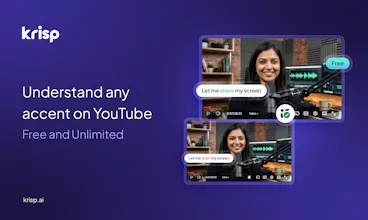
YouTube has speed control, captions, auto-translate — but no accent control. Now it does. Free Chrome extension, on-device AI, one toggle.




Free
Launch Team


Can I, as a creator, use this as a post-processing tool for my YouTube videos, or on my channel can I enable this tool? Is this tool for viewers or creators?
intresting approach, but I hope it doesn’t distort the speaker’s tone too much. That natural flow is still important for learning.
Krisp
@greg_mason1 it doesn't give it a try. It's really easy to setup from Chrome extension store.
YouTube has had speed control since forever but accent was always the missing piece. I've rewound the same sentence four times trying to catch a word. One toggle sounds right - this doesn't need to be complicated.
This is what I can genuinely useful, practical leverage of AI, very nice. I have one question and one suggestion.
Question: does it work well also when people are talking on another or only for solo speakers?
Suggestion: Make also a funny/gimicky version where everyone can switch their voices to anything they like - I always wanted to sound like British royalty :)
Just tried and it's amazing! Can't believe Youtube couldn't come up with this feature all these years!
This feels like when captions first became standard on YouTube. Once you have it you wonder how you watched without it
Just installed it. Tried it on an NPTEL lecture and before/after is impressive