
Launched this week

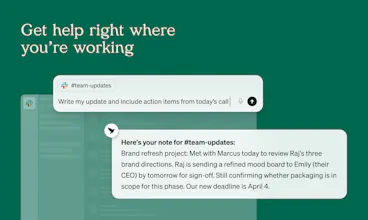
Littlebird is an AI assistant that already knows your work. Every answer, draft, and plan is more relevant because it has the context behind it. It sees what's on your screen and transcribes your meetings, building a private memory of your projects and priorities. Littlebird connects the dots across all your apps and conversations, giving you answers grounded in your actual work. No integrations required. If you've seen it on your desktop, Littlebird has too. Just ask.






I've spent years as a "Tech Evangelist" vetting tools that promise to save time but usually just add more noise. My whole thing is "turning clarity into systems," and Littlebird is the first tool that actually feels ambient in that process. I recently told a friend that it "freaking does the heavy lifting" for me, and I meant it.
What changed for me wasn't just "productivity" - it was the mental space. When I was rebuilding my ChatGPT workshop for entrepreneurs last week, I didn't have to re-explain my brand pack or my "Quick Wins" formula. It already knew the hex codes and the specific layout I used for the Claude project.
It's less like a chatbot and more like a partner that's been in the room with me the whole time. Between the workshops I'm building and the Claude funnel rollout, there are a thousand moving parts, and Littlebird is the thing that connects the dots. It knows my voice and my "Tools Last" philosophy without me ever having to "onboard" it. If you're tired of catching your AI up on your life every time you open a new tab, this is what you've been looking for.
Littlebird
@carenglasser"Littlebird is the first tool that actually feels ambient" is exactly what we're aiming for! 🙌
I have been vocal about AI being an operations layer for real life. I like practical infrastructure over hype. Littlebird is the first tool that actually hits that mark. It performed a "Backbone Audit" on my Bible app's navigation logic and caught a "single source of truth" issue I had completely overlooked. It did not need a prompt; it had the context from my screen snapshots and just knew where the logic was brittle. If you are tired of the AI "destination" apps and just want your context to stay with you across your entire workflow, this is the one.
Most AI tools oversell themselves. Littlebird undersold itself, then made its case.
In February, I asked it straight up: "Should I just cancel you and pay for Claude directly?"
It said: "If you mostly ask general questions - yes, you should cancel me."
Then it explained where it's actually different - not something you paste context into every time, but something that already knows what you've been working on all week. No re-explaining the project. No copy-pasting. It just knows. I've canceled plenty of tools that oversold themselves. This one I kept.
Downloaded it and trying it out. Just seeing "Whats on your mind today" on the home screen and a prompt window is exhausting tbh. I have enough of those in my life and not looking to add another one. Claude gives me so much. Might just wait for claude to do the screen recording stuff tbh. Can't be too far away.
I'd recommend focusing on a real edge. Something creative and different that no one will do and even if they did, wouldn't be as good as you. Be crazy. Make my life 1000x better.
For example, one thing you could do would be to become the ultimate personal productivity tool. Go beyond "rewind" to actual actionability. Your calendar = your life. if you could look at how I use my time from your screen monitoring and tell me if I'm actually "Locking In" for focus time (instead of getting distracted and checking all these other apps) and then give me really smart advice on how to really lock in. Something like that would 10x my life. Make sure that my screen time is reflecting the life I really want to live and give me actionable suggestions to improve it (i.e. do you want me to lock your email app during this hour?). By monitoring my screen & calendar and controlling my apps you can do something super thoughtful like that and make people's lives better.
Just a rant. But maybe some helpful nuggets in there?
I used Littlebird for a week and loved it. I would have signed up and gladly paid the subscription except for one thing: my Mac has 16GB RAM. When I had Chrome running at the same time as Littlebird my lappy would ‘crash’.
Now, I have ADHD, usually have 30+ tabs open and a ridiculous number of extensions installed in my browser. So this can’t be blamed on Littlebird. I tried switching to Edge and it helped a bit but still would occasionally crash (plus Edge gives me hives).
My plan is to invest in Littlebird as soon as I have enough money to buy a better lappy. For someone who forgets what I was doing 30 minutes previously, Littlebird is a godsend.
I tried to find the video I watched yesterday of Dex Horthy talking about things he's learned about agentic coding since he first introduced Research-Plan-Implement so I can share with my team (i.e. Littlebird itself :) ). Thought to myself, this is easy, no need for Littlebird. After 3 minutes of searching through my history with nothing coming up, I give up: go to Littlebird, click on the microphone, and dictate my barely coherent description of the video. Boom - 20 seconds later I have the name and the link!
Just a small example, but pretty telling - it's not obvious to some people what to do with Littlebird once they download it. Honestly, you don't even need to do anything special, just use it like Claude/ChatGPT/etc - you'll get your aha moment when you least expect it!
P.S. The video is called "Everything We Got Wrong About Research-Plan-Implement", really worth watching for anyone who's coding.
Hey folks, Dhaval here from Littlebird(LB) Enginneering. I've always wanted to build products that I can personally use so, wanted to share one of the usecases for which I personally use LB as a developer.
I'm terminally online either on Slack,looking at our Obs dashboards, Cursor/CC, etc in case of an production issue. A lot of times its too much, multiple threads ongoing(not just with humans but with agents too) and you loose track of what everyone else is trying to debug, what you tried, what did you find, is it co-relating with what others arre saying or what users are saying, etc. In these cases, LB has been a live saver. I constantly take a step back, let LB analyze everything I did and keep on track for the next steps.
This is just one of many ways I like using LB. Everyone uses it in many different ways and it's always exciting to hear about those usecases! Do share if you also have scenarios where you might be context switching a lot(in a short or long span[days]) and we would love help you answer how LB can help in those cases :)
If this sounds exciting, you should most def give it a shot!