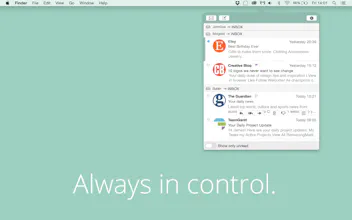
MailButler is just the Apple Mail extension you need in your daily life! With it, you can have delivery and read reports of your emails, set emails to notes, set a special time and date an email should be sent, undo sending or just make an email disappear for a certain period of time from your mailbox.
No reviews yetBe the first to leave a review for MailButler
why is everything a subscription? in this case, it just doesn't make sense to pay this much annually for a plugin. the indev team has been selling awesome mail app software for years by selling once and then selling major upgrades. that makes more sense imho.
Report
@passingnotes I agree. I think this would be much better as a one time purchase with paid major version upgrades. But subscriptions are all the rage now.
Report
Also, MailButler doesn't appear to respect the default notebook set in Evernote. Instead, it looks like whenever I save an email as a "quick note" using the Evernote integration, it saves it in the first notebook alphabetically. Not ideal.
MailButler brings the future of email to all Apple Mail users. It’s the ultimate productivity suite that connects email with services of the 21st century, such as Dropbox, Evernote and more. Moreover, it brings indispensable features to Apple's Mail application
- Email Scheduling: Write emails now, send them later
- Cloud Upload: Upload email attachments to the cloud to keep your messages feather-light
- Undo Send: Allows to retract messages after having pressed "Send"
- Emails to Notes: Easily create notes (e.g. in Evernote) from your emails
- Attachment Reminder: Never forget to attach files to your emails again
- Beautiful Signatures: Appear more professional by using a beautiful email signature
We’d love to hear from you what you think and answer any questions! Thank you :)
Report
@dotguru would be nice if there was a way to give a discount, or more monthly actions to those who have purchased some of your old plugins 😉
@dotguru Can't use it without a "read later" box or "snooze" button. Sorry -- email is far too advanced these days to have this feature missing from a product launching in 2016.
@huntergray Who says that we stop here? We have a long list of features that we want to bring to MailButler throughout the coming months. "Snoozing" is definitely on this list! :-)
Report
Hey guys. Love the look of this and installed but all I'm getting upon Mail launch is a beachball. I have MailTags installed already, so do you have a known conflict with this? Thanks
@anthonyjsilver Thanks for reporting this issue. We will look into this now!
Report
@dotguru No prob. As soon as I manually uninstalled MailButler it was working again
Report
@dotguru Hey guys. Any update? Just tried again and still same issue :(
Report
This seems to be a problem with a lot of apps lately, but it bears mentioning: you can't copy and paste a password into the password field when trying to add a third-party account (such as Evernote). For those of us who use complex (read: secure) passwords, this is a hindrance.
@benbelser You can use right-click context menu and then paste your password.
Report
Email Scheduling is a killer feature!
But I have my hesitations about the pricing model. I'm afraid that many, like me, will limit the service to the 20 free rides each month. A fixed price would solve this. Or a 'friendlier' extra price plan, like 100 monthly actions for 100 cents. Free is now to limited. Paid is now, for the average user, too expensive.
Report
Hunter
I definitely can use a PA for my Apple mail app. Mailbutler looks great and is full of nice add-on features. Not entirely sure about the pricing model though. € 5.95 / MO for a non-limited account is rather steep imho.
Mailbutler
Mailbutler
Mailbutler
Mailbutler
Mailbutler
Klutch
Mailbutler
Mailbutler
Mailbutler