

Masko Code
A mascot that watches Claude Code for you
274 followers
A mascot that watches Claude Code for you
274 followers
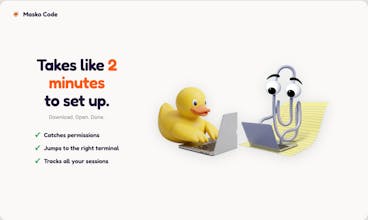
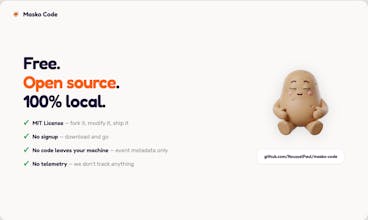
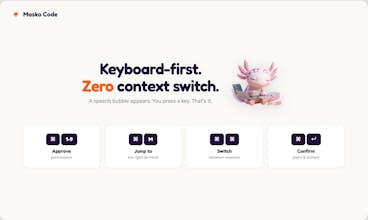
You run Claude Code agents. You alt-tab 50 times a day to approve permissions. You lose your place. You miss prompts. Masko Code puts a mascot on your desktop that watches your agents in real time. Permission needed? Speech bubble. Press ⌘1. Done. Also: ⌘M jumps to the right terminal. Double-tap ⌘ to switch sessions. Tracks everything at a glance. Ships with Clippy and other mascots. Community adds new ones daily. Or generate your own at masko.ai. Free. Open source. MIT. 100% local.




This solves such a real pain point. When running multiple Claude Code sessions, the context switching is brutal. How does Masko handle situations where two agents need permission approval at the same time? Can you queue them up and approve in sequence? Congrats on shipping this!
@borrellr_ Yes, each session is tracked separately. When two agents need permission at the same time, the mascot queues them up and shows a badge with the count. You approve them one by one. Thanks for the nice words!
THIS is DELIGHTFUL! Thanks for the awesome project, is been a while since I've been hooked into something fun. Submitted a PR so folks can use it with GitHub CLI as well.
@alacolombia Thank you for the PR, i am merging that very soon
This is a very dangerous app. I would not install it. When I tried to bypass its nonstop insistence on accessing my system via accessibility, it would not go away despite clicking “Deny” more than 20 times.
You can’t trust any developer who ignores all user commands. I have to restart my Mac to get rid of this dialog box! 🤬
Hey Michael, thanks for flagging this, you're right, that's a bad experience and I'm sorry.
This was a bug. The permission check was stuck in a loop instead of remembering you clicked Deny. I already fixed it, next release will ask once and stop if you say no.
The app is fully open source (github.com/masko-ai/masko-code) if you want to check what it does.
Sorry again for the hassle.
It seems really interesting, it remind me of the mascot of microsoft word, so nostalgic. Will it be available for other AI tools? Thanks
@paula_roiges Whiwh AI tools you have in mind? We will support codex for ex.
@paulroussel I was thinking more about integrations beyond Claude Code, like ChatGPT, Notion AI, or even Slack-based agents. Since the value is really in reducing context-switching and tracking multiple agents, it feels like it could fit really well across different AI workflows, not just coding.
Are you planning to expand support beyond Codex/Claude, or keep it focused on dev environments for now?
@paula_roiges Honestly I hadn't thought about ChatGPT, Notion AI or Slack agents but that's a really interesting use case. The mascot overlay could work beyond coding for sure. I'd love to hear more about how you use them. You can reach me at paulo@masko.ai if you want to chat about it!
Trufflow
Any future plans for support for non-Mac users?
@lienchueh Yes, Windows support is on the roadmap!
I've been using it for 2 weeks now and I love it. makes it so much easier to context switch while having Claude Code running without losing track of your claude code sessions. And the mascots are so cute !
@leo_litrico Thank you! Means a lot coming from someone who actually uses it every day. Glad the mascots make your day a bit better too.
This is the kind of tool you don't know you need until you try it — then you can't go back.
We're a team of 3 building Vidtreo (video recording API, also live on PH right now) and Claude Code is essentially our fourth team member. The problem Masko solves is painfully real: I was alt-tabbing 40+ times a day to approve permissions, missing prompts while testing in the browser, losing context constantly.
Now there's a little character on my screen that bubbles up exactly when Claude needs me. ⌘1 to approve, back to what I was doing. It sounds silly but the focus savings are massive when you're orchestrating multiple agents across backend, SDK, and dashboard repos simultaneously.
The mascot animations reacting to session state is a brilliant touch — you can feel whether Claude is working or waiting without looking at the terminal. That's UX insight you don't get from a progress bar.
Shipped with Clippy energy, built with real engineering. Love this.