Launching today

MeetNote
AI meeting notes for Google Meet, no bot joins your call
27 followers
AI meeting notes for Google Meet, no bot joins your call
27 followers
MeetNote writes a live transcript of your Google Meet calls in Chrome's side panel, then gives you a summary, decisions and action items when the call ends. No bot, no sign-up. Notes stay in your browser, and you pick the AI or run it on-device.

Hey Product Hunt 👋
I'm the maker of MeetNote. I built it because I kept leaving online meetings with half-written notes and no clear idea of who was supposed to do what.
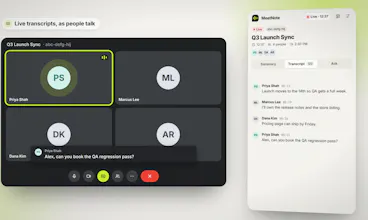
Most meeting note tools fix this by sending a bot into your call. That always felt awkward to me, especially in client meetings. MeetNote takes a quieter route: it reads the meeting's own captions inside your browser and builds the transcript in Chrome's side panel as people talk.
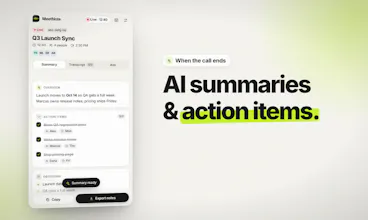
When the call ends you get:
• A short summary with key points and decisions
• Action items with owners and due dates
• A chat where you can ask things like "what did I miss?"
A few choices I made on purpose:
• No account and no servers. Your transcripts stay in your browser.
• You pick the AI: Gemini, OpenAI, Claude, Groq or OpenRouter with your own key, or Chrome's on-device model if you don't want anything to leave your computer.
• It's free.
It works with Google Meet, Zoom, Microsoft Teams and Webex (Zoom, Teams and Webex are new, so tell me if something breaks). I'd really like to hear what you'd want next: Notion or Slack export, or something else.
Thanks for checking it out!
This will come to handy! Does it support MCPs too? To e.g. send the transcript to my CRM system after the call
@flundberg_at_incredible Hello! Not yet but I'd love to implement that next update. Thanks!
@shahriardgm Thank you so much! I'm glad MeetNote solves your problem 😊
I miss a few points when i join a meeting late so having the mid call summary there would be useful. I could check what was discussed before jump into the conversation. If i run the summary again later does it include the new parts of the conversation too?
@tahir21 Yup! You can rerun the summary so the new transcripts will be included in the next AI summarization. Transcripts automatically summarized when the meeting ends too.