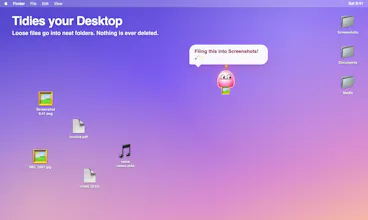
Mochi is a little pink blob who lives on your Mac. It floats around, naps, teases you about late nights and carries loose Desktop files into folders (never deletes, undo any move). Pro adds a tiny life sim: a strawberry tree, a nest and a family to raise.
Hi Product Hunt! I made Mochi because my Desktop was a screenshot graveyard and I wanted some company while I worked.
Mochi is a small pink blob that floats over your screen, reacts to the apps you use, naps now and then and has opinions about your late nights. If you say yes on the welcome card, it also carries loose files into folders. It never deletes or overwrites anything, and you can undo any move from the menu bar.
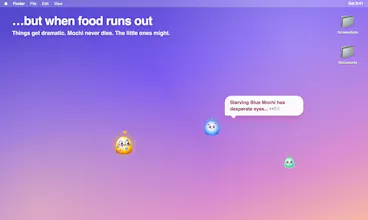
Then it got out of hand: Mochi Pro became a tiny life sim with a strawberry tree, a nest, eggs and babies in new colours. Food is scarce, so how your family turns out is up to you. 🍓 Pro has a free 30-minute trial, then it's $5, pay what you want.
Heads-up: Mochi isn't notarized yet, so first launch needs System Settings → Privacy & Security → Open Anyway. Just once.
Privacy: no account, no tracking. Mochi only goes online to check for updates once a day, to verify a Pro license with Gumroad, and, if you add your own Claude, ChatGPT or Gemini key, to send app-activity context (app names, time, files it's tidying) to that provider.
I'd love your feedback: what should Mochi react to next, and what surprised you?
Report
Cute ☺️clever way to make file organization less tedious. Does Mochi learn filing patterns over time?
@kai_megatron Thanks Kevin! Not yet — right now Mochi follows rules rather than learning, but he does adapt to your setup: he reads the folders you already keep on your Desktop and files into those, so if you use "Images" he uses Images, not some folder he invented.
Learning from corrections is the obvious next step — when you move something he filed, he should take the hint. What would you want him to pick up on first?





Mochi
Mochi
@kai_megatron Thanks Kevin! Not yet — right now Mochi follows rules rather than learning, but he does adapt to your setup: he reads the folders you already keep on your Desktop and files into those, so if you use "Images" he uses Images, not some folder he invented.
Learning from corrections is the obvious next step — when you move something he filed, he should take the hint. What would you want him to pick up on first?