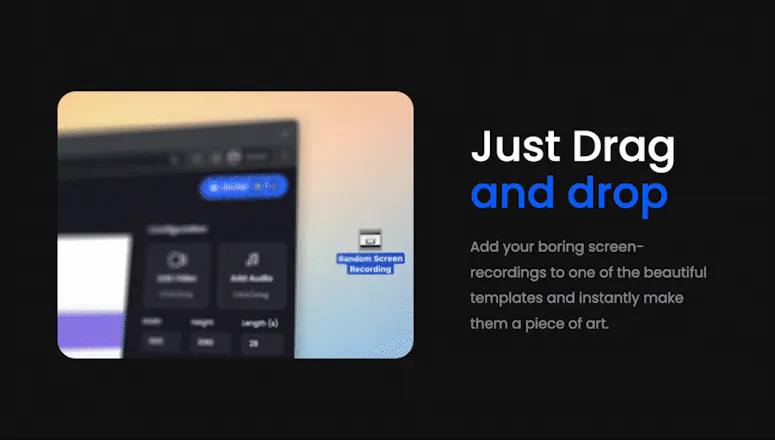
🚀 Mockoops enables you to create video animations by simply drag-dropping your screen recording and choosing a template. Transform boring screencasts into inspirational animations and upload to your favorite social media platforms!
This one is really interesting and very much in demand too. I am using Canva and can see a better future for this product. By the way, I have checked your blog and youtube video too, you wrote "since I'm saving up for college", Are you studying ?
@neha_dadhich Hey Neha, thanks for the compliment!
Yeah, I'm actually a high school student (technically I passed out last month, so yeah). I'm planning to apply to colleges and plan to cover most of the costs myself, so I'll be launching some SaaS product very shortly.
Without getting too out of context, I'm also planning on adding more templates to Mockoops soon, but would always keep the core completely free and open-source 😃
Hey Product Hunt! 👋
Mockoops is an online motion-graphics tool that enables you to quickly beautify and create animated videos from videos/screencasts.
You could also use it to:
🎵 Add Background Music
🏞 Display screen-recordings in beautiful templates
🔥 Add text and gradient/image backgrounds to screen-recordings
📏 Responsive Video Templates
🥳 Comes with a bunch of templates suited for different scenarios.
😎 Long-term Caching for saving rendering times
🌤 Light Mode / Dark Mode (Manual + Device preferences-based)
Mockoops is like Canva, but for videos!
-----------------------
Why was this required?
-----------------------
Imagine this. You're trying to launch a new product, and you have to create a demo video. Or you're trying to announce something on your twitter page, and you have to upload a boring video/gif screen-recording. Your first action would be to beautify the screen-recordings, and make them less boring. Maybe also throw in some music, add a gradient background. Maybe make the video it fly across the screen.
For images, it is understandable. You could just take a screenshot, open Figma within seconds, drop in your screenshot, alter a little, and done! Sadly, it isn't that simple for videos. You have to install expensive and heavy software like After Effects just so that you could trim the video. Let's say you somehow manage that, and adding some background music through an online editor, it would still be a nightmare to make it fly across a screen, without a watermark hindering the view. It shouldn't be that hard? Right? Well it was, until now!
Mockoops was created to solve the problem. Just record your screen or add an already existing video, then select a template on Mockoops, tweak the parameters, and export with a click, all for free!
----------
It's all free
----------
🤩 Mockoops is completely free for all users!
I've written a blog post on why it's free. Check it out: https://blog.mohitya.dev/introdu...
Report
I'm curious if you don't mind answering, how did you create that "intro" video? Looking to create something like this for my next project. Thank you
@thisisjad Hey Jad, first up, thanks for your kind words.
I created the intro video using After Effects and Microsoft's fluent emoji pack for designs from Figma. It took 4 days to create but in retrospect, was well worth the time! This was actually the second motion graphics video I ever made. Glad to know you liked it 😊
Report
Excellent work here! Why not turn it into a SaaS? Also - what's the underlying tech? Is it React for animations + Puppeteer to capture video?
@school_4_ants I'm was thinking about turning it into a SaaS, but I don't think it would do that well subscription-wise looking at the analytics. So I decided to make it an open-source project anyway.
Mockoops uses Remotion (https://remotion.dev) by @jonny_burger and the Remotion team for handling all the video related parts including the templates written with react, rendering etc. Also, this project is open source, so you're free to check out the code or even contribute! ❤️ I don't know the low-level details, but I do know that it runs a puppeteer instance to take screenshots of each frame and combine with FFmpeg, it's simply awesome!
Report
Beautiful!✨
Though I am a designer myself and prefer animating my mockups myself, it sure takes a hell lot of time.
I liked the look and features offered by Mockoops and would like to give it a try.
How many template do you offer?
@juilee_mahimkar Thanks for the complements.
I'm somewhat of a designer myself, and I had to install and update After Effects and other heavy apps just to text to some videos, not to mention teasers for my projects. So I tried to reduce the entry barrier for everyone with this project, and it's been working great.
> How many template do you offer?
It currently has 5 templates, but we'll slowly add more and more templates. Go check it out yourself with a website visit 😃
This is a fantastic must-have tool for anyone.
Mohit I saw your profile and was impressed by your level of experience for your age. You will reach the pinnacle of Success.
@neel_litoriya Thank you loads for your kind words, Neel! I've seen people much more talented than myself at a smaller age, but yes, we're getting there...




AppLogger by PLG Works
Mockoops
AppLogger by PLG Works
Mockoops
Mockoops
Mockoops
Mockoops
Supermemory
Mockoops
Lottiebox
Mockoops