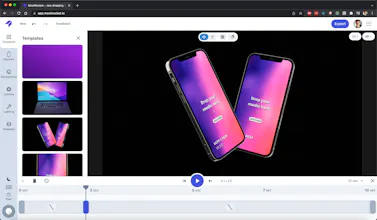
@satyendra_sahani It has a built in library of 3D device models, so no need to import any 3D models of your own. You can import videos and image files (PNG, JPEG, MP4, MOV, WEBM, etc) and have them appear on the device screens. You can export both images and videos (PNG, MP4, WEBM, PNG Sequences, etc)
@satyendra_sahani There's a built in form to request new device models. Do you have a device in mind that you'd like me to add?
Right now MockRocket is laser focused on device mockups for apps and making that as simple as possible, so it's not a general purpose 3D editor. But it's possible we go in that direction down the road. Haven't thought too much about it but in the general case it could make sense to let users import their own 3D models. Is that what you're looking for?
@sarahbondksu This is amazing! I've already started to play around with it. I'll show you some of my exports in the morning!
My only negative feedback is that you have to leave the tab maximized and open while it exports. I'm too used to multitasking during exports I think.
@sarahbondksu@lucky__angi Totally understand, that’s a limitation of the browser unfortunately. But you can actually still multitask with it–what I do is drag the MockRocket tab out of the Chrome window it’s in to create a separate Window with just the MockRocket tab. Then I just leave that window in the background and go about my normal work. As long as the MockRocket tab is selected in a Chrome window, the export will work, even if it’s in the background.
I’m also working on a native Mac and Windows versions which should eliminate this issue altogether and bring some extra render speed and file format improvements. Stay tuned!




LIAM
Kite
Kite
xperi.nz
Kite
xperi.nz
Kite
Lucky Orange
Kite
Lucky Orange
Kite
Promoly
Kite
v0 by Vercel
Kite
Product Prediction
Kite