
Launched this week

Mokkit
Turn any screenshot into a scroll-stopping animated visual
306 followers
Turn any screenshot into a scroll-stopping animated visual
306 followers
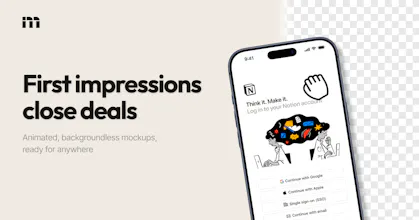
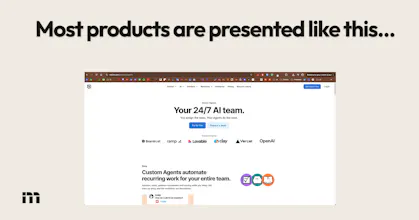
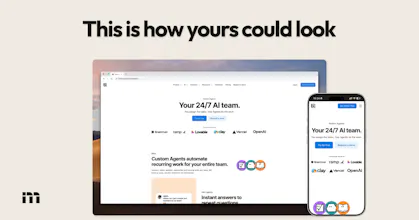
Transform your static screenshots into high-converting animated device mockups within seconds. Create transparent visuals that enhance your marketing materials without requiring any prior design skills. Perfect for showcasing software, apps, or websites in a professional and engaging way.


Congrats on the launch! 🚀 Mokkit is a great tool.
I just ran a mobile sweep and found a Critical Interaction Bug: the 'Make your first mockup' button on the landing page requires 3+ taps before it triggers a response. This 'Ghost Click' issue is likely killing your conversion right now.
Mokkit
@sergioding Thank you Sergio, I wasn't aware of that! To be fair the app itself shouldn't be accessible on mobile, will fix that, thanks again!
@ugo_builds Happy to help, Ugo! That makes sense. If you decide to roll out a mobile-responsive version later or need a final 'sanity check' on the desktop-only redirect, let me know. I'd be glad to help you verify it works as intended!
Mokkit
@ugo_builds when the demo is done can you use it however you want without having problem with the licence and how long is the demo. I really love the concept
love this. QQ on the URL capture feature - when you paste a link, can it capture the full page or just the visible viewport?
Mokkit
@jens_deryckere1 Thank you Jens! For now, just a regular screenshot, but soon you'll be able to change the viewport size, take full page shots, and even auto-scroll videos automatically
This is really clean
You’re right, presentation plays a bigger role than most people think. I’ve seen solid products struggle just because they weren’t showcased properly.
Have you seen a noticeable difference in engagement or conversions when using animated mockups vs static ones?
Mokkit
@dominion_okebe Thank you! I do think so yes, on specific use cases throwing in some motion catches the eye and makes a product demo look more professional. I'd say the main value is on video media inside static iphone/browser mockups though.
Congrats on the launch! How do you balance speed with giving users enough control over animations and styles so everything doesn’t start looking the same?
Mokkit
@thegreatphon I'm currently crafting a library of templates that will do just that!
Browse the templates -> load one that you like -> add your media -> export
Hopefully this will give speed but still allow control over the design and animations
Thank you for your product! It's so cool that it can turn screenshots into beautiful product promotional images and even animations! I just tried it out and found that after uploading a landscape screenshot, I can set all sorts of nice desktop backgrounds, but I have a hard time figuring out how to set nice animations like your website homepage.
Mokkit
@abiodun_abiola Thank you for your comment! Noted, I'll work on making the animation UX easier to understand very soon :)
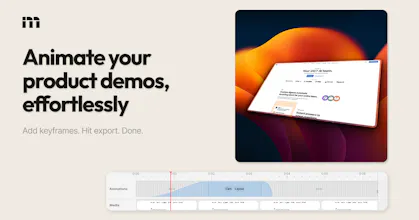
For example, the animation in my hero section was made like so: I recorded 3 videos on my phone, loaded all 3 on Mokkit, selected an iPhone frame, set the background to transparent, selected a layout preset (from the right sidebar), then toggled the animation timeline (bottom button), added a keyframe and selected another layout for that keyframe, worked on the transition to/from that keyframe, then exported as WebM)
Clipboard Canvas v2.0
I really like the idea of Mokkit! Turning static screenshots into animated mockups can totally elevate presentation quality, especially for those of us who've struggled with the visual elements in marketing materials. I’ve faced challenges with making my app stand out post-launch, so I'm curious: what’s the plan for adapting animations across different platforms and screen sizes?
Mokkit
@trydoff Hey, thank you for your comment! I'm not sure I follow though... Mokkit lets you export animated mockup scenes as MP4 or WebM format, you can also pick the video's aspect ratio, so technically they can fit anywhere!
Clipboard Canvas v2.0
@ugo_builds I meant more from a responsiveness standpoint. Do animations/layouts adapt automatically for different screen sizes (like mobile vs desktop), or do we need to create separate versions for each format?
Mokkit
@trydoff You can always use CSS constraints to properly dimension any exported image or video into the viewport. We just create the videos in 1080p, then it's up to the user to fit it.
Or maybe you were asking about the input media: any media can fit in any device frame or browser mockup, it really depends on what you want to do and on the size of your assets!