

Motion Software
Beautiful screen recordings for Windows, made simple.
635 followers
Beautiful screen recordings for Windows, made simple.
635 followers
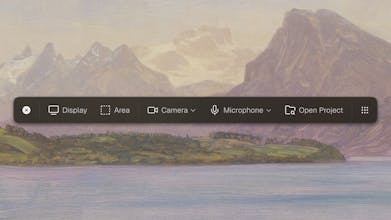
Motion captures your screen in high-resolution, smooths mouse movements, adds zoom-ins, and allows you to fully take control of the visuals. With just a few clicks, your footage becomes a high-quality, polished video—perfect for sharing, demos, or marketing.
This is the 2nd launch from Motion Software. View more
Motion Software
Launched this week
Motion processes your recording and creates a beautiful video that stands out. Capture your video, configure the animation as you like, and let Motion handle the animations.



Free Options
Launch Team

Motion Software
Hey @aurashasha22! I'm very glad you liked the UI, and it took me around 2 years to get to a good initial version.
Thank you for supporting the launch!
Motion Software
@pablobonilla Pablo, two years to first version and still shipping the biggest update yet — camera, microphone, AI captions, smoother mouse movements and better performance all in one drop. The Windows screen recording space has been criminally underserved while every polished tool shipped Mac-only, and building something that genuinely rivals Screen Studio quality on Windows is a real gap filled. The AI caption transcript editor with SRT export is the detail that turns this from a recording tool into a full production workflow.
This is exactly the kind of dedicated, community-driven indie build that IndieAIs dot com was created to spotlight — we launched today as a discovery platform specifically for independent builders like you. Search for IndieAIs, get Motion Software listed and if you have a moment we'd love your support on our own launch today too — just search IndieAIs on Product Hunt!
Windows has been underserved for polished screen recording tools — most of the best options are Mac-only, so filling this gap with automatic mouse smoothing and zoom-ins is a real differentiator. Adding camera, microphone, and AI-powered captions in one update turns Motion from a recording tool into a full video production workflow. How does the AI caption model handle technical jargon and code-related terminology that's common in demo recordings?
Motion Software
Hey @svyat_dvoretski, Motion's AI transcript generation will automaticallydetect technical words because of the qualirt of the AI model being used e.g. small & medium.
Though I will be adding an option yo better guide the model for specific context.
Thank you! 💯
It is so nice to finally see a modern screen recording tool built natively for Windows instead of just macOS. Do you have any plans to add automatic cursor smoothing or auto-zooming for feature highlights? That would make this the absolute perfect tool for recording quick devlogs or build-in-public updates.
Motion Software
Hey @y_taka, Motion does currently have auto-zooming, as well as manual zoom. The cursor does also get smoothened, there's a ton of features, this ProductHunt launch is a big update that just released, Motion has been around for a couple of months now. Thank you for the question & supporting Motion! 🙏
The auto zoom-ins and mouse smoothing are the kind of details that turn a raw screen recording into something you'd actually put on a landing page. Most recording tools give you the footage but the post-production to make it presentable is a whole separate workflow.
Any plans to add export presets optimized for specific platforms? Something like a one-click "PH gallery" format (1270x760) or "App Store preview" would save a lot of manual resizing for indie devs prepping launches.
LiveDemo
Congrats on the launch!
The design looks amazing!
Yesterday I was recording a video for LiveDemo,
And the two features that I needed which really made the difference between choosing a recording software
Were the already pre-selected background music choices and the custom camera layouts.
Ended with screenstudio, but would have definetely picked something else if it had these features.
Wondering what features are you thinking of adding next?
Hey Pablo! It's ideal for product demos like some of my portfolio. I'll take it a look cause I feel it's gonna help me a lot, and of course, I'll back with deeper feedback
Motion Software
Hey @german_merlo1! I'm glad Motion could be helpful for your use case! Feel free to reach back if you give it a try, thank you so much! 🙏