

Motion Software
Beautiful screen recordings for Windows, made simple.
475 followers
Beautiful screen recordings for Windows, made simple.
475 followers
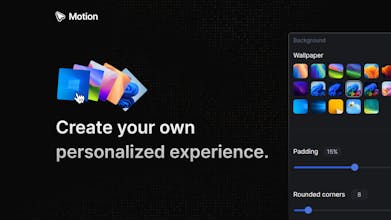
Motion captures your screen in high-resolution, smooths mouse movements, adds zoom-ins, and allows you to fully take control of the visuals. With just a few clicks, your footage becomes a high-quality, polished video—perfect for sharing, demos, or marketing.



I was looking for an app like this for a while, and this is definitely it!
Big congrats to Pablo and the Motion team, greetings from Argentina 🧉
Motion Software
@fachebits Your comment is extremely motivating, trust me! Very happy that you find Motion useful. Muchas gracias FACHE, greetings from Costa Rica! 😎
@pablobonilla Gracias a vos Pablo! 🫂
Hey this is really clean, what makes this a better option than screenstudio?
Motion Software
@samgurungsynkly Hey Sam, so the main difference is, Motion is for Windows & Screen Studio is for MacOS. This means that those who don't own an Apple/Mac laptop, can enjoy the same level of high-quality screen recordings, but for Windows!
Thank you Sam!
Great! I always want a good recorder for Windows. Crazy.
Motion Software
@syedimtiyazali There're definitely not too many Windows screen recorders out there, the idea is for Motion to lead the way. Thank you Syed, appreciate it!
FastMoss
Congrats on the launch! Super smooth experience, fingers crossed for a Mac version soon!
Motion Software
@qiwap Thank you so much QIQI! Will let you know if we release a MacOS version, priority at the moment is Windows. 💯
I like the smooth and simple functionalities of this product. Good going, Pablo!
Motion Software
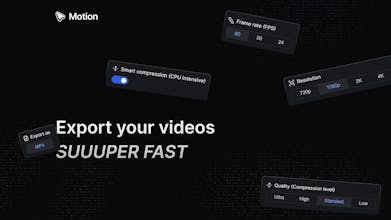
@shahza1bmushtaq I'm very glad to hear that Shah! Getting the export video results to be as smooth as it current is, was definitely the hardest part in terms of engineering. Thank you so much for your support!
Motion Software
@zorocubing I've very glad you've found the right alternative! If you've any comment, feedback, or idea, feel free to reach out! Thank you for supporting Motion, Kanson! 🚀
Agnes AI
Finally, someone made screen recordings actually look good! The smart zooms on every click are genius—editing demos used to take me ages. How customizable is the cursor, by the way?
Motion Software
@cruise_chen Great question, Motion has 5 different options (and more to come) regarding the cursor:
Change the cursor size
Show/Hide the cursor
Always use the pointer cursor
Adjust the cursor rotation (this works by considering the cursor velocity, and rotates the cursor realistically)
Optimizes the cursor changes (when you hover over UI elements too quickly, cursor changes can be distracting, so this algorithm optimizes that so it looks absolutely smooth in the recording!)
Thank you for supporting Motion, Chen!