
Launched this week

MuleRun
Raise an AI that actually learns how you work
973 followers
Raise an AI that actually learns how you work
973 followers
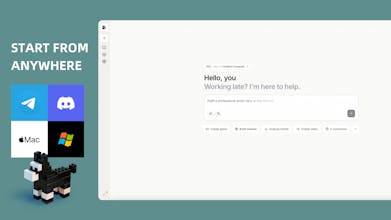
MuleRun is the world's first self-evolving personal AI — it learns your work habits, decision patterns, and preferences, then keeps getting sharper over time. It runs 24/7 on your dedicated cloud VM, works while you're offline, and proactively prepares what you need before you ask.No coding. No setup. Just raise your AI and watch it evolve.

This is genuinely impressive — the idea of agents that evolve from actual workflow patterns rather than static prompts is a big unlock. The always-on dedicated VM approach is smart too; most agent platforms lose context the moment you close the tab.
Quick question: for agents that handle media workflows (video processing, content production pipelines), how does MuleRun handle large file orchestration? We've been building video infrastructure at Vidtreo and the hardest part is always the handoff between "the AI decided what to do" and "the media pipeline actually executes it reliably."
Would love to see a MuleRun agent that can orchestrate end-to-end video workflows — record, transcode, deliver. That combination of autonomous decision-making + specialized infra could be really powerful.
Congrats on the launch!
MuleRun
@christian_segovia Thanks for the kind words — and the sharp question. Media pipeline orchestration is exactly the kind of problem where MuleRun's architecture pays off, so let me walk through it honestly.
MuleRun
@christian_segovia On the handoff problem you're describing:
You've identified the real pain point: the gap between "the AI made a plan" and "the media infra actually executed it reliably." Here's how MuleRun addresses that:
File persistence. The VM has a real file system. Intermediate outputs — raw frames, transcoded segments, metadata files — live on disk between steps. No ephemeral storage that disappears between API calls.
Cron jobs and proactive monitoring. You can set up scheduled workflows: "Every night at 2am, process today's uploads, transcode, generate thumbnails, push delivery manifest." If something fails, MuleRun proactively reports back to you rather than silently dropping the job.
Self-evolution over time. As MuleRun handles more of your media pipeline, it learns your patterns — your preferred codecs, resolution tiers, naming conventions, QC thresholds. The tenth time it runs your workflow, it's meaningfully better than the first.
Honestly, MuleRun is an agent orchestration platform, not a specialized media infrastructure stack. It's not replacing ffmpeg clusters or purpose-built transcoding farms for heavy throughput. If you're processing thousands of hours daily at Vidtreo, MuleRun isn't your transcoding backend.
But as the orchestration and decision layer sitting on top of your existing infra — that's the sweet spot. Think of it as the production manager who decides what needs to happen, triggers the right tools, monitors progress, handles failures, and reports results. The agent calls your APIs, manages the workflow state, and keeps running whether you're watching or not.
@sylvunny This is one of the most honest and thoughtful maker responses I've seen on PH — really appreciate you walking through the architecture instead of just saying "yes we do everything."
The distinction between orchestration layer vs specialized infra is exactly right. We handle the heavy lifting on the media side (browser-native encoding, chunked uploads, edge delivery) and what you're describing is the intelligent layer that decides when and how to trigger that pipeline.
The cron + proactive monitoring piece is especially interesting for our use case. Imagine: "new video uploaded → MuleRun triggers QC check → if resolution meets threshold, push to CDN → if transcription is ready, notify the client." That whole chain running autonomously on a persistent VM is powerful.
Self-evolution learning codec preferences and QC thresholds over time is a nice touch too — media pipelines have a lot of team-specific conventions that are painful to codify manually.
Would genuinely love to explore what a MuleRun + Vidtreo integration looks like. The "production manager + specialized infra" combo feels like the right architecture for teams that need video but don't want to babysit the pipeline. Let's stay connected 🤝
Product Hunt
Tate-A-Tate
Unlike other chatbots, this one doesn’t quit when I close the app.
MuleRun
@eeeeeach Yes! Our computer feature remains active and online continuously once it's turned on.
MuleRun
@eeeeeach Exactly — and that's one of the most fundamental differences between MuleRun and a traditional chatbot. Most AI tools are essentially reactive: you open them, ask something, get an answer, and everything stops the moment you close the tab.
MuleRun is built on a different premise entirely. Every user gets a dedicated cloud virtual machine running 24/7. Your agent lives there — not in your browser. The browser is just the entry point. So whether you're sleeping, in meetings, or simply offline, your agent keeps executing: running scheduled tasks, monitoring data, deploying services, generating reports, and proactively preparing what you'll need when you're back.
It's the difference between a chatbot and a digital employee who actually keeps working after you leave the office. See it in action here.
MockRabit
Congratulations @sylvunny ! It's looking promising. I would like to learn what inspired you to launch this?
MuleRun
@ishwarjha Thanks a lot! Our team has always aimed to build a truly user-centric AI agent, and "always on" is a key benchmark for us.
MockRabit
@sylvunny I am going to use it over the next few days and return back with solid feedback about its usefulness and relevance in my use case.
MuleRun
@ishwarjha Thank you so much — really means a lot on launch day!
The core inspiration was a simple but persistent frustration: AI tools were getting incredibly powerful, yet they still behaved like vending machines — you put in a query, you get an output, and the moment you walk away, everything resets. There was no continuity, no memory, no initiative.
We kept asking: what would it look like if AI actually worked the way a great human colleague does? Someone who remembers your preferences, learns your working style over time, keeps making progress even when you're not in the room, and occasionally comes to you with something you didn't think to ask for — but needed.
That vision is what became MuleRun. Not a smarter chatbot, but a self-evolving personal AI that runs 24/7 on its own dedicated environment, grows with you, and proactively works on your behalf. We wanted to give everyone — not just developers or technical teams — access to that kind of leverage.
The goal has always been to return the power of AI creation and evolution to every individual person, regardless of their technical background. We're just getting started, and the community's early creativity has already exceeded our expectations!
The 'learns how you work' angle is what caught my attention — I've spent years building automation tools and the hardest part is always making them context-aware without manual setup. How does it handle domain-specific workflows that combine different tool stacks? Curious whether it can track patterns across Claude Code sessions and terminal commands, which is where most of my work happens.
MuleRun
@slavaakulov Hey, appreciate the thoughtful question — this is exactly the problem we built MuleRun to solve.
On context-awareness: MuleRun continuously learns your decision logic, work habits, and tool preferences across all interactions. There's no manual setup or config files — it builds your personalized profile through natural conversation and observation. Over time, it starts proactively predicting what you need and pre-loading the right tools before you even ask. We call this going from "wait for your command" to "already thinking ahead for you."
On domain-specific workflows: each user gets a dedicated 24/7 cloud VM with its own file system, pre-installed software, and hardware-level config. So it's not just a chat window — it's a persistent working environment where your agent can deploy services, run cron jobs, and handle long-running tasks autonomously, even when your browser is closed. This makes it particularly natural for combining different tool stacks within a single continuous workspace.
On the collective intelligence side — when users solve problems effectively, those solutions can flow into our Knowledge Network. The more people use it, the smarter everyone's agent gets for similar scenarios. Think of it as battle-tested workflows shared across the community.
For your specific developer workflow, I'd recommend trying our "Coding & Building" mode — it's designed for hosting and running services 24/7 on your dedicated VM. Would love to hear how it fits into your stack. Feel free to jump in and give it a spin.
MuleRun
@slavaakulov This is exactly the kind of use case we get most excited about — and your framing is spot on. Context-awareness without manual setup is the hard problem, and it's precisely what MuleRun's architecture is designed to address.
Here's how it handles complex, multi-tool workflows: every MuleRun user gets a dedicated cloud virtual machine with its own persistent file system, pre-installable native software, and configurable environment. This isn't a sandboxed chat interface — it's a real compute environment where your agent operates continuously. That means it can run terminal commands, manage files, execute scripts, and interact with your tool stack as a native process, not through fragile API wrappers.
On the pattern-learning side, MuleRun tracks not just what you ask for, but how you work — the sequence of operations, the tools you reach for in specific contexts, the outputs you accept versus revise. Over time, it builds a working model of your decision logic, so it can begin anticipating the next step in a workflow rather than waiting for instruction.
For a developer workflow spanning terminal sessions and coding environments, the practical implication is that your agent can observe recurring patterns — say, a sequence of build, test, and deploy commands you run in a particular order — and start preparing or executing those proactively. The 24/7 runtime also means long-running processes don't get interrupted when you step away.
That said, deep integration with specific tools like Claude Code is an evolving area and I'd rather be honest than overpromise. The best way to pressure-test it against your specific stack is to get hands-on — we'd genuinely value the feedback from someone with your background. Happy to get you set up if you want to dig in. You can explore the technical architecture further here.
Autocoder.cc
I get automatic updates when my tasks finish, so helpful.
MuleRun
@saintcedricfan Exactly, we finally made it.
MuleRun
@saintcedricfan That's the Heartbeat feature doing its job! No more checking in to see if something's done — your Mule comes to you. Glad it's making a difference in your workflow!
Congrats launch! 🎉 Curious how the self-evolving part works in practice.
MuleRun
@thea5 Thank you! MuleRun learns your work habits over time and starts proactively preparing what you need before you ask.
MuleRun
@thea5 Thank you! Great question to dig into.
In practice, self-evolution in MuleRun works on two levels.
At the individual level, your agent continuously learns from how you actually work — not just what you tell it, but what you do. It retains your preferences, decision patterns, communication style, and domain knowledge across every session. The longer you use it, the less you need to explain yourself, and the more it anticipates what you need before you ask. It's less about configuring settings and more about the agent building a genuine working model of you over time.
At the collective level, MuleRun has a shared Knowledge Network. When users choose to share a workflow or agent they've built, it enters a community pool. Agents that get validated and adopted by multiple users in similar scenarios rise in weight, and MuleRun automatically surfaces those high-performing patterns to others facing the same kind of task. So your agent benefits not just from your own experience, but from the collective intelligence of the entire user base — opt-in, always.
The practical result is a flywheel: the more you use it, the better it gets at your specific work. And the more the community uses it, the stronger the shared foundation everyone builds on. You can explore some of the workflows the community has already built here.