
Network Backup Manager
Free network backup, SNMP monitoring & syslog for Windows
4 followers
Free network backup, SNMP monitoring & syslog for Windows
4 followers
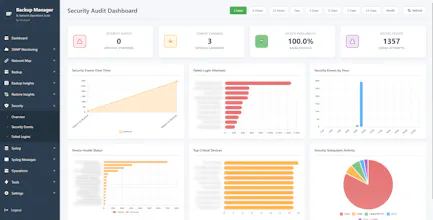
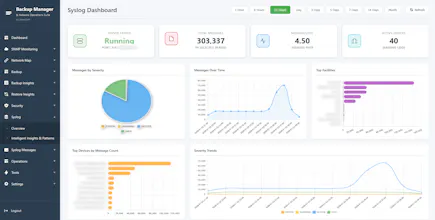
Free self-hosted Windows tool for network engineers. • Config backups for 30+ device types from 7 manufacturers — Cisco, Juniper, HP/Aruba, Dell, Arista, Extreme, Mellanox & more • SNMP v2c/v3 — CPU, memory, traffic & availability charts • Built-in syslog server with pattern analysis • Network topology map (auto-discovered via LLDP) • Config change detection & compliance dashboard • No cloud, no subscription — free forever ⚠️ Provided as-is, no warranty. Use at your own risk.




Free
Launch Team / Built With


Build your Framer site from Claude, Codex or CursorYour AI agent builds it. You review before it goes live.
Promoted
Would love to see scheduled config diffs sent to a Slack or Teams webhook when changes are detected. Right now I have to log in to catch drift on switches I rarely touch, and a quick ping with the diff snippet would make compliance review way less painful.
@funda469776 Hi Funda, great suggestion! Slack/Teams webhook notifications for
config changes is definitely on my radar for a future update —
that would make compliance review much smoother.
For now, the program does detect configuration changes automatically
after each backup and shows you a full diff view directly in the
web UI, so you can see exactly what changed and when without
logging into the device.
The webhook notification idea would take that a step further by
pushing the diff snippet to you proactively — I'll add it to
the feature list. Thanks for the feedback!
finally a backup tool that actually pulls configs from my Juniper and Arista gear without a bunch of cloud hoops. the auto topology map was a nice surprise too
Hi Evren, really glad it works well for your Juniper and Arista
gear! That's exactly the use case I built it for — no cloud,
no agents, just SSH and it works.
The topology map builds itself automatically from LLDP/CDP data so you get a live view of
your network without any manual configuration.
Thanks for the kind words and for trying it out!