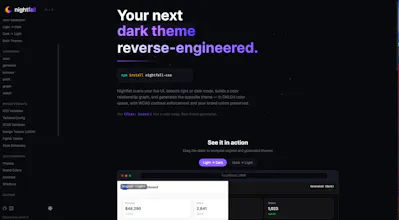
Nightfall scans your live UI, detects light or dark mode, builds a color relationship graph, and generates the opposite theme — in OKLCH color space, with WCAG contrast enforcement and your brand colors preserved. Not filter: invert(). Not a color swap. Real theme generation.
Hey Product Hunt 👋
I'm Oliver, and I built Nightfall because every "dark mode generator" I tried was either filter: invert() with extra steps or a theme swap that murdered my brand colors.
Nightfall takes a different approach: it visits your running dev server, builds a graph of how your colors relate to each other, then regenerates the whole theme in OKLCH so the result actually looks designed not mathematically flipped. It enforces WCAG contrast, keeps your brand blue actually blue, and spits out CSS variables, Tailwind config, SCSS, JSON tokens, Figma tokens, or Style Dictionary.
npx nightfall-css scan --url http://localhost:3000
npx nightfall-css generate --format css-variables
Output is a single CSS file. Zero runtime.
It works both directions (light→dark or dark→light), and there's a split-screen preview so you can eyeball the result before committing.
Would love feedback especially on edge cases your existing themes hit.
CSS Wand