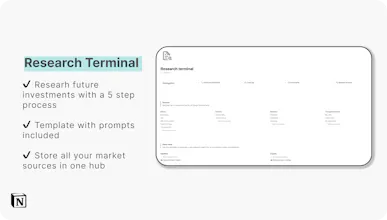
What's included in the dashboard: ✔️ Instant and automatic analytics after trade entry ✔️ Guide for live stock prices & market widgets ✔️ Research terminal with templates for researching new equity and crypto trades
@brentobox thanks! Same here - that was the reason I sought to build this template. Start by solving my own problem! It's also nice to house everything in one place as I already use Notion for a range of other uses (task manager, notes etc).
@martin_delobbe1 thanks!! You have to manually enter trades but if there is enough interest I can make a guide on how to automate it (it would depend on the broker though).
Report
Congratulations on launch. Why charge $7.50 when you can make it free?
@carl_shaver thanks Carl! I put in 50+ hours into this dashboard to try and make it as valuable as possible for users. For that reason it is one of my premium products. However, I do have a range of free Notion templates you can check out on my Gumroad store.
Report
Does it connect to broker or am I manually entering data?
@frank_cona1 hey Frank - at this stage you have to manually enter your trades. However it is setup to make this a very quick process. It's difficult to connect brokers to Notion directly (so many out there!) but i'm investigating how users could potentially connect their broker to a platform like Google Sheets and then sync this into Notion.
The dashboard includes free lifetime updates so if I make any of these changes the users will be the first to hear about it!




GoIndie
Side Project OS
Cycle
Side Project OS
Side Project OS
Side Project OS
Side Project OS
Side Project OS
Side Project OS