• Scan and extract text from images. • Supports over 100 languages. • Share the extracted text. • Export the extracted text as TXT or PDF. • Available on iPhone, iPad, and macOS.
Hey PH,
We finally launched the iOS version of our ocrX app.
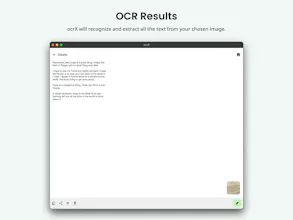
Extracting text from any image is a breeze using ocrX. Just select an image from your Photos, choose the language, and et voila!
Some of the features available in ocrX:
- Supports over 100 languages.
- Export extracted text as a TXT or PDF file.
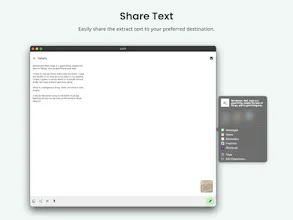
- Share the extracted text to any app of your choice.
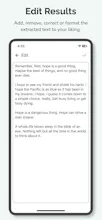
- Add, remove, correct, or format the extracted text to your liking.
- Highlight phone numbers, emails, and links automatically in the extracted text.
ocrX is available for iPhone, iPad, and Apple Silicon Macs.
We'd appreciate any feedback you might have to help improve our app. :)
Cheers!
Report
Congratulation to your launching. It’s great to know that it can support up to 100 languages, and I hope my mother language is one of them.
@juliomedina Hello Julio,
The accuracy is on par with the iPhone's built-in Live Text OCR.
However, the iPhone's built-in Live Text supports less than 15 languages while ocrX supports extracting text from images in 102 languages.
Report
This tool will be useful for me in summarizing information from printed documents. It would be even better if the tool could accurately read and extract information from complex images such as charts and data.
ocrX Image to Text
ocrX Image to Text
Dualite
ocrX Image to Text
ocrX Image to Text
ocrX Image to Text
ocrX Image to Text
ocrX Image to Text