
OMEGA Ω™
3.6MB browser that never tracks, profiles, or sells data
545 followers
3.6MB browser that never tracks, profiles, or sells data
545 followers
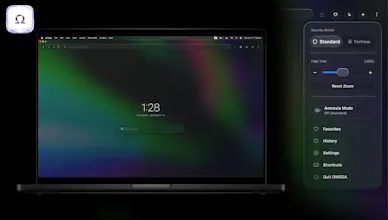
OMEGA: an ultra-fast, security-first 3.6 MB native browser for macOS built on Apple architecture with Swift + WebKit. Opens in under a second, blocks trackers at the network level, fights fingerprinting, and refuses the surveillance economy. YouTube ads get neutralized. Amnesia Mode browses in RAM, leaves no trace, and disappears on quit. Hit Nuke to wipe cookies, cache, history, and site data. No profiling. No data brokerage. Just speed. Browse light. Browse free.

Nomad Tracker
Why we can't download it from the App Store? 😕
@gotzonza Possibly because it's a privacy product and the App Store is not private in any way, shape or form.
OMEGA Ω™
@gotzonza Should be on the App Store this weekend, fingers crossed!
Nomad Tracker
@micheltrillo thank you for the follow up
OMEGA Ω™
🚀 Omega Update — January 23, 2026
Big thanks to the Product Hunt community for the incredible support. Hitting #1 Product of the Day and maintaining a 10-day streak would not have been possible without you.
Since launch, we’ve shipped major upgrades focused on security, control, and speed:
🔐 Vault (Security & Passwords)
A deeply native, macOS-level security layer for managing credentials with precision and zero guesswork.
🧠 Marketer Mode
Controlled exceptions for sites that require the need for cookies such as Meta Ads & Google Analytics (or sites that can break without scripts), enabled strictly on your terms.
⌨️ Pro Keyboard Shortcuts
A faster, developer-centric command layer for navigating Omega at speed.
(More info on the above in "FULL DETAILS" below👇🏽)
We’re also seeing strong global adoption across the US, Europe, and Asia — thank you for helping Omega grow worldwide.
🎥 Full walkthrough of the new features here:
https://youtu.be/cFLbIKaI_gE
Omega is coming soon to the macOS App Store.
More updates ahead, and as always, built with privacy first
FULL DETAILS:
1. The "Vault" (Security & Passwords) 🔐
This is the most advanced part of the browser, now fully integrated with macOS security.
• Verified Fill: TouchID/FaceID is required only when filling or viewing passwords, not saving them.
• Saved Passwords Panel: A dedicated glass panel to view, delete, and manage saved site credentials.
• Strict Context: "Sensitive" domains (Google, Proton, banking) require a strict URL match and hint to autofill; no guessing allowed.
2. The “Marketer” Mode (Exceptions on our terms) 🧠
Allow Cookies mode for Marketers and sites that require such behavior
• Exceptions List: A allowlist panel to allow ads/scripts on specific broken sites (e.g., enabling Meta and Google Ads or Analytics).
3. Keyboard Shortcuts (The "Pro" Layer) ⌨️
We overrode system defaults to give you a developer-centric layout:
• Cmd + . → Open Settings directly.
• Cmd + , → Open Control Center (Menu).
🌏 Global Omega usage:
Based on current traffic distribution:
United States – ~23.4%
Thailand – ~15.1%
India – ~10.0%
United Kingdom – ~4.2%
France – ~3.0%
Germany – ~2.7%
Japan – ~2.5%
Canada – ~2.3%
Other regions – ~36.8%
Omega is global! Now we harden and iterate. 🦾
🙏 Thank you for the momentum and trust, everyone!
Comment here or email at "hello at omega.bz" for feature requests, questions, or partnerships.
Made with ❤️ from Japan.
@micheltrillo Hey, thanks for really great project. So small and yet so powerful. I wonder where people can look for project updates. The site is not very useful.
Congrats on the launch - excited to kick the tires!
OMEGA Ω™
@scald3 Steve, thank you so much for the support.
Amazing product, and the UX is stunning I have to try it out :)
OMEGA Ω™
@aspiiire My goodness, such lovely compliments. Thank you 🙏🏽🙇🏽
AI Test Engineer by BlinqIO
Hi Michel, Quick question: if a normal Chrome user were to switch to this browser, what would they miss that's in Chrome but not in your browser yet?
Also, I'm thinking of trying this browser out, but I'm mainly worried about whether it will load all the different websites the same way Chrome does. Or is there any difference? Asking from a Web developer/tester perspective
3.6 MB is shockingly small. My only concern is whether it can handle heavy, JS-rich web apps without breaking the UI or rendering glitches. That said, the speed promise is too good to ignore. Downloading now to test its limits!
"Fastest and lightest" is a bold claim! I'm always looking for browsers that don't eat up RAM. How does it handle multiple tabs compared to Chrome or Firefox? And does it support all the standard extensions?