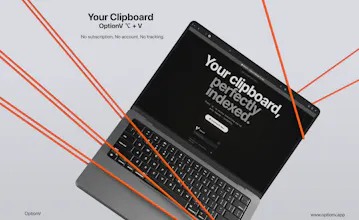
Excited to share something I've been building: OptionV — a native macOS clipboard manager.
The problem it solves is simple: macOS forgets everything you copy the moment you copy something new. Same logic as Windows + V
OptionV fixes that:
✦ Press ⌥ (Option) + V from anywhere to open your full clipboard history
✦ Search, pin, and copy with a single click
✦ 100% local — your data never leaves your Mac
✦ Free, no account required
✦ No subscription. No account. No tracking.
If you're a Mac user, I'd love for you to try it and tell me what you think.
If someone is currently happy with Maccy or PastePal, what’s the “breaking point” that typically makes them switch—speed/UX at the cursor, search, privacy posture, or something else you saw repeatedly?
@curiouskitty As someone who jumps between Windows and macOS all day, the 'breaking point' for me was muscle memory.I got tired of my brain searching for the Win + V logic on Mac and finding something completely different (or nothing at all). I built this specifically to bridge that gap—bringing that same intuitive, 'at-the-cursor' flow to macOS. If you're looking for that familiar Windows simplicity without the configuration bloat of bigger Mac apps, this is for you.
Nice, love the simplicity, fast access to clipboard history right from the menubar just makes sense; how do you handle privacy for sensitive data copied to the clipboard?
@davitausberlin Thanks! Great question. Currently, all clipboard data is stored locally on your device's keychain/sandbox and never touches our servers. You have total control over your history.
When I started building a clipboard manager for macOS, I wanted something that actually fits into a developer's workflow — not just a list of copied items sitting in a corner.
This update is about giving you real control:
→ Full window dashboard — expand from the menubar when you need the full picture → Inline text editing — tweak a snippet before you paste it, right inside the app → Favorites & Collections — organize your most-used code snippets and links → Universal search — fuzzy, instant, across everything → Light & dark modes — because your setup, your rules
Plus a round of performance improvements and sync fixes that have been on the list for a while.
If you work with code, copy a lot, or just hate hunting through paste history — give it a try.



@curiouskitty As someone who jumps between Windows and macOS all day, the 'breaking point' for me was muscle memory.I got tired of my brain searching for the Win + V logic on Mac and finding something completely different (or nothing at all). I built this specifically to bridge that gap—bringing that same intuitive, 'at-the-cursor' flow to macOS. If you're looking for that familiar Windows simplicity without the configuration bloat of bigger Mac apps, this is for you.
Nice, love the simplicity, fast access to clipboard history right from the menubar just makes sense; how do you handle privacy for sensitive data copied to the clipboard?
@davitausberlin Thanks! Great question. Currently, all clipboard data is stored locally on your device's keychain/sandbox and never touches our servers. You have total control over your history.
I just shipped our biggest OptionV update yet.
When I started building a clipboard manager for macOS, I wanted something that actually fits into a developer's workflow — not just a list of copied items sitting in a corner.
This update is about giving you real control:
→ Full window dashboard — expand from the menubar when you need the full picture
→ Inline text editing — tweak a snippet before you paste it, right inside the app
→ Favorites & Collections — organize your most-used code snippets and links
→ Universal search — fuzzy, instant, across everything
→ Light & dark modes — because your setup, your rules
Plus a round of performance improvements and sync fixes that have been on the list for a while.
If you work with code, copy a lot, or just hate hunting through paste history — give it a try.
Would love to hear how you're using it. 👇
OptionV - Free Download Here : https://www.optionv.app/