

OutreachOS
STOP LOSING LEADS TO THE FEED
7 followers
STOP LOSING LEADS TO THE FEED
7 followers
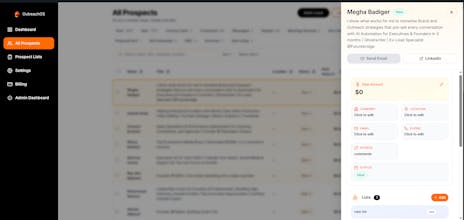
LinkedIn CRM for solopreneurs. Organize your network, save contacts ( any LinkedIn profile, steal from your competitors comment section and linkedin search results), and make your pipeline organized. Overcome LinkedIn limits. Created by Sayem.


@the_mohammad_sayem Hi Mohammad, congrats on teh launch. can you summarize in bullet point (5) what the tootl does?
@zolani_matebese thank you.... yes:
• Finds potential customers from your competitors’ LinkedIn activity
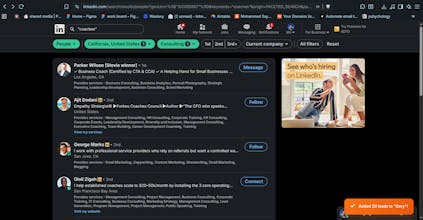
• Collects leads from LinkedIn search based on who you want to reach
• Saves any LinkedIn profile to your CRM with one click
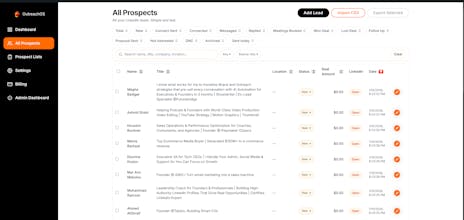
• Keeps all leads organized in a simple CRM made for solopreneurs. notes, stages, reminders
• No LinkedIn login required. completely safe. built for solo founders.......
Steal Leads From Competitors Using OutreachOS
Link to Loom Video:
Key Steps
1. Connect to OutreachOS
Ensure you are connected to OutreachOS
If you see 'not connected', click 'Connect OutreachOS'
Wait for the pop-up confirmation that you are successfully connected
2. Access Competitor's Profile
Navigate to your competitor's LinkedIn profile (e.g., Gary)
Click the comment button from any post to load comments on their profile
3. Load All Comments
Scroll down the comments section until all comments are loaded
This helps prevent your account from being flagged for automated behaviors\
Click on 'Get Engagers'
4. Create or Select a List
If you have an existing list, select it
If not, create a new list (e.g., name it 'Gary')
Click 'Save Commenters' to start the process and wait till it finishes
5. Verify Lead Addition
Once the process is complete, you will receive a notification confirming that all leads have been added to your CRM
Go to your OutreachOS and refresh the website to see the newly added leads
Cautionary Notes
Always verify that you are connected to OutreachOS before proceeding with lead acquisition
Best Part of OutreachOS: We don't take LinkedIn credentials. You just connect your extension with OutreachOS