Launched this week

Paddock
Computers and sandboxes for your agents
109 followers
Computers and sandboxes for your agents
109 followers
Paddock gives each AI agent its own Linux computer or a locked-down sandbox, on one VPS you own. Free and open source, MIT licensed.
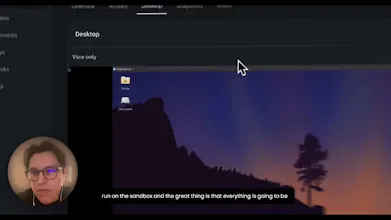


open source version of a sandbox for your agents.
The snapshot-every-minute detail Simon mentioned is what caught my eye — a box per agent on my own VPS is appealing, but rollback is where I would get nervous. If I roll a box back a minute, does that restore the whole box state, including anything installed or written after the snapshot, or is it filesystem-only? And following Aleksandar's question about secrets: if a credential is injected after a snapshot, does a rollback leave it in place or wipe it?
@jcbuilds Great question. Rollback restores the filesystem, not memory: files, anything installed with apt or pip, config changes, and deleted files all go back to how they were at that snapshot. Running processes and RAM aren't captured, so the box boots fresh from the restored disk. A few things are left out on purpose: /tmp, package caches, and the Docker data inside the box.
Rolling back takes a snapshot first, so if you go back too far you can undo the rollback itself. Snapshots run every minute while the box is changing, slowing to every 5 minutes when it's very busy. We keep the last 5 automatic ones by default (up to 50), plus any named snapshots you take, which are never pruned.
On credentials: secrets are never written into snapshots. They live in a runtime-only path that's excluded from every capture, so a rollback, fork or snapshot download can't leak a key. The flip side today is that a rollback doesn't put an injected credential back. Re-injecting it automatically from the box's environment on resume is the next fix we're shipping.
@jcbuilds Good question, and rollback is exactly where you should push.
It's filesystem-only. A rollback restores the disk exactly as it was at that snapshot. Anything written, changed, installed (apt, pip, npm) or deleted after it goes back too. Memory and running processes aren't captured, so the box boots fresh from the restored disk. A few paths are skipped on purpose: /tmp, package caches, and the Docker data inside the box.
Rollback is also undoable: we take one more snapshot right before rolling back, so if you go too far you can restore that one. Snapshots run every minute while the box is changing (every 5 minutes when it's very busy). We keep the last 5 automatic ones by default (configurable up to 50), and named snapshots you take yourself are never pruned.
On credentials: they're never part of a snapshot. Secrets live in a runtime-only location that every capture skips, so a snapshot, download or fork can never contain a key. To be honest, your question made us check the other half, and we found a gap: because secrets aren't in the snapshot, a resume or rollback currently comes back without the box's credentials. We're pushing the fix today. Credentials will be re-injected from the box's encrypted environment on every resume and rollback, so a rollback will always come back with the box's current credentials, never an older copy.
One of our agents ran an rm -rf on an absolute path once and the only reason it hit nothing is that it typed 2046 instead of 2026 in the path, so a box I can roll back sounds good to me. Is the snapshot the only safety net, or can I also make some paths read only for the agent?
congrats!
A box per agent makes way more sense than one shared docker host once they all need different creds. How are you keeping secrets scoped so one agent can't see another's keys?
@aleksandar_perak That's exactly the reason to use a box per agent. Credentials go into Environments, which are stored encrypted on your server. A box only receives the Environment you attach when you create it, written inside that box with owner-only permissions. Each box is its own container under Sysbox with its own user namespace, so one agent can't read another box's files or keys. Keys also never land in snapshots or forks, so cloning a box doesn't copy its credentials. And if you need several identities inside one box, you can add isolated users with paddock user add.
Earlier this year I gave an open-source agent a whole spare MacBook, because it wanted credentials for everything and Docker got messy. A box per agent on your own VPS, with a snapshot every minute to roll back to, is a much tidier answer to the same problem. It would be neat to see Hermes in the preinstalled list too.
@simon_moxon the spare MacBook is exactly the setup that led to this. Every agent gets its own disposable machine with its own credentials, and you can roll back when it does something weird. Hermes isn't preinstalled yet, but it's a good call and I'll add it. Until then you can install it with a setup script on paddock new, or build your own image FROM ghcr.io/tony1908/paddock-box and pass it with --image.