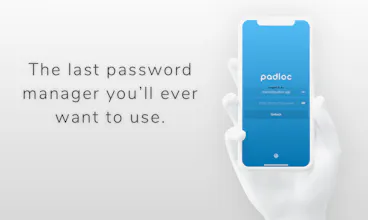
Padloc is a refreshingly simple password manager for individuals, families and teams. Its combination of elegant, simple design with a rock solid, open source code base makes Padloc a unique app that is appealing to both technical and non-technical users.
No reviews yetBe the first to leave a review for Padloc
?makers
Any benefits of this over Bitwarden? Bitwarden is open-source, can be self-hosted, supports all the features you have including 2FA, and has been audited by independent contractors as well. Bitwarden also has browser extensions which makes it easy to auto-fill using keyboard shortcuts
@andrewkdinh Bitwarden is an excellent product, and as you say is comparable to Padloc in terms of features. The areas that Padloc really shines in - things like user experience, flexibility and overall look and feel - are much harder to put into words than a simple feature list though, and you really have to try both to know which one better suits you. Let me just say this: One of the main goals of Padloc has always been to make a password manager that is accessible and appealing not only to technical users but also to "regular people" and we quite frequently hear feedback along the lines of "Finally found a password manager that my wife will actually use." or "Padloc is the first password manager that my team didn't abandon after week." A solid feature set is important, but in our experience the most useful tools are the ones that people actually enjoy using. And I think with Padloc we built such a tool. 😌
This looks really great. I was going to sign up for 1Password soon but will definitely give this a try first!
Any special features it offers which aren't offered by competitor apps?
@alex_furman Thanks! Well one of the things that makes Padloc stand apart from most other solutions out there (including 1Password) is that it is completely open source! But we're also trying to be different in other ways, like a fluid and simple user experience, a transparent and independently audited security model and amazing customer support 😊
@greg_ellis Quite a few, actually... I could go into LastPass's horrific security record, or the fact that they were acquired by notoriously user-unfriendly LogMeIn or it's less-stan-stellar user experience, but instead I suggest you simply give Padloc a whirl. I promise afterward you won't be asking why you should switch 😉
As for migrating your data - that's actually incredibly easy. Just follow the steps in this article: https://padloc.app/guides/lastpass/ (the guide was written for an older version of Padloc but the steps should still apply. Let me know if you run into any problems!)
@greg_ellis You're one of the top 10 commenters! 🎉 Just shoot us a quick email and we'll send you your coupon code.
Report
Padloc looks great! That is it possible to import passwords from other password managers, like KeePass, Dashlane, Enpass etc? It will be next to impossible to switch without that.
I took a quick look at your website but didn't find any info regarding importing, not even in the guides section. Granted, it might be there somewhere but it didn't browse the whole website (and I'm pretty sure that most people wouldn't...)
@anna_0x You can import from CSV, which most password managers export to. So yes, migrating your data from other password managers is not only possible but actually quite simple. You're right that we don't have any guides for that yet though. It's on the TODO list 😁
Report
@maklesoft that's great! Does it also import TOPT keys from CSV? I'm guessing it depends on what the exported CSV looks like... I'm mostly interested in importing passwords and TOPT from Enpass.
Would be cool if you had a list of other password managers on your website from which Padloc can import everything *perfectly* (so you test the export-import and post your results basically)!
@anna_0x Hm, that depends on how the keys are exported by other password managers but it would certainly be possible. We're actually getting a lot of similar request for users of almost every competing product, so we're planning on adding import algorithms for most popular password managers and as I mentioned there will be guides, too. I'll put Enpass on the list 😉
@vncntrnx I hope you don't mind if I refer you to the answer I gave to @andrewkdinh, which is just as applicable here if you replace "Bitwarden" with "1Password" 😄: https://www.producthunt.com/post...
In addition to that, the one major difference between Padloc an 1Password is that 1Password is closed source, which in my opinion (and the opinion of most security experts) is a big no-no for any security-related product. Yes, they do have audits by third parties but what's preventing them from turning around and changing things after the review is finished? It may sound paradoxical, but transparency is key when it comes to software security. "Security through obscurity" has never been a good approach for any software and it certainly isn't for a password manager. [end of rant] 😅
Report
@maklesoft thank you, I’ll give it a spin. I have a good family pricing with 1Password, so I’ll have to find superior UX to switch :-)
@vncntrnx Fair enough 😊Let me know if you have any questions or concerns!
Report
This looks interesting! I am currently looking for an alternative for Dashlane and the OTP feature might be a dealmaker for me. Are there still the discount codes flying around? ;-)
@marekp Possibly 🤔Shoot us an email and we'll see what we can do 😉
Report
Hey guys. On installing Padloc, I love the UI/UX. Reallly modern and hip :). However I am missing 2 pieces of functionality that are crucial to me(both on the browser).
1. Prompt to save a newly detected password
2. autofill
Any chance these features are on your roadmap or are already present? I am tasked with choosing a password manager for my company and love the interface. In any case, keep up the good work
@hiren_budh_king Hi there! Thanks for your question :)
Auto fill the way that it is implemented in other password manager extensions is a significant security risk and therefore something we're not looking to implement at this point. I've written down some of my thoughts about it here: https://github.com/padloc/padloc...
Hopefully browser apis will catch up soon and allow implementing auto fill in a secure way, rather than relying on insecure content scripts. In the meantime, I think our way of filling out forms via drag & drop is pretty cool, too 😁
https://padloc.app/help/manual/e...




Padloc
Padloc
Zappi Ad Predictor
Padloc
Padloc
Padloc
Padloc
Padloc
Padloc
Padloc
Padloc
Padloc
Padloc