
Launched this week

Pause.do
Interrupt scrolling, tab overload, and AI autopilot
209 followers
Interrupt scrolling, tab overload, and AI autopilot
209 followers
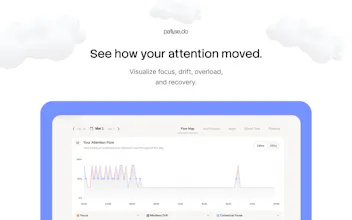
pause.do is a privacy-first browser extension that interrupts the moments when attention slips into autopilot, endless scrolling, tab overload, and even AI prompts. Instead of blocking websites, it creates small, intentional pauses that help you think first and decide what to do next. With pause types like Think First, Scroll Pause, Session Nudge, Focus Limit, and Tab Overload, pause.do helps you stay in control of your attention online.




Payment Required
Launch Team / Built With


Can I configure the rules for such pauses in any way?
Pause.do
@natalia_iankovych Great question 🙌 Yeah, there’s actually a bit you can tweak already.
You can customise the prompts (what triggers a think first pause), choose different voices, and even adjust things like what counts as tab overload (default is 50).
I’m also working on adding more controls around things like how agressive a scroll pause tiggers and e.t.c
Curious what kind of control you were hoping for?
Pause.do
👋 Hey Product Hunt!
The idea for pause.do started from something that made me uncomfortable.
I watched a video
discussing an MIT paper showing that when people rely heavily on LLMs for simple tasks, their cognitive engagement can actually drop over time.
That stuck with me.
I realized how often I was opening ChatGPT or scrolling feeds before even trying to think through a problem myself.
So I built a small weekend project: a screen-time style browser extension with a twist.
Instead of blocking websites, pause.do introduces small pauses when attention tends to drift:
• before AI prompts
• during long scrolling sessions
• when tab overload starts
• when you spend too long in certain apps
The goal isn’t restriction.
It’s simply to reintroduce a moment to think first.
Everything runs locally in the browser, and no browsing data ever leaves your device.
What started as a simple experiment turned into something surprisingly helpful for my own habits online.
Curious what you all think.
Do you ever catch yourself asking AI something before trying to think it through yourself?
Would love your feedback 🙏
@adenekan_wonderful Have you measured any personal wins yet; like fewer knee-jerk AI queries or better focus sessions, since building and using pause.do?
Pause.do
@swati_paliwal Yeah, the biggest one is just awareness. I catch myself before I open ChatGPT now, which honestly never used to happen. Not perfect at all, but fewer “knee-jerk” queries and more intentional ones.
It’s less about using AI less, more about not using it by default.
Tab overload is the one that gets me. I end up with 40 tabs as a proxy for thinking - like keeping something open means I have not forgotten it. What does the AI autopilot interruption actually look like - does it detect when you are on autopilot or do you set it manually?
Pause.do
@mykola_kondratiuk
The “tabs as a proxy for thinking” is painfully accurate 😭
It’s like deferring decisions instead of making them.
For AI it’s automatic. It looks for patterns in what you’re typing (low-effort prompts, quick offloads, etc.) and adds a small pause before sending.
Nothing gets blocked it just creates a moment to decide if you actually want to ask that. Curious what it feels like for you if you try it.
@mykola_kondratiuk @adenekan_wonderful
Yes, the "deferring decisions" is exactly right. You can open a tab so easily, without spending even a moment thinking whether spending time reading it is a good idea.
But then you're left with dozens of tab, that somehow have become items on your todo list.
Pause.do
@mykola_kondratiuk @sylvia_moestl_vasilik
That’s such a good way to put it tabs become a hidden to-do list of decisions you avoided.
The problem isn’t opening them, it’s that there’s zero pause before you do.
Same thing with AI.
So the goal isn’t to block anything, just to bring back that moment where you actually decide. Curious to also know what it feels like for you if you try it @sylvia_moestl_vasilik
As someone who is constantly stuck in analysis paralysis I love this. I have tabs and groups and windows for days hoarding things I may never look at or may scroll endlessly through when I get stuck trying to figure out a path. Love this idea!
Pause.do
@thatryan
That’s exactly the pattern.
It feels like progress because you’re gathering options… but it actually makes choosing harder. I’ve noticed the same thing the more tabs I have, the less likely I am to act on any of them.
The goal is just to interrupt that loop before it compounds.
I always end up in 1000 tabs loop, seems like this could help a LOT.
Pause.do
@camila_rivera1 that loop is too real,
It starts as “I’ll come back to this” and turns into 1000 open decisions, that’s exactly the kind of behavior I was hoping this would help with. Curious to also know what it feels like for you if you try it
minimalist phone: creating folders
I read an article that more people (Gen Z) are shifting back to the offline space and want to be more present. On the other hand, the older generation started using the internet more. So this way, you can cover 2 target audiences – people who want to break up with their internet addiction and their parents, who are out of control, and their kids can install this on their devices :D
Pause.do
@busmark_w_nika
This is such an interesting shift tbh.
It feels like two curves crossing, younger people trying to reclaim focus, while older generations are just fully entering the chaos.
I hadn’t even thought about the “install it for your parents” angle 😄 but you’re right… the problem isn’t age, it’s how easily we all slip into autopilot.
The goal is less “block the internet” and more “create a moment to choose”, and that probably applies to both groups in different ways. I'd love to hear more of your thoughts on this.
That friction-before-sending approach is more honest than blocking. It does not stop you, it just makes the choice visible for a second. That is actually harder to build than a hard cutoff.
Pause.do
@mykola_kondratiuk
Totally agree.
Blocking is easy. It removes the decision.
Friction is harder because it gives the decision back to you and makes you actually face it. It was also a genuinely hard UX problem to solve, took us a while to get it right.
That one second of awareness is where the real behavior change happens.
minimalist phone: creating folders
@adenekan_wonderful I think it is the same pattern as when we were younger and first touched the screen. They are totally like kids, and I can see it even in my parents. They are sending me AI videos, thinking they are real. And according to how frequently they send me things, I swear that they use the internet more than me :D
Pause.do
@busmark_w_nika
😂 this is so real
it really does feel like a “first contact with the internet” moment all over again, just with way more powerful tools
and yeah… the confidence people have in what they’re seeing vs what’s actually real is kind of wild
makes it feel like the real problem isn’t age, it’s just how fast we all slip into using things without questioning them
Just got my license - at a first glance, I absolutely love it!
Pause.do
@wealthyminds This made my day, really appreciate it 🙏
Curious what stood out to you first?