
Launching today

Perceptis AI
Build business-grade slides in minutes
235 followers
Build business-grade slides in minutes
235 followers
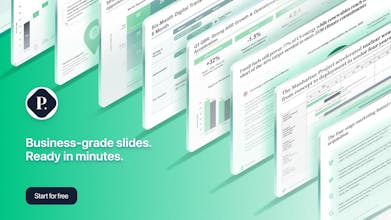
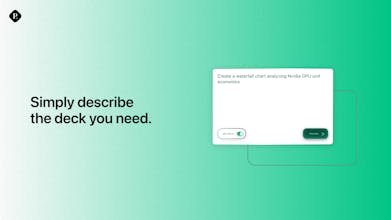
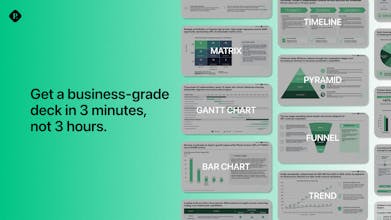
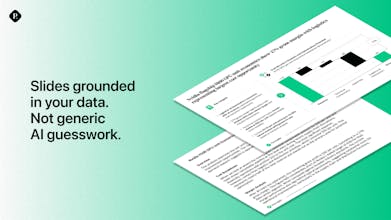
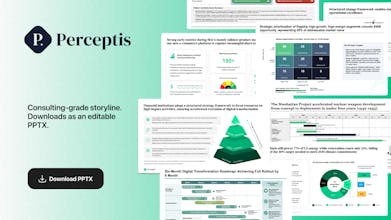
Perceptis generates editable PowerPoint slides from prompts. Upload your data and templates - and our system trains to create slides that match your corporate style. We use elite consulting storyboarding approach to structure your narrative and arguments before generating the document. Export a fully editable PPTX files with trackable sources, native charts, and tables. From Strategy, to Finance, to Operations, create executive-ready materials in minutes.
Free Options
Launch Team / Built With

Hey Product Hunt!
I’m part of the Growth team at Perceptis, and we’re really excited to bring this product to the community today.
Before this, I worked at TikTok for Business and inDrive, where presentations were a huge part of the job - from pitching ideas to aligning teams and driving decisions. One thing I learned: even great ideas can get lost without a clear structure and narrative.
That’s exactly what brings Perceptis AI here today - to help turn strong ideas into structured, high-quality, business-grade presentations in minutes.
Would love to hear your thoughts, feedback, and how you currently approach building presentations 🙌
App in the Air 5.0
@al_dos cool stuff and strong team! always hated the presentations part ;-)
how do you compare your product to Claude for PowerPoint and Gamma? any specific A vs B examples maybe?
@bayka great question!
In simple terms:
Gamma is for a quick simple deck - good for students, designers, marketing.
Claude is more sophisticated - but the output is only as good as your input.
Perceptis follows elite consulting best practices in crafting the storyboard, then builds advanced slides that are fully editable, and follow the brand.
Here's a quick visual that compares the outputs across the platforms.
App in the Air 5.0
@al_dos nice!
I've tried pretty much everything in this space — Gamma, Tome, Beautiful.ai, Claude with PowerPoint. They all have the same problem: the output looks like a startup pitch, not something you'd send to a client or a board.
Perceptis is different. It builds the argument first, then the slides. That sounds like a small thing but it's actually everything. The deck has a logic to it, not just content dropped into boxes.
The PPTX export is fully editable — native charts, real text boxes, no locked elements. I opened it in PowerPoint and it behaved exactly like something a human built. That alone puts it ahead of most competitors.
Strong team behind this too. You can feel the consulting DNA in how the product thinks about structure and narrative.
Still early, and there's room to grow — template matching could be sharper, and generation speed has room to improve. But for anyone who builds decks for clients, execs, or investors: this is the most useful AI presentation tool I've come across.
Worth trying on the free tier before you judge it. It earns its place in the workflow.
Consulting folks, this one's worth a serious look. Congrats on the launch! 🚀
If you've been using Gamma for decks and thought that was good enough, Perceptis is playing a different game entirely. Gamma is great for making things look pretty, but this actually thinks like a consultant. The argument structure, the sourcing, the output quality... it's a different category.
Well done!
Congrats on the launch! 🚀 Love the focus on actually editable, business-grade output - that's what's been missing from AI slide tools. Curious: does it support uploading custom brand templates? Would love to try it with our company's deck format
Amazing news! Super solid team of Ex McKinsey, Ex FAANG engineers.
Couple of questions:
How do you prevent proposal quality from drifting over time?
What’s stopping a firm just building this on top of GPT5? What’s the hard sticky part of your stack?
The fact that slides are editable objects makes the difference. I didn’t try all other tool, but Google slides just create one image of a slide. Nanobanana type image. If doesn’t get it, I cannot fix it. So I gave up on Google slides