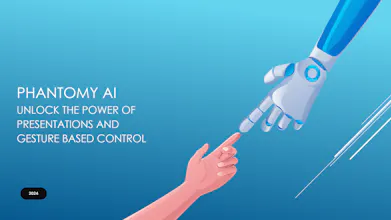
Phantomy lets you control your computer effortlessly without ever touching a keyboard or mouse. Navigate slides, scroll, zoom, draw, and even activate or stop your program—all with intuitive hand gestures designed for precision and ease of use.
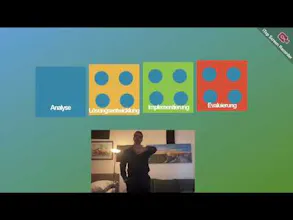
As someone who attends a lot of pitches, conferences, and presentations, I’ve often seen how presenters struggle—leaning back to switch slides, staying tethered to their laptops, or relying on a clicker that limits expressive freedom. It’s frustrating to see how these tools interrupt the flow, forcing you to divide attention between technology and your audience.
That’s why I’m excited about Phantomy! It lets you take full control of your presentations and cursor with natural hand gestures, freeing you to move around, express yourself fully, and stay completely focused on your pitch or topic. No interruptions, no constraints—just seamless, intuitive control.
In terms of psychology and behavioural sciences it is a really good thing. I had some lectures during my university studies with specialists and we covered also other aspects of non-verbal communication. I would say that it was one of the best subjects I could have chosen at those times.
You definitely sparked interest in my case :) Wish you GL!
@busmark_w_nika Thank you, Nika! It’s fascinating to see how concepts from psychology and behavioral sciences connect to Phantomy’s vision. I’m glad it sparked your interest
it’s exciting to explore how technology can align with human behavior
@busmark_w_nika "@busmark_w_nika That sounds great, Nika! I’ve sent you a connection request on LinkedIn! Looking forward to discussing your ideas and insights more there.
I think this product has great practical value! It eliminates the need to constantly stare at the monitor or rely on external devices to manually turn the pages. With just a camera capable of capturing the speaker's gestures, seamless page switching can be achieved.
@lysddp Thank you so much for your thoughtful comment! That’s exactly what Phantomy aims to achieve—seamless, hands-free interaction without distractions. We’re excited to see how it can simplify experiences like presentations or everyday tasks while keeping the process intuitive and efficient
Report
Phantomy sounds like a game-changer for hands-free computer interaction! Can it adapt to different lighting conditions or backgrounds for accurate gesture recognition during live presentations?
@hritik_choudhary Thank you, Hritik! Yes, we’ve worked on a lot of background enhancements to make the system adaptive to different lighting conditions and environments. We’re also continuing to improve its ability to handle even more diverse scenarios—stay tuned!
Report
Wow, Phantomy sounds like a game-changer for presentations and beyond! No more fumbling with a keyboard or mouse. How do you see yourself using this hand gesture control technology?
@ihuzaifashoukat Thank you, Huzaifa! Phantomy is designed to simplify your interactions in both professional and personal settings. Whether you’re delivering a pitch, leading a presentation at work, or even relaxing at home (like eating and browsing), it allows you to control your computer effortlessly. By eliminating the need for physical devices, Phantomy helps you maintain focus, look professional, and stay in control in front of your audience and clients. It’s all about creating seamless, intuitive, and distraction-free interactions!
Congrats on the launch! Phantomy looks like an exciting tool for hands-free control during presentations and more. How precise are the hand gestures for more detailed actions like drawing or zooming? Can’t wait to see it in action!
@davidcardenas Thank you so much for the kind words! We're thrilled you're excited about Phantomy.
We’ve carefully designed each hand gesture to ensure they don’t interfere with one another. It typically takes around an hour to get comfortable with the gestures. For zooming, for example, you just raise your thumb, index, and pinky to zoom in and out. We also considered that zooming might not be needed frequently during presentations, so we’ve developed different gesture versions for various use cases: one tailored for presentations, another for mouse control, and even a version to specify an area on the screen for cursor movement and more and more...
For drawing, we’ve included sequential gestures to activate it, so once you get used to it, it becomes part of your workflow. Thanks again, and we can't wait for you to try it out!
Report
Congratulations @almajd_ismail on launching Phantomy! Controlling your computer with hand gestures sounds very exciting and futuristic.
@jai_singhal Hi Jai,
Thank you .The goal is to push boundaries and bring an innovative approach to user interaction. It’s exciting to share this vision with people who value a hands-free future!
Phantomy
minimalist phone: reduce your screentime
Phantomy
minimalist phone: reduce your screentime
Phantomy
minimalist phone: reduce your screentime
DeleteTweets
Phantomy
Phantomy
Phantomy
Cogent
Phantomy
Phantomy