Launched this week

PromptEditor
Markdown Sidebar for AI Prompts
53 followers
Markdown Sidebar for AI Prompts
53 followers
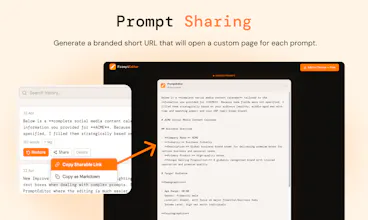
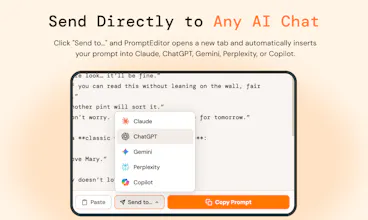
PromptEditor adds an "Edit in PromptEditor" button to every AI response on ChatGPT, Claude, Gemini, Perplexity, and Copilot. One click sends the response into a Markdown sidebar where you can refine, fill placeholders, and send it directly back to any AI chat — without ever leaving the page.


PromptEditor
@tiziano_mattia_bagnato
the constant copy-pasting between my notes and the ai chat is the worst part of my workflow. having a markdown sidebar right on the page is a massive win. definitely checking this out. such a useful
PromptEditor
@priya_kushwaha1 that's exactly what I was aiming for with this. Let me know what you think after you tested it :)
Congrats on launching:) Juggling AI tools across 5+ tabs for marketing copy is such a time sink on a small team. Being able to refine and send prompts without the constant copy and paste loop is exactly what I didn't know I needed. Can you save your edited prompt templates directly in the sidebar so you can reuse them across different AI platforms without starting from scratch each time?
PromptEditor
Hello @aya_vlasoff, yes you can save up to 20 prompts. I'm actually working on implementing a Prompt Library to go along with this tool. Let me know if it could be useful.
feels like prompts are slowly becoming a UI layer, not just text 😅
placeholders, structure, reuse… this starts looking more like forms than freeform chat
curious if this evolves into full prompt interfaces over time
PromptEditor
@webappski I'm sure prompt will get always more and more importance. Probably until AI will be able to read minds 🤣
You should make one of these for Claude Code also.
PromptEditor
Hey@pete_bragansa yes that's a very good idea. If this one starts to get popular, I believe that the applications are endless. Keep following:)