
Scriptly
An iOS teleprompter app controlled by your voice
400 followers
An iOS teleprompter app controlled by your voice
400 followers
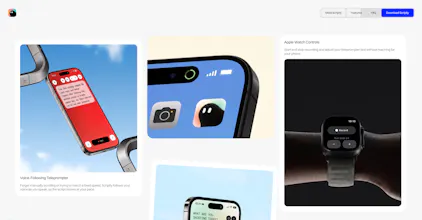
Write, organize, and record videos effortlessly with Scriptly. Featuring real-time voice-following scrolling, local storage privacy, and professional teleprompter tools. Download the public beta on TestFlight.


Free
Launch Team / Built With


ArticosYour audience, ready to react to your messaging in minutes. Try free
Promoted
Hey this is great and def useful. Haha i love the icon / logo and the smart and minimal vibe. Consider adding some hint about how to actually record the script ◡̈
I was clicking all over (the red date on the calendar, the + sign, etc) and couldn't figure out that to record you just click on the script title. What threw me off was that the Edit button was so big next to the script, I didn't even think to just click the script name.
Also it seems like the target area to record has to be right on the text of the script name. If you click the blank area between the script title and Edit button it takes you to edit it.
I could imagine swiping right on a script to take you right to recording the script, since swiping left deletes it.
And the website page title (what shows up on the browser tab) says "Sciptly"
Just some things that caught my eye but wanted to share because I could picture using this app a lot. I was literally wondering last week if there was a better looking teleprompter app out there. I think you are making exactly that! congrats brother!
@quinnballard Hey Quinn, these are amazing points you've just shared and I'll add that to the next update, especially swapping the title area and the empty area before edit, to make you click into teleprompter mode.
Also the url says Sciptly instead of Scriptly because that URL leads to a different unrelated launch on Product Hunt.
Thanks again for your feedback
@jason_eliphalet Love it and can't wait to start using scriptly! haha my bad about sciptly, I thought it was a typo haha.
Congrats again (and your portfolio site + Framer work is fresh btw!)
@quinnballard Appreciate it a lot. Framer is a game changer and It’s a tool I love to use a lot
Well, a video service, and yet you didn’t upload a demo video to Product Hunt ;)
@natalia_iankovych Actually a good point and appreciate you for mentioning that. I’ll do well to include a demo on the website
YYoooo this is so cool man, so funny that we are also launching a teleprompter today too!
@tsejerome97 super cool. All the best man. Rooting for you
The voice control is the part I'd want to test first as someone who records talking-head clips. If I ad-lib off-script for a few seconds or stop to re-take a line, does the scroll wait and pick back up when I hit the next scripted words, or does it just keep advancing? Curious how forgiving the tracking is when you go off the exact text.
@leo404 Hey Leo, it actually stops. Since it listens to the phrases you say, it stops when it doesn't hear the next word, you could also repeat a line if you want. This helps you to make additional commentary that wasn't originally included in the scripts
The real-time voice-following scroll is the part I keep coming back to. I build voice AI, and word-level alignment tends to fall apart the second someone paraphrases or repeats a line. How does Scriptly handle a creator who improvises for 20 seconds and then jumps back in mid-paragraph, does it re-anchor on the closest match or hold until it gets a clean hit? Also good to see local storage treated as the default rather than a paid tier. Jason, how did tracking hold up in noisy rooms during the beta?
@igorgurovich Scriptly handles it so well. It pauses when you stop reading and start improvising and then resumes when you continue actually reading. Helps people add in extra thoughts that weren’t originally included in the teleprompter
The detail that stands out to me is the scroll holding still when you go off script and picking back up on the next scripted word. That is a much harder problem than a fixed speed prompter and it is the reason ad libbing does not wreck a take. I build voice AI at Callie Care, where the speaker is often an 80 year old with a quiet voice, so I spend most of my time on recognition that has to survive bad acoustics and soft speech. My question: are you biasing the recognizer with the script text as a vocabulary hint, or matching loosely against a raw transcript? Constraining the expected words bought us a lot of accuracy on soft and accented speech, and a teleprompter is one of the rare cases where you already know what the person is about to say. Also curious how you handle homophones, when someone reads their and the transcript hears there.
@igorgurovich To answer your questions:
Vocabulary Biasing: Yes, we actively bias the recognizer using the script text as a context hint. Since a teleprompter is a constrained domain where we know the expected words, leveraging that vocabulary map slashes accuracy overhead.
Homophones: We use a hybrid alignment layer that weighs phonetic closeness against sequential sentence context. It locks in if it maps to a valid local window word, but won't let a stray homophone derail global tracking if someone is ad-libbing or skipping ahead.
Noisy Rooms: It was a major stress test during beta. Local processing helps keep latency low, but we lean heavily on iOS's built-in voice isolation combined with alignment threshold filters to prevent background chatter from triggering false scroll jumps.