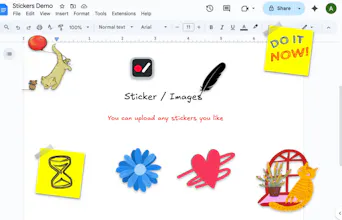
Are your product demos looking flat and boring? 🥱 Creating studio-quality tutorials usually means juggling heavy software and complex timelines just to get a simple video. Screentell changes that by combining everything into one seamless browser tab. ☁️ Zero Install: Runs entirely in browser, cross-platform. 🎬 Cinematic Polish: Instantly add stunning 3D effects and sticker annotations. ⚡️ All-in-One Flow: Simple Record → Edit → Export workflow. check more feature details in the comments below.
No reviews yetBe the first to leave a review for Screentell
Traditional browser-based screen recording tools usually buffer data in memory or as a Blob. If the browser crashes or the tab is accidentally closed, the unsaved recording is lost forever. How does Screentell mitigate the risk of a 'mid-recording crash'? Does it implement a 'write-as-you-go' approach, streaming the captured video data directly into a temporary file on the user's local disk?"
@daliuai You’ve touched on the single most nerve-wracking issue with browser-based recording!
Currently, Screentell uses a Blob-based approach and stores the data in IndexedDB at the end of the session. While this works well for most scenarios, I’m fully aware of the 'mid-recording crash' risk you mentioned.
I’m planning to implement a chunked storage approach using IndexedDB The goal is to commit segments incrementally during the recording process so that even if the browser crashes, the majority of the footage can be recovered.
@daliuai We‘ve release an update and implemented a 'write-as-you-go' approach through OPFS.
Long recordings now save progressively during capture instead of depending only on one large in-memory result at the end. If the browser closes unexpectedly, the recorder can now try to recover the unfinished capture the next time you return to the recording page.
Report
This will be perfect for my YouTube channel! Do you plan on adding templates we can use? It was hard to set everything up myself. It would be nice if we upload our video and it will automatically add all the effects.
@kenneth_fong3 That’s fantastic to hear and Thank you so much for the support! Using Screentell for YouTube is exactly the kind of use case I envisioned.
I’m definitely thinking about the best way to handle templates. Since every video is unique, a 'one-size-fits-all' template is tricky, but I’ve got two rough ideas that aren’t mature yet:
Preset Library: Adding a set of built-in, ready-to-use 3D effects and layouts that you can apply with one click.
Custom Templates: Allowing you to save your own edited effects/settings as a template so you can reuse your 'signature look' across all your videos.
I’m currently gathering specific requirements to prioritize these features. Since you're a YouTuber, I’d love to hear more: What’s the one repetitive task that takes you the most time to set up right now?
Your feedback will help me shape the roadmap for templates!
Report
@shawnhacks those two ideas are great! For me, I like to show software in the beginning of my videos when I am introducing it and speaking about it generally. I show the homepage, for example, as b-roll while I talk.
@kenneth_fong3 Got it! I’ll keep these use cases in mind during my next planning session. Once I finalize the roadmap for templates, I’ll dive straight into the implementation. Thanks for helping me shape the future of Screentell!
Quick heads-up: we've now got initial support live for both presets and custom templates.
Built-in Presets with ready-to-use effects (Currently includes 3 simple built-in presets).
Custom Templates to save your exact setup and reuse it instantly on new clips.
Should make those opening software homepage shots way faster. Give it a spin on your next video and let me know how it works — any thoughts or tweaks would be super helpful!
For the presets: we’ve only got these 3 basic ones right now — if you have better ideas, specific effect combos, or styles that would work well for your software videos, please share! I’ll prioritize adding the ones that make the most sense.
Appreciate you! 🚀
Report
@shawnhacks Looks great. What options does it have for export quality? My biggest headache across all of these tools is not being able to specify my own export settings.
Export: You can choose from 480p up to 4K. We provide three quality tiers for bitrates: High (10Mbps), Medium (6Mbps), and Low (2.5Mbps). This gives you total control over the balance between file size and professional clarity.
2. Formats & Compatibility: Screentell is highly versatile for different platforms:
MP4: Supports AVC (avc1/avc3) and HEVC encoding—perfect for high-end product launches and official sites.
WebM: Supports VP8 and VP9 encoding for web-native performance.
GIF: We also support GIF export, which is a lifesaver for quick demos on Twitter/X or GitHub readmes.
You can try to record a video and export to see the settings.
Report
That's great, thank you, will give it a shot. Would love to see options for higher recording & export bitrates in the future.
@aria_bruce1 That’s a great question! I think the best way to see the benefit is to look at the results: Every single demo on our homepage (screentell.com) was recorded and edited using Screentell itself.
For tutorials and onboarding, the 3D focus shines in a few key areas:
Directing Attention: In a complex UI, a simple 2D zoom can feel flat. The 3D perspective creates a natural 'depth' that guides the user's eye to exactly where the action is happening, making the onboarding feel more intuitive.
Maintaining Context: Because the movement mimics a camera pivot rather than a hard crop, users don't lose track of where they are in the app while you're zooming in on a specific button or feature.
Visual Engagement: For tutorials, keeping the viewer's attention is half the battle. The cinematic movement makes even a 'dry' technical walkthrough feel premium and polished, which significantly boosts retention.
I'd suggest checking out the homepage demos—you'll immediately feel how the 3D depth makes the product 'pop' compared to traditional flat recordings!
Report
The video immediately sold me on why this could be incredibly useful for digital product shots so I’m fully on board with this. Can’t wait to try it
@jamespopstar Thanks so much for the kind words! I’m thrilled to hear the video resonated with you.
If you want to see more examples of what’s possible for digital product shots, I’d love for you to check out the demos on our homepage at screentell.com. Every single video you see there was recorded and edited entirely within Screentell. It’s the best way to see the variety of cinematic angles and 3D effects you can achieve with just a few clicks.
Can't wait to hear about your experience after you give it a try! 🚀
This is an impressive 3D effect—truly remarkable! Great job on achieving such a stunning visual. At last, we have an outstanding screen recording that showcases creativity and skill.
@anukarop Thanks for upgrading to Pro! Using it directly in the browser is like having an app—no installation needed, open anytime, and it’s even more lightweight and flexible. By the way, out of curiosity—what makes you hope for a desktop version? Wish you enjoy the Pro perks and have a great experience! 😊


Traditional browser-based screen recording tools usually buffer data in memory or as a Blob. If the browser crashes or the tab is accidentally closed, the unsaved recording is lost forever. How does Screentell mitigate the risk of a 'mid-recording crash'? Does it implement a 'write-as-you-go' approach, streaming the captured video data directly into a temporary file on the user's local disk?"
Screentell
@daliuai You’ve touched on the single most nerve-wracking issue with browser-based recording!
Currently, Screentell uses a Blob-based approach and stores the data in IndexedDB at the end of the session. While this works well for most scenarios, I’m fully aware of the 'mid-recording crash' risk you mentioned.
I’m planning to implement a chunked storage approach using IndexedDB The goal is to commit segments incrementally during the recording process so that even if the browser crashes, the majority of the footage can be recovered.
Screentell
@daliuai We‘ve release an update and implemented a 'write-as-you-go' approach through OPFS.
Long recordings now save progressively during capture instead of depending only on one large in-memory result at the end. If the browser closes unexpectedly, the recorder can now try to recover the unfinished capture the next time you return to the recording page.
This will be perfect for my YouTube channel! Do you plan on adding templates we can use? It was hard to set everything up myself. It would be nice if we upload our video and it will automatically add all the effects.
Screentell
@kenneth_fong3 That’s fantastic to hear and Thank you so much for the support! Using Screentell for YouTube is exactly the kind of use case I envisioned.
I’m definitely thinking about the best way to handle templates. Since every video is unique, a 'one-size-fits-all' template is tricky, but I’ve got two rough ideas that aren’t mature yet:
Preset Library: Adding a set of built-in, ready-to-use 3D effects and layouts that you can apply with one click.
Custom Templates: Allowing you to save your own edited effects/settings as a template so you can reuse your 'signature look' across all your videos.
I’m currently gathering specific requirements to prioritize these features. Since you're a YouTuber, I’d love to hear more: What’s the one repetitive task that takes you the most time to set up right now?
Your feedback will help me shape the roadmap for templates!
@shawnhacks those two ideas are great! For me, I like to show software in the beginning of my videos when I am introducing it and speaking about it generally. I show the homepage, for example, as b-roll while I talk.
Screentell
@kenneth_fong3 Got it! I’ll keep these use cases in mind during my next planning session. Once I finalize the roadmap for templates, I’ll dive straight into the implementation. Thanks for helping me shape the future of Screentell!
Screentell
@kenneth_fong3 Thanks again for the feedback!
Quick heads-up: we've now got initial support live for both presets and custom templates.
Built-in Presets with ready-to-use effects (Currently includes 3 simple built-in presets).
Custom Templates to save your exact setup and reuse it instantly on new clips.
Should make those opening software homepage shots way faster. Give it a spin on your next video and let me know how it works — any thoughts or tweaks would be super helpful!
For the presets: we’ve only got these 3 basic ones right now — if you have better ideas, specific effect combos, or styles that would work well for your software videos, please share! I’ll prioritize adding the ones that make the most sense.
Appreciate you! 🚀
@shawnhacks Looks great. What options does it have for export quality? My biggest headache across all of these tools is not being able to specify my own export settings.
Screentell
@chris_from_xano Thanks!
Export settings include:
1.Export Resolution:
Export: You can choose from 480p up to 4K. We provide three quality tiers for bitrates: High (10Mbps), Medium (6Mbps), and Low (2.5Mbps). This gives you total control over the balance between file size and professional clarity.
2. Formats & Compatibility: Screentell is highly versatile for different platforms:
MP4: Supports AVC (avc1/avc3) and HEVC encoding—perfect for high-end product launches and official sites.
WebM: Supports VP8 and VP9 encoding for web-native performance.
GIF: We also support GIF export, which is a lifesaver for quick demos on Twitter/X or GitHub readmes.
You can try to record a video and export to see the settings.
That's great, thank you, will give it a shot. Would love to see options for higher recording & export bitrates in the future.
Screentell
@chris_from_xano That’s awesome! Hope you enjoy the experience.
Regarding the bitrates—No problem at all! I definitely plan to open up higher bitrate options.
Looking forward to your feedback after you give it a shot. Feel free to reach out if you have any other suggestions!
Screentell
@aria_bruce1 That’s a great question! I think the best way to see the benefit is to look at the results: Every single demo on our homepage (screentell.com) was recorded and edited using Screentell itself.
For tutorials and onboarding, the 3D focus shines in a few key areas:
Directing Attention: In a complex UI, a simple 2D zoom can feel flat. The 3D perspective creates a natural 'depth' that guides the user's eye to exactly where the action is happening, making the onboarding feel more intuitive.
Maintaining Context: Because the movement mimics a camera pivot rather than a hard crop, users don't lose track of where they are in the app while you're zooming in on a specific button or feature.
Visual Engagement: For tutorials, keeping the viewer's attention is half the battle. The cinematic movement makes even a 'dry' technical walkthrough feel premium and polished, which significantly boosts retention.
I'd suggest checking out the homepage demos—you'll immediately feel how the 3D depth makes the product 'pop' compared to traditional flat recordings!
The video immediately sold me on why this could be incredibly useful for digital product shots so I’m fully on board with this. Can’t wait to try it
Screentell
@jamespopstar Thanks so much for the kind words! I’m thrilled to hear the video resonated with you.
If you want to see more examples of what’s possible for digital product shots, I’d love for you to check out the demos on our homepage at screentell.com. Every single video you see there was recorded and edited entirely within Screentell. It’s the best way to see the variety of cinematic angles and 3D effects you can achieve with just a few clicks.
Can't wait to hear about your experience after you give it a try! 🚀
Netfox
This is an impressive 3D effect—truly remarkable! Great job on achieving such a stunning visual. At last, we have an outstanding screen recording that showcases creativity and skill.
Screentell
@gfazioli Thank you so much for your kind words! I'm thrilled you enjoyed the 3D effect and recording. 😊
Mirage
Nice buddy! I just bought the Pro subscription :D
Convert this into a Desktop app, if possible! Thanks.
Screentell
@anukarop Thanks for upgrading to Pro! Using it directly in the browser is like having an app—no installation needed, open anytime, and it’s even more lightweight and flexible. By the way, out of curiosity—what makes you hope for a desktop version? Wish you enjoy the Pro perks and have a great experience! 😊