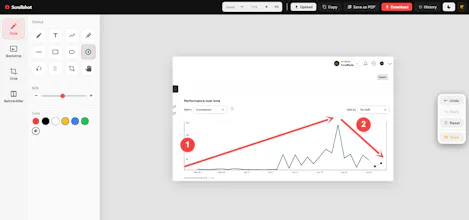
ScrollShot Pro captures a full scrollable page in one shot — plus visible area, single elements, or a custom region (rectangle or freehand, with transparent backgrounds). A built-in editor lets you crop, annotate, and export as PDF, PNG, JPEG or WebP. No account, no cloud uploads, no ads — everything stays local. Every capture is saved to a searchable History, which you can back up or restore as a single JSON file. Long pages can be split into multiple pieces, perfect for feeding into AI tools.
Hey!
I built ScrollShot Pro because every screenshot tool I tried made me compromise on something — either it couldn't capture a full scrolling page, or it uploaded my screenshots to some cloud server, or it just didn't have a real editor once you had the image.
So I built the tool I actually wanted: full page, visible area, single elements, or a custom region you draw yourself (rectangle or freehand, with transparent backgrounds). A proper editor built in — crop, annotate, export as PDF, PNG, JPEG or WebP. Long pages split into pieces, which turned out to be genuinely useful for feeding pages into AI tools. And
since screenshots pile up fast, everything's saved to a searchable History that backs up to a single JSON file.
Everything runs locally — no account, no cloud uploads, no ads.
Would love to hear what capture mode is most useful to you, and what's still missing. Happy to answer anything! TY



AI Code Harvester for Gemini & ChatGPT