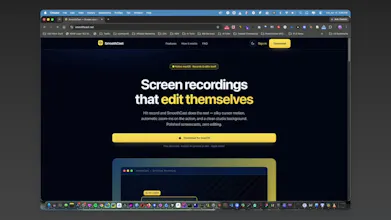
SmoothCast is a native macOS screen recorder that automatically turns raw captures into polished screencasts. It adds smooth cursor motion, intelligent zoom-ins, studio-quality backgrounds, and on-device captions—without manual editing. Record your screen, window, microphone, or webcam, make quick adjustments, then export a crisp MP4 or GIF ready for demos, tutorials, documentation, and social media.
No reviews yetBe the first to leave a review for SmoothCast — Screen recording Software
Maker
📌
Hey Product Hunt! 👋
I built SmoothCast because creating a professional screen recording shouldn’t require spending hours editing.
SmoothCast automatically adds intelligent zoom-ins, smooth cursor movement, studio-quality backgrounds, and on-device captions. You can record your screen, a window, microphone, or webcam, make quick adjustments, and export a polished MP4 or GIF.
It’s built natively for Apple Silicon Macs, so it’s fast, lightweight, and keeps your recordings on your device.
I’d love for you to try SmoothCast and share your honest feedback. What feature would make it even more useful for your workflow?
Thanks for checking it out! 🚀
Report
One thing I'd love to see is customizable keyboard shortcuts for starting, pausing, and stopping recordings, so I can trigger everything without breaking my workflow. Also, a quick way to mark "highlight" moments mid-recording that the app would later auto-zoom to during export would be a real time saver for tutorials.
Report
Maker
@boran0uq6 That is a good feature. I didn't think of that one. I'll put it on the ideas board.
Report
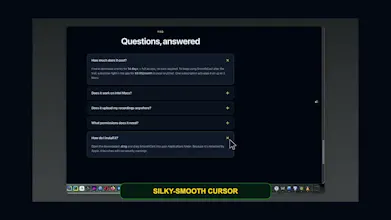
the automatic cursor smoothing is genuinely impressive, like it's anticipating your movement rather than just tweening between points. also love that the captions are generated on-device instead of hitting some api.
the on-device captions are a really thoughtful move, keeps everything private and snappy. love that the cursor smoothing happens automatically without me fiddling with keyframes.
Report
Maker
I need beta testers to download the software and review it.


One thing I'd love to see is customizable keyboard shortcuts for starting, pausing, and stopping recordings, so I can trigger everything without breaking my workflow. Also, a quick way to mark "highlight" moments mid-recording that the app would later auto-zoom to during export would be a real time saver for tutorials.
@boran0uq6 That is a good feature. I didn't think of that one. I'll put it on the ideas board.
the automatic cursor smoothing is genuinely impressive, like it's anticipating your movement rather than just tweening between points. also love that the captions are generated on-device instead of hitting some api.
@azizamanwlgf Thanks
the on-device captions are a really thoughtful move, keeps everything private and snappy. love that the cursor smoothing happens automatically without me fiddling with keyframes.
I need beta testers to download the software and review it.