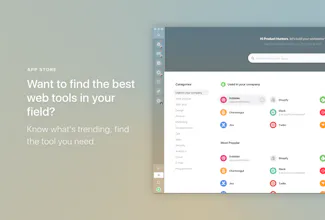
Station unifies all your web apps in one neat & productive interface 🛠 A Smart Dock to organize your workflow 🔎 Unified Search to find anything quickly 🔔 Notification Center to stay in control 👉 Give it a try: stationhq.com
Interface is nice, could be app-focused to make things more discoverable. Love how things are organised in the workspace.
1. I ended up majorly missing a quick way to switch between 2 tabs specifically.
2. Sometimes the shortcut keys don't work. This bug has to be fixed or visual input method should be introduced as an additional alternative.
3. Another big problem is I cannot copy links like I can off browser URL space.
4. Doesn't Find like Chrome does.
Pros:
Easy to use, good for decluttering your screen, remembers your accounts
Cons:
There is no way to switch quickly between tabs, no way to copy browser URL, few functionalities missing, few bugs here and there.
Report
Love this product! Perfect solution for all the web apps that really only need a single pane.
Pros:
All productivity apps in one place
Cons:
Load time could be faster
Report
I really like station. It lets you reach your calendar, drive, and email all in the same place. I sometimes find managing multiple Google Drive accounts difficult and station lets you have both accounts open without having to switch and log into different accounts.
I would recommend changing the account info and settings box that appears on hovering over a tab. I think it should only appear on right click as it can impede the mouse.
Pros:
Clean and easy to use. Nice to have everything in one place.
Cons:
Account info/Settings appear every time you hover over left-side buttons.
Each day I've used Station, I've liked it more. The clean look helps me keep focused on my tasks at hand. The app organization makes sense and the loading/response of each application is often faster than if I used it in-browser.
Pros:
Really clean and keeps me focused on my work
Cons:
Wish it was a little less intensive on the ram (about equal to chrome right now)
Report
Great job! The app is really easy to use, I would love to be able to edit the keyboard shortcuts
Pros:
user friendly, very simple to use
Cons:
would like some more customizability
Report
HIGHLY RECOMMEND. I've been using this for about 2-3 weeks now and I LOVE it! I've been able to delete some of the other apps on my computer because this condenses them all into one!
Also went to check out Shift 2.0 and immediately regretted it. Love how Station is a free service
Pros:
Free. Easily Manageable. Saves space on your computer. Lots of apps. Focus mode to disable notifications.
Cons:
Wish it had GroupMe. Wish it also had a plugin for Gmail to stop those pesky fake emails from showing at the top
Report
I really like Station after only using it for a day, but I am a fervent user of the "close window" shortcut, and I notice that Station doesn't support it and it's slowing me down.
Support for the `CMD` + `w` hotkey would be awesome.




Interface is nice, could be app-focused to make things more discoverable. Love how things are organised in the workspace.
1. I ended up majorly missing a quick way to switch between 2 tabs specifically.
2. Sometimes the shortcut keys don't work. This bug has to be fixed or visual input method should be introduced as an additional alternative.
3. Another big problem is I cannot copy links like I can off browser URL space.
4. Doesn't Find like Chrome does.
Pros:Easy to use, good for decluttering your screen, remembers your accounts
Cons:There is no way to switch quickly between tabs, no way to copy browser URL, few functionalities missing, few bugs here and there.
Love this product! Perfect solution for all the web apps that really only need a single pane.
Pros:All productivity apps in one place
Cons:Load time could be faster
I really like station. It lets you reach your calendar, drive, and email all in the same place. I sometimes find managing multiple Google Drive accounts difficult and station lets you have both accounts open without having to switch and log into different accounts.
I would recommend changing the account info and settings box that appears on hovering over a tab. I think it should only appear on right click as it can impede the mouse.
Pros:Clean and easy to use. Nice to have everything in one place.
Cons:Account info/Settings appear every time you hover over left-side buttons.
Tabs sometimes have to re log you in.
Product Hunt
Each day I've used Station, I've liked it more. The clean look helps me keep focused on my tasks at hand. The app organization makes sense and the loading/response of each application is often faster than if I used it in-browser.
Pros:Really clean and keeps me focused on my work
Cons:Wish it was a little less intensive on the ram (about equal to chrome right now)
Great job! The app is really easy to use, I would love to be able to edit the keyboard shortcuts
Pros:user friendly, very simple to use
Cons:would like some more customizability
HIGHLY RECOMMEND. I've been using this for about 2-3 weeks now and I LOVE it! I've been able to delete some of the other apps on my computer because this condenses them all into one!
Also went to check out Shift 2.0 and immediately regretted it. Love how Station is a free service
Pros:Free. Easily Manageable. Saves space on your computer. Lots of apps. Focus mode to disable notifications.
Cons:Wish it had GroupMe. Wish it also had a plugin for Gmail to stop those pesky fake emails from showing at the top