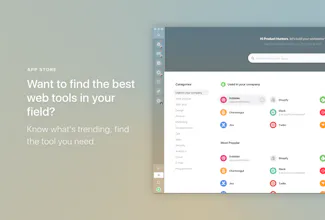
Station unifies all your web apps in one neat & productive interface 🛠 A Smart Dock to organize your workflow 🔎 Unified Search to find anything quickly 🔔 Notification Center to stay in control 👉 Give it a try: stationhq.com
No reviews yetBe the first to leave a review for Station
Super useful, can't imagine my everyday work without it anymore! I'm a fan, obviously :)
Pros:
Fast, minimal clean design, constant development
Cons:
Because of the Google login there are some trouble from time to time in Russia
Report
We're using Mac version and it's OK for now and helps us to save time for our main jobs.
Pros:
Really fantastic tool. We use many tools and Station is a great solution to manage them in single place.
Cons:
Still trying :)
Report
Essentially, Station is a dedicated Web browser (presumably Chrome-based) which is customized to bind Web apps into a fixed UI frame with icons representing each app. It does not “unify the user experience”, because each app keeps its very own UI. Station’s UI is heavily “Material Design” influenced. It is a tad flashier than Google’s Web apps, but generally looks very much like them.
This apparent love for Google’s way of handling UI goes much further: You can’t use Station without a Google account. Unfortunately the developers ignored the fact that not every Google user has their email tied into the Google ecosystem. If you have a Google account using your own email (with your own domain), you are out of luck with Station, as it assumes that if you have a Google Drive account, you also must have a Gmail account. This simplification makes it probably easier for the developers to handle the user account, but it blatantly ignores user intent. Not every user may want to use a Google login to add all their other apps into Google’s data-collecting ecosystem.
Given the current experience, I doubt there has been much of UX research, or user testing in particular. It seems the developers created Station largely based on their own needs, assuming most users would want the same experience as well.
Station does have a compelling argument for its reason for existence, but currently the UX is skewed towards a “Google users only” and Android/Chrome OS kind of experience.
Pros:
Slightly better exprience than a browser window with tabs, thanks to a dedicated UI with icons. Presumably less resource-demanding.
Cons:
Forces user to use Google as login. It doesn’t work without Gmail and it doesn’t allow users to delete the default apps (Gmail, Docs).
Report
Does its job but lacks proper integration and custom features
By using Station you can use many amazing softwares at the same time. More than 500 SaaS software can be used on a desktop tab. There are that I would like to try SaaS once, and solve the problem to dig an amazing software.
Pros:
Localize web app to desktop app
Cons:
Not many shortcut commands
Report
Hi,
Really good product. I guess many people already said enough about it, I just wanna add 2 feature request if not already asked before.
1. Touch bar integration, so that we can jump between apps more easily. Similar to touch bar as available in opera browser.
2. Custom shortcut for Jump to option.
I guess these are low hanging fruits and can improve the user experience.
Thanks.
Report
The software don't use in a good way the memory, so, many times i should close this software and then re-open, this is no good.




Super useful, can't imagine my everyday work without it anymore! I'm a fan, obviously :)
Pros:Fast, minimal clean design, constant development
Cons:Because of the Google login there are some trouble from time to time in Russia
We're using Mac version and it's OK for now and helps us to save time for our main jobs.
Pros:Really fantastic tool. We use many tools and Station is a great solution to manage them in single place.
Cons:Still trying :)
Essentially, Station is a dedicated Web browser (presumably Chrome-based) which is customized to bind Web apps into a fixed UI frame with icons representing each app. It does not “unify the user experience”, because each app keeps its very own UI. Station’s UI is heavily “Material Design” influenced. It is a tad flashier than Google’s Web apps, but generally looks very much like them.
This apparent love for Google’s way of handling UI goes much further: You can’t use Station without a Google account. Unfortunately the developers ignored the fact that not every Google user has their email tied into the Google ecosystem. If you have a Google account using your own email (with your own domain), you are out of luck with Station, as it assumes that if you have a Google Drive account, you also must have a Gmail account. This simplification makes it probably easier for the developers to handle the user account, but it blatantly ignores user intent. Not every user may want to use a Google login to add all their other apps into Google’s data-collecting ecosystem.
Given the current experience, I doubt there has been much of UX research, or user testing in particular. It seems the developers created Station largely based on their own needs, assuming most users would want the same experience as well.
Station does have a compelling argument for its reason for existence, but currently the UX is skewed towards a “Google users only” and Android/Chrome OS kind of experience.
Pros:Slightly better exprience than a browser window with tabs, thanks to a dedicated UI with icons. Presumably less resource-demanding.
Cons:Forces user to use Google as login. It doesn’t work without Gmail and it doesn’t allow users to delete the default apps (Gmail, Docs).
Does its job but lacks proper integration and custom features
like they have in Wavebox and Rambox.
Pros:Cute, clean UI
Cons:Poor feature set compared to Rambox and Wavebox
Remotehour
By using Station you can use many amazing softwares at the same time. More than 500 SaaS software can be used on a desktop tab. There are that I would like to try SaaS once, and solve the problem to dig an amazing software.
Pros:Localize web app to desktop app
Cons:Not many shortcut commands
The software don't use in a good way the memory, so, many times i should close this software and then re-open, this is no good.
Pros:there is the possibility to add many many app
Cons:more app i have less memory i have in my mac.