Start for free and use Chat, Tabloy Agent, and local-first dashboards with CSV, Excel, JSON, and SQL data, also KoboToolbox data. Keep dataset processing local while AI works from schema context.
No reviews yetBe the first to leave a review for Tabloy AI
Maker
📌
"Hey Product Hunt community! 👋
We’re thrilled to introduce Tabloy AI — a local-first desktop workspace designed for everyone who needs rapid data insights without compromising data privacy.
Most AI analytics tools require you to upload your sensitive databases or CSV files to the cloud. We wanted to build something different. With Tabloy AI, your actual datasets and widget execution stay 100% on your local device. The cloud AI agent interacts only with the schema context (metadata and table structures), keeping your raw data safe and private.
Whether you are in Operations, Finance, Product, or Marketing, Tabloy AI helps you jump from raw data to beautiful, multi-page dashboards in seconds.
Check out our step-by-step guide below to see how it works! 👇"
🚀 Step-by-Step Guide (For the Description/First Comment)
Step 1: Connect Your Data (No Cloud Uploads!)
Download the desktop app and instantly connect your local files (CSV, JSON, XLSX) or your production SQL databases. Your raw tables never leave your machine.
Step 2: Use the AI Agent to Build Dashboards
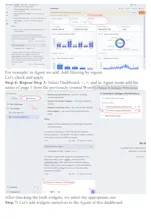
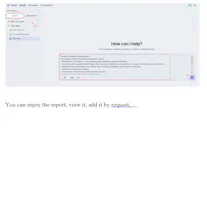
Switch to Agent Mode and just ask in plain English what you want to see. For example: "Create a bar chart showing monthly active users by region" or "Build a metrics card for total revenue this quarter". The AI generates the required layout and SQL queries automatically.
Step 3: Chat with Data & Edit Directly
Need deeper insights? Use Chat Mode to ask follow-up questions without messing up your dashboard layout. Want full control? Open Explore Mode on any widget to inspect, tweak, and edit the underlying SQL code manually.
Step 4: Share & Export Safely
Once your multi-page dashboard is ready, export your clean results to Excel (XLSX) or CSV, or publish a secure, read-only dashboard snapshot to share with your team and stakeholders.
🔥 Key Features at a Glance
🔒 Privacy First: Local-first architecture. Raw data stays on your PC, not in the cloud.
🤖 Dual AI Mode: Agent Mode to construct/update dashboards + Chat Mode for ad-hoc data exploration.
🛠️ SQL Transparency: Direct access to inspect and edit AI-generated queries via Explore Mode.
📋 Multi-page Layouts: Build comprehensive reporting setups with metrics, graphs, tables, and filters.
🗣️ Call to Action (CTA)
"We are live today and would absolutely love to get your feedback! How do you handle analytics privacy in your team? What integrations should we build next?
Drop your thoughts, questions, and ideas in the comments below. Let's build the future of private, fast analytics together! 🚀"
Report
💡 Bright idea
Loving the local-first angle here, feels rare for AI tools. One thing I'd love to see is a scheduled query or dashboard refresh option, so the Tabloy Agent could automatically re-run analyses and update charts overnight. That would turn it from something I check into something that surfaces insights to me on its own.
Report
Maker
@tunahanalaukfl Thanks Tunahan, really glad the local-first approach resonates. Scheduled refreshes / overnight agent runs are high on our list: same local runtime, just re-running saved analyses and updating the dashboard without you babysitting it. We’re shaping that next so Tabloy can surface insights instead of waiting for a check-in. Appreciate the push!
Report
💡 Bright idea
The local-first approach is genuinely useful, especially for working with survey data from KoboToolbox in the field. One thing I'd love to see is a way to share a dashboard read-only via a simple link or export to a static HTML report, so colleagues without the app installed can still review findings without needing a login.
Report
Maker
@diyardikicjrbg Thanks so much for the feedback! We're thrilled to hear that the local-first approach is helping with your work—that’s exactly the kind of use case we built it for.
Sharing via a simple read-only link or exporting to a static HTML report is a fantastic idea! It definitely makes sharing insights with colleagues painless, without forcing them to install anything or sign up. We’ve added this right to Tabloy AI.
Stay tuned for updates, and thanks again for helping us make the product better!
Report
Maker
@diyardikicjrbg In the Tabloy AI dashboard window, there is already a ‘Share’ button in the top-right-hand corner for creating a static HTML report.
Report
Loaded a CSV through the agent and it caught a schema mismatch I'd missed in another tool. The local-first angle is the real win for anyone handling survey data.
Report
Maker
@nurcanc8nn Thanks Nurcan, schema mismatch catches are one of our favorite “quiet wins.” And yes: survey/sensitive datasets are a big reason we went local-first. Your raw responses never need to leave the machine for the agent to be useful. Glad it clicked for that use case!
Report
Love how it keeps processing local and just pulls schema context for the AI, that split honestly feels really well thought out instead of just tossing everything into the cloud.
Report
Maker
@brahawj Thank you Büşra! That split is intentional: heavy lifting stays local, and the model only gets the schema context it needs. We didn’t want “upload everything to the cloud” as the default for analytics. Means a lot that it feels thoughtfully built, not just another AI wrapper.





Loving the local-first angle here, feels rare for AI tools. One thing I'd love to see is a scheduled query or dashboard refresh option, so the Tabloy Agent could automatically re-run analyses and update charts overnight. That would turn it from something I check into something that surfaces insights to me on its own.
@tunahanalaukfl Thanks Tunahan, really glad the local-first approach resonates. Scheduled refreshes / overnight agent runs are high on our list: same local runtime, just re-running saved analyses and updating the dashboard without you babysitting it. We’re shaping that next so Tabloy can surface insights instead of waiting for a check-in. Appreciate the push!
The local-first approach is genuinely useful, especially for working with survey data from KoboToolbox in the field. One thing I'd love to see is a way to share a dashboard read-only via a simple link or export to a static HTML report, so colleagues without the app installed can still review findings without needing a login.
@diyardikicjrbg Thanks so much for the feedback! We're thrilled to hear that the local-first approach is helping with your work—that’s exactly the kind of use case we built it for.
Sharing via a simple read-only link or exporting to a static HTML report is a fantastic idea! It definitely makes sharing insights with colleagues painless, without forcing them to install anything or sign up. We’ve added this right to Tabloy AI.
Stay tuned for updates, and thanks again for helping us make the product better!
@diyardikicjrbg In the Tabloy AI dashboard window, there is already a ‘Share’ button in the top-right-hand corner for creating a static HTML report.
Loaded a CSV through the agent and it caught a schema mismatch I'd missed in another tool. The local-first angle is the real win for anyone handling survey data.
@nurcanc8nn Thanks Nurcan, schema mismatch catches are one of our favorite “quiet wins.” And yes: survey/sensitive datasets are a big reason we went local-first. Your raw responses never need to leave the machine for the agent to be useful. Glad it clicked for that use case!
Love how it keeps processing local and just pulls schema context for the AI, that split honestly feels really well thought out instead of just tossing everything into the cloud.
@brahawj Thank you Büşra! That split is intentional: heavy lifting stays local, and the model only gets the schema context it needs. We didn’t want “upload everything to the cloud” as the default for analytics. Means a lot that it feels thoughtfully built, not just another AI wrapper.