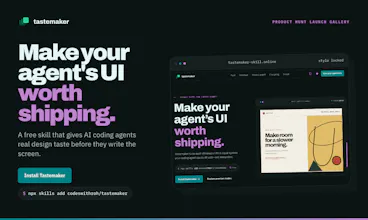
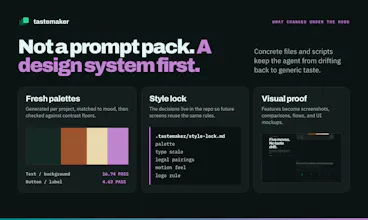
Free, open-source skill for Claude Code, Gemini CLI, and Windsurf. It generates a fresh palette checked against real WCAG contrast, and varies page structure so two projects never look like reskins of the same template.
No reviews yetBe the first to leave a review for tastemaker
Maker
📌
I kept asking Claude to build a UI and getting the same thing back: an indigo gradient, a rounded card with a soft shadow, a hero that looks like every other SaaS launch this year. That's not a prompting problem. A model has no way to invent taste from a text description alone, so it defaults to whatever's most common in its training data.
tastemaker fixes the actual mechanism instead of writing a longer prompt. It generates a real palette every project and checks every color pairing against WCAG contrast with a script, not a guess. It picks a different page structure than your last build, so two projects don't come out as the same template in different colors. It remembers what you kept and rejected, so your tenth project starts from real preference instead of zero.
It's free, MIT licensed, and runs as plain Markdown and small Python scripts. No account, no API key, no hosted backend. I'd love your feedback, especially anywhere the output still looks generic to you. That's the whole reason this exists.
Report
The WCAG contrast verification is the part that sells it for me. My agents constantly produce palettes that look fine and fail contrast like crazy. Does the preference learning persist across projects, or does each repo start from scratch? Would be cool to have a markdown file that gets updated with personal decisions and preferences. Maybe that could then be included by default into every new session you start.
Currently, how the skill works is that whenever you start a new project:
- If you define your own color palette, it will carry through for the entire session. - If you don't mention anything, then by default, based on your project and how it looks, it will generate a new color palette.
This means that if you have already generated a color palette using my skill, it will continue throughout all the sessions. If not, then it will generate a new color palette for you.
And based on all the preferences that you have and every decision that you take, everything gets updated automatically through the skill. You don't have to worry about losing the context; it automatically carries through.
Report
Your website link is not working.
Report
Maker
@saderod Sorry if you are facing any issues. Its working for others. Could you check from other browsers and confirm?
Report
Generated a palette in seconds and the contrast scores actually checked out on my forms. The layout variation between test runs is a nice touch too, beats the usual copy-paste feel you get from most generators.
Report
Maker
@retrospecti Thanks a lot for the appreciation and yes, I was personally tired of the old boring ai-default sites that llms generate and its not possible for me to everytime feed it with references, fonts, etc. So, this skill will really help you to get that production ready site very easily.
The WCAG contrast verification is the part that sells it for me. My agents constantly produce palettes that look fine and fail contrast like crazy. Does the preference learning persist across projects, or does each repo start from scratch? Would be cool to have a markdown file that gets updated with personal decisions and preferences. Maybe that could then be included by default into every new session you start.
Cool product! :)
@floloppi Thanks a lot for the appreciation.
Currently, how the skill works is that whenever you start a new project:
- If you define your own color palette, it will carry through for the entire session.
- If you don't mention anything, then by default, based on your project and how it looks, it will generate a new color palette.
This means that if you have already generated a color palette using my skill, it will continue throughout all the sessions. If not, then it will generate a new color palette for you.
And based on all the preferences that you have and every decision that you take, everything gets updated automatically through the skill. You don't have to worry about losing the context; it automatically carries through.
Your website link is not working.
@saderod Sorry if you are facing any issues. Its working for others. Could you check from other browsers and confirm?
Generated a palette in seconds and the contrast scores actually checked out on my forms. The layout variation between test runs is a nice touch too, beats the usual copy-paste feel you get from most generators.
@retrospecti Thanks a lot for the appreciation and yes, I was personally tired of the old boring ai-default sites that llms generate and its not possible for me to everytime feed it with references, fonts, etc. So, this skill will really help you to get that production ready site very easily.
VibeTalent
i've tried it myself, it's a good skill one to have for UI designing. easiest way to get rid of AI slop designs
good job rohit
@abhinav71 Thanks a lot for the appreciation and I am glad that you liked it.