
Text Capture
Simple & convenient OCR tool for macOS
53 followers
Simple & convenient OCR tool for macOS
53 followers
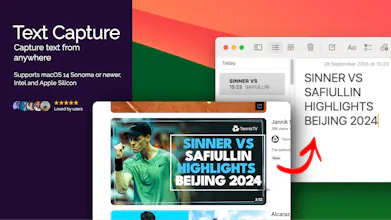
Capture text from anywhere - non-selectable text in apps, images, videos, PDFs, or anything on your screen! Simple & convenient OCR tool for macOS 1. Click capture text 2. Select an area on screen with text 3. Paste the text anywhere



Hey, it's Aue, creator of Text Capture 👋
Ever tried to quickly copy and paste some text, only to realize it's unselectable or embedded in a video or image? That happens to me all the time!
While there are some solutions out there, they're often too complicated, packed with unnecessary features, or way more expensive than I expected.
That's why I created Text Capture — a simple app with an intuitive UI and straightforward pricing, designed to do one thing well: help you copy and paste any text effortlessly.
I'm building Text Capture and more in public (https://x.com/_aueio_). I'd love to hear your feedback!