Timebar is a Chrome extension that makes it easy to track and manage multiple timezones right from your browser's sidebar. It helps remote teams, global clients, and international collaborations stay in sync without leaving their browser.
No reviews yetBe the first to leave a review for Timebar
Maker
📌
Hello Product Hunt community! I built Timebar to solve a real problem I faced while working with clients across different time zones.
Finding suitable time slots to make myself available for international client meetings was always a hassle. I constantly had to switch to desktop apps or use online services to manually enter time zones over and over again. I wanted something more efficient with less clicks & switching apps.
That's why I created Timebar - a clean, simple Chrome extension that lives in your Chrome side panel. Now I can instantly check what time it is for clients worldwide, see business hours at a glance, and even use the time slider to plan future meetings without disrupting my workflow.
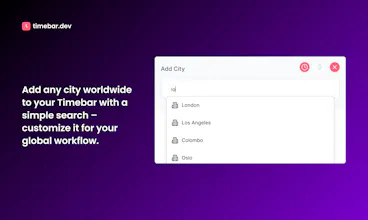
The extension lets you track any city worldwide, customize your layout with drag-and-drop, and visualizes business hours to make scheduling effortless.
Best of all, Timebar is completely free to use!
Looking ahead, I'm working on adding a simple button where users can select their preferred calendar service (i.e., Google Calendar, Outlook etc) and create meeting invites directly from the extension.
I'd love to hear your feedback and answer any questions you might have. Thank you very much for checking out Timebar!
Report
I love this. But I'd like to feedback that around 2/3 of the extension screen is covered by the world map image and lower third, so essentially I can just view 2 times zones with this UI. I would appreciate if you could enable expanding/collapsing option for lower third menu. Thanks a lot for this!
Report
Maker
@suebozkus Hey, thanks for the feedback. Now it's with a new UI, no world map & footer made smaller & you have the option to hide it :)




I love this. But I'd like to feedback that around 2/3 of the extension screen is covered by the world map image and lower third, so essentially I can just view 2 times zones with this UI. I would appreciate if you could enable expanding/collapsing option for lower third menu. Thanks a lot for this!
@suebozkus Hey, thanks for the feedback. Now it's with a new UI, no world map & footer made smaller & you have the option to hide it :)
@suebozkus here's the new UI
@prabapro Amazing! Wow, thank you so much for incorporating this and the new meeting function is bomb! I will share with my team.
@suebozkus Thank you very much & I'm glad you like it :)