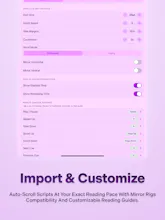
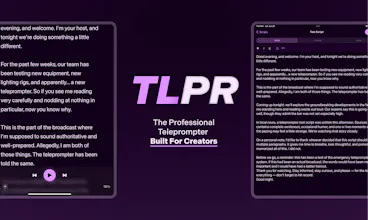
TLPR is a lightweight teleprompter and script editor built for video creators, podcasters, speakers, teachers, and business presenters. Designed for iPhone and iPad, it lets you write, format, and present scripts without complicated setups. Whether you’re filming, recording, presenting, or rehearsing, TLPR helps you maintain eye contact, control your pacing, and deliver every line with confidence.
No reviews yetBe the first to leave a review for TLPR
Maker
📌
Hey Product Hunt!
I built TLPR because most teleprompter apps felt either overly complicated or cluttered with features that got in the way of actually presenting.
I wanted something simple: a place to write a script, make quick edits, press play, and start speaking.
TLPR is designed for creators, podcasters, teachers, speakers, and anyone who wants to communicate more clearly on camera or in front of an audience.
Today’s launch is just the beginning, and I would love to hear what features would make TLPR more useful for your workflow.
Thanks for checking it out!
- The Storiara / TLPR Team
Report
💡 Bright idea
How does it handle script formatting when you paste from Google Docs or other writing apps, or do you have to rewrite everything inside TLPR?
Report
Maker
@nisanurnameli Great question. You do not need to rewrite everything inside TLPR. You can paste in your script from Google Docs or other writing apps, then clean it up and format it directly in the editor before presenting.
Report
🔌 Plugged in
How does the script actually scroll on the device during recording, do you control the speed manually with a foot pedal or some kind of remote, or is it more like voice activated?
Report
Maker
@nilgnxmc0 Right now, TLPR is built around simple manual pacing controls, so you can adjust the scroll speed to match your delivery. We wanted the first version to feel predictable and easy to control, especially during recording or rehearsal.
Report
The font scaling and mirror-flip for prompter glass is a really thoughtful touch, shows the team actually tested this on real rigs instead of just shipping a fancy text editor.
Report
Maker
@maddoxmara65205 Thank you, that means a lot. Mirror flip and font scaling were important for us because TLPR should work in real recording setups, not just look good on a screen.
Report
Finally tried TLPR on my iPad and the formatting carried over from my rough draft without any fuss, which is rare. Pacing controls are simple enough that I did not have to fiddle during a run-through.
Report
Maker
@saniye824360 Love hearing this. That smooth paste-to-present flow is exactly what we wanted TLPR to protect: less fiddling, more time actually rehearsing and recording.
Report
the clean separation between the editor and the prompter view is such a smart call, lets you polish the script on one screen and present on another without losing your place.
Report
Maker
@sudenurouou Exactly. We wanted writing and presenting to feel like two clear moments: polish the script, then step into delivery without losing your place. Really appreciate you noticing that.
Report
Really clean teleprompter app, the formatting options for scripts are more flexible than I expected for something this lightweight. Scrolling speed controls feel smooth on iPad.
Report
Maker
@aysel1129285 Thank you. The goal was to keep TLPR lightweight while still giving creators enough control over the script and pacing to feel confident on camera.
How does it handle script formatting when you paste from Google Docs or other writing apps, or do you have to rewrite everything inside TLPR?
@nisanurnameli Great question. You do not need to rewrite everything inside TLPR. You can paste in your script from Google Docs or other writing apps, then clean it up and format it directly in the editor before presenting.
How does the script actually scroll on the device during recording, do you control the speed manually with a foot pedal or some kind of remote, or is it more like voice activated?
@nilgnxmc0 Right now, TLPR is built around simple manual pacing controls, so you can adjust the scroll speed to match your delivery. We wanted the first version to feel predictable and easy to control, especially during recording or rehearsal.
The font scaling and mirror-flip for prompter glass is a really thoughtful touch, shows the team actually tested this on real rigs instead of just shipping a fancy text editor.
@maddoxmara65205 Thank you, that means a lot. Mirror flip and font scaling were important for us because TLPR should work in real recording setups, not just look good on a screen.
Finally tried TLPR on my iPad and the formatting carried over from my rough draft without any fuss, which is rare. Pacing controls are simple enough that I did not have to fiddle during a run-through.
@saniye824360 Love hearing this. That smooth paste-to-present flow is exactly what we wanted TLPR to protect: less fiddling, more time actually rehearsing and recording.
the clean separation between the editor and the prompter view is such a smart call, lets you polish the script on one screen and present on another without losing your place.
@sudenurouou Exactly. We wanted writing and presenting to feel like two clear moments: polish the script, then step into delivery without losing your place. Really appreciate you noticing that.
Really clean teleprompter app, the formatting options for scripts are more flexible than I expected for something this lightweight. Scrolling speed controls feel smooth on iPad.
@aysel1129285 Thank you. The goal was to keep TLPR lightweight while still giving creators enough control over the script and pacing to feel confident on camera.