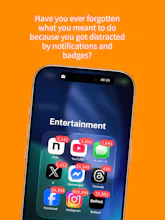
Every wellbeing app punishes you. Tomosu does the opposite. Instead of blocking apps, Tomosu restricts everything by default — notifications, badges, gone. Start a Focus Session to unlock only what you need. 🔒 All apps locked by default. Calm is the starting point. 🎯 Focus Sessions with presets (Work, Study, Creative) 🏋️ SNS Challenge — shake your phone before scrolling 💰 Focus earns coins. Longer SNS use = fewer coins. 🔐 Apple Screen Time API. Data stays on device. Free. No ads. No guilt.
Hey Product Hunt! 👋
I'm Ryoma, a solo developer from Japan.
I built Tomosu because every app blocker I tried felt like punishment — and I'd disable it within a week.
So I flipped the approach: what if your phone started QUIET by default? No notifications, no badges, nothing.
And when you actually need an app, you consciously choose to open it.
That one change transformed my relationship with my phone.
I stopped doom-scrolling — not because an app blocked me, but because I started asking "do I really need this?"
The SNS Challenge was born from a fun experiment: if you have to shake your phone 20 times before opening Instagram, you realize how many times you reach for it out of pure habit. 😄
I'd love to hear what you think — what would make this more useful for your daily life?
Quiet by default is such a good mental model. Curious how you handle the ‘must-have’ stuff like calls, OTPs, and navigation, do you have an emergency bypass or priority allowlist?
@borislovelove Great question! Here's how Tomosu handles the essentials:
Tomosu uses Apple's Screen Time API, which has a built-in "Always Allowed" list (Settings > Screen Time > Always Allowed). Phone calls, Messages, and Maps are allowed by default, so those are never blocked. You can also add any must-have apps there — like your authenticator or banking app — and they'll stay accessible 24/7 regardless of Tomosu's restrictions.
On top of that, when you start a Focus Session, you pick which additional apps to unlock temporarily. So the flow is basically: always-on essentials via iOS settings + session-based unlocking for everything else.
No need for a separate emergency bypass — Apple handles that layer natively, and Tomosu works on top of it.
Thanks for the question — this is something I should probably explain more clearly on the app's onboarding!
Excited to share a sneak peek at what's coming next for Tomosu 🔥
We've been thinking a lot about what happens after you put your phone down.
The answer? You go explore the real world.
In a major update coming this October, coins you earn by staying focused will unlock real-world retreat experiences — hot springs, nature walks, art workshops, and more across Japan.
We're starting in Fujino (Sagamihara City) — a hidden gem art town just one hour from Tokyo, nestled in the mountains — and expanding nationwide from there.
The vision: whether you're in Japan or visiting from anywhere in the world, Tomosu becomes your bridge from mindful screen time to discovering Japan's incredible nature and culture.
Digital wellbeing shouldn't end at your screen. It should lead you somewhere beautiful.
In Japanese, 灯す (tomosu) means "to light" or "to kindle a flame."
Most screen time apps are about blocking, restricting, shutting things down. Tomosu is the opposite — it's about lighting up only what matters.
By default, everything is quiet. No notifications, no badges, no noise. Then you choose what to light up for your focus session. Like lighting a single candle in a dark room — you see only what you need.
And soon, those flames will guide you to real places: hot springs, art villages, mountain trails across Japan. The light moves from your screen into the real world.
That's Tomosu — not turning off, but lighting the way.




Tomosu
moltdj
Tomosu
@borislovelove Great question! Here's how Tomosu handles the essentials:
Tomosu uses Apple's Screen Time API, which has a built-in "Always Allowed" list (Settings > Screen Time > Always Allowed). Phone calls, Messages, and Maps are allowed by default, so those are never blocked. You can also add any must-have apps there — like your authenticator or banking app — and they'll stay accessible 24/7 regardless of Tomosu's restrictions.
On top of that, when you start a Focus Session, you pick which additional apps to unlock temporarily. So the flow is basically: always-on essentials via iOS settings + session-based unlocking for everything else.
No need for a separate emergency bypass — Apple handles that layer natively, and Tomosu works on top of it.
Thanks for the question — this is something I should probably explain more clearly on the app's onboarding!
Tomosu
Update: We just hit Top 25! 🕯️
Thank you so much for the incredible support! As a solo developer building from rural Japan, this means everything.
Here's what I'm working on next based on your feedback:
- Home screen redesign with daily schedule
- More physical challenge types
- Routine tracking integration
What feature would make you stick with a digital wellbeing app for more than a week? I'd love to hear your thoughts!
Tomosu
Maker here!
Excited to share a sneak peek at what's coming next for Tomosu 🔥
We've been thinking a lot about what happens after you put your phone down.
The answer? You go explore the real world.
In a major update coming this October, coins you earn by staying focused will unlock real-world retreat experiences — hot springs, nature walks, art workshops, and more across Japan.
We're starting in Fujino (Sagamihara City) — a hidden gem art town just one hour from Tokyo, nestled in the mountains — and expanding nationwide from there.
The vision: whether you're in Japan or visiting from anywhere in the world, Tomosu becomes your bridge from mindful screen time to discovering Japan's incredible nature and culture.
Digital wellbeing shouldn't end at your screen. It should lead you somewhere beautiful.
Stay tuned — and thank you all for the support! 🙏
Tomosu
Why "Tomosu"?
In Japanese, 灯す (tomosu) means "to light" or "to kindle a flame."
Most screen time apps are about blocking, restricting, shutting things down. Tomosu is the opposite — it's about lighting up only what matters.
By default, everything is quiet. No notifications, no badges, no noise. Then you choose what to light up for your focus session. Like lighting a single candle in a dark room — you see only what you need.
And soon, those flames will guide you to real places: hot springs, art villages, mountain trails across Japan. The light moves from your screen into the real world.
That's Tomosu — not turning off, but lighting the way.
Tomosu
🕯️ Top 3 Challenge — 50% off for everyone!
If Tomosu reaches the Top 3 (Daily, Weekly, or Monthly), I'll send a 50% off annual Premium code to every single person who comments on this page.
That's a promise from a solo dev who still can't believe we hit Top 25 today.
Drop a comment — even just a "hi" works. I'll personally reply and send your code when we make it! 🎁