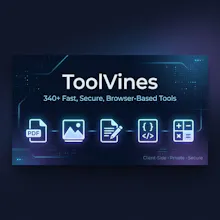
ToolVines is a fast, privacy-focused collection of 340+ free online tools for PDFs, images, documents, financial calculators, land measurement units, and developer workflows. Unlike traditional online tools that force you to upload private files to third-party servers, ToolVines processes all data 100% client-side inside your browser sandbox using WebAssembly and Canvas APIs. No registration, no watermarks, no daily file caps, and zero server upload risks.
No reviews yetBe the first to leave a review for ToolVines
Maker
📌
🚀 Hey Product Hunt! We're excited to introduce **ToolVines**!
After years of using online utilities, one thing became obvious: most "free" tools aren't really free.
They often:
* 🔒 Upload your private files to unknown servers
* 💰 Lock basic features behind subscriptions
* 💧 Add watermarks to your files
* ⏳ Force you through ads, popups, and countdown timers
* 📉 Limit conversions unless you pay
So we decided to build something different.
## 🌿 Meet ToolVines
A growing collection of **340+ free online tools** designed around one simple principle:
**Your files should stay on your device whenever possible.**
### Why ToolVines?
✅ **Privacy First**
Most image processing, PDF operations, and calculations happen directly in your browser using modern web technologies—helping keep your data under your control.
✅ **No Watermarks**
Download clean, professional results.
✅ **No Artificial Limits**
Compress, convert, calculate, and create without unnecessary restrictions.
✅ **Fast & Simple**
No installations. No complicated setup. Just open a tool and get things done.
### 🛠️ What you'll find
📄 **PDF Tools**
* Merge & Split PDFs
* Remove PDF Passwords
* Protect PDFs
* Word ↔ PDF
* PDF to Images
* And more
🖼️ **Image Tools**
* Compress images to 20KB, 30KB, 50KB & more
* Resize images
* JPG ↔ PNG ↔ WebP
* Passport photo tools
* Signature compressors
* Social media image resizers
🧮 **Calculators**
* EMI
* GST
* CPM
* ROI
* CTR
* Income Tax
* Salary Hike
* Finance & Business calculators
🏡 **Property & Unit Converters**
* Kanal ↔ Marla
* Acre ↔ Bigha
* Square Meter ↔ Square Yard
* Land & construction calculators
🎨 **Productivity Tools**
* Resume Builder
* Marriage Biodata Builder
* QR tools
* SVG generators
* And hundreds more.
This is just the beginning. We're continuously adding new tools based on community feedback and real search demand.
I'd genuinely love your feedback:
* Which tool did you try?
* What felt missing?
* What should we build next?
👉 **https://toolvines.com**
If ToolVines saves you time or solves a problem, an upvote and your feedback would mean a lot. Thank you for checking it out! ❤️
Report
the privacy angle is a real selling point, especially for handling sensitive pdfs. one thing that would make this a daily driver for me is a batch action feature, like merging or compressing a whole folder of files at once instead of doing them one by one. would save a ton of time
Report
Maker
@bidavkubra60771 Thanks for the thoughtful feedback, Kübra! I completely agree—batch actions would make repetitive workflows much faster. It's already on the roadmap, and I'm exploring folder-level processing for supported browsers. Really appreciate you taking the time to suggest it.
Report
the client side processing is a big deal for me, ran a few pdf merges and image conversions straight in the browser without anything uploading, super smooth.
Report
Maker
@aleynak62000 Thanks so much, Aleyna! I'm happy to hear the browser-based processing felt smooth. Making common PDF and image tasks fast, private, and hassle-free has been the focus from day one. Thanks for trying it out!
Report
The client-side angle is genuinely useful, especially for the PDF tools since most sites push everything to their servers. Tried the image compressor and it handled a batch without any upload lag or watermarks.
Report
Maker
@buyuksank72065 Thank you, Zehra! That was one of the main goals behind ToolVines—keeping files on your device whenever possible so users don't have to compromise on privacy. I'm glad the image compressor worked smoothly for your batch. If there's any feature you'd like to see next, I'd love to hear it.
Report
Merged a PDF and ran a mortgage calc back to back, all without anything leaving my browser. Genuinely useful for quick jobs where you don't want to trust random sites with your files.
Report
Maker
@hseyinbala8d1p Thank you, Hüseyin! That's exactly the use case I had in mind—quick everyday tasks without worrying about uploading personal documents. Really appreciate you giving both the PDF and calculator tools a try.
the privacy angle is a real selling point, especially for handling sensitive pdfs. one thing that would make this a daily driver for me is a batch action feature, like merging or compressing a whole folder of files at once instead of doing them one by one. would save a ton of time
@bidavkubra60771 Thanks for the thoughtful feedback, Kübra! I completely agree—batch actions would make repetitive workflows much faster. It's already on the roadmap, and I'm exploring folder-level processing for supported browsers. Really appreciate you taking the time to suggest it.
the client side processing is a big deal for me, ran a few pdf merges and image conversions straight in the browser without anything uploading, super smooth.
@aleynak62000 Thanks so much, Aleyna! I'm happy to hear the browser-based processing felt smooth. Making common PDF and image tasks fast, private, and hassle-free has been the focus from day one. Thanks for trying it out!
The client-side angle is genuinely useful, especially for the PDF tools since most sites push everything to their servers. Tried the image compressor and it handled a batch without any upload lag or watermarks.
@buyuksank72065 Thank you, Zehra! That was one of the main goals behind ToolVines—keeping files on your device whenever possible so users don't have to compromise on privacy. I'm glad the image compressor worked smoothly for your batch. If there's any feature you'd like to see next, I'd love to hear it.
Merged a PDF and ran a mortgage calc back to back, all without anything leaving my browser. Genuinely useful for quick jobs where you don't want to trust random sites with your files.
@hseyinbala8d1p Thank you, Hüseyin! That's exactly the use case I had in mind—quick everyday tasks without worrying about uploading personal documents. Really appreciate you giving both the PDF and calculator tools a try.