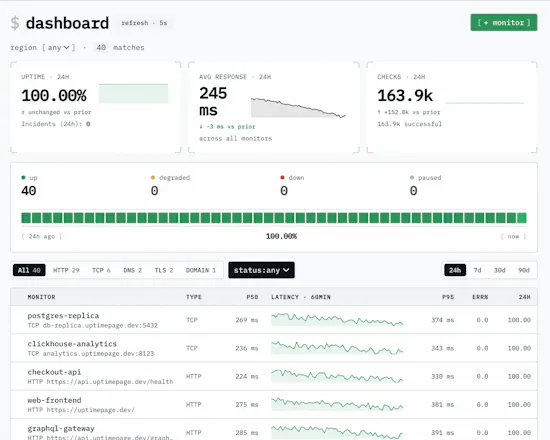
Most tools monitor OR run a status page, so you pay for two and wire them together. Uptimepage does both in one open-source tool: a failing check opens an incident and posts it to a branded status page. Free hosted tier, or self-host the single Rust binary.
No reviews yetBe the first to leave a review for Uptimepage
Maker
📌
Hi Product Hunt.
Monitoring plus a status page in one tool is not new. Better Stack, Hyperping, Instatus and Pulsetic all do this, and they do it well. But they are closed products that you rent. You pay for each seat or each monitor. The open-source tools have a problem too. Some need a big and heavy setup. Others only do the monitoring part. They do not have a real status page with subscribers, many regions, or team roles.
I wanted a simple tool in the middle. One small app that I can host myself or use online for free. It does both jobs. And I can control everything with code.
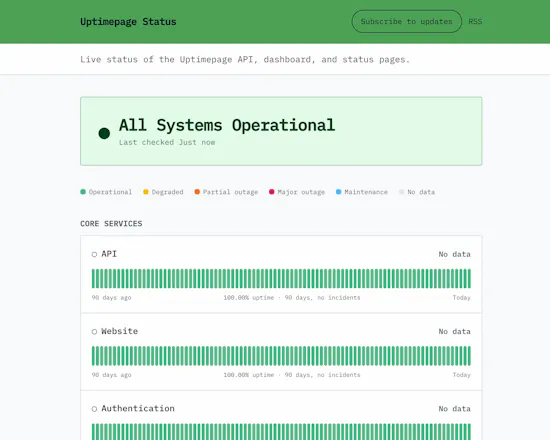
This is Uptimepage. A check fails, so an incident opens by itself. It shows on a public status page at your-org.uptimepage.dev right away. When the site is back, the incident closes by itself.
What it does:
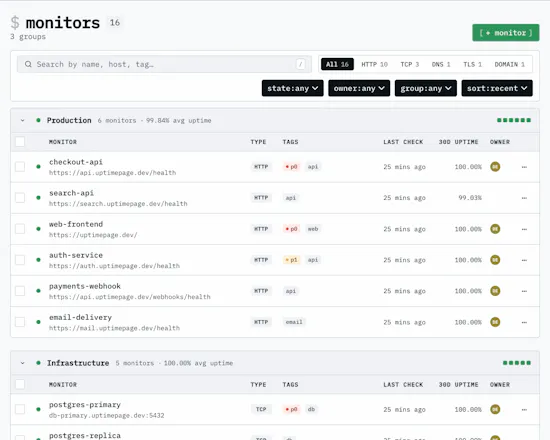
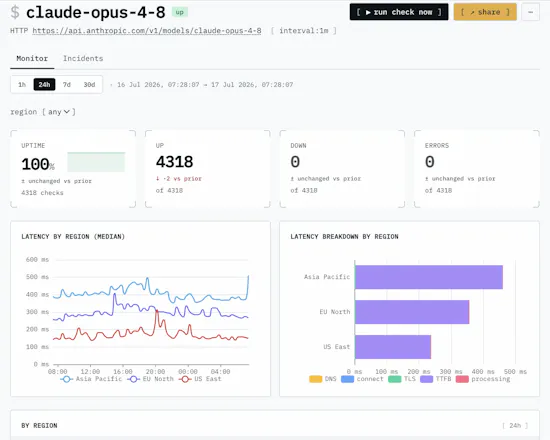
- It checks HTTP, TCP, DNS, TLS certificates and domain expiry every minute, from a few regions
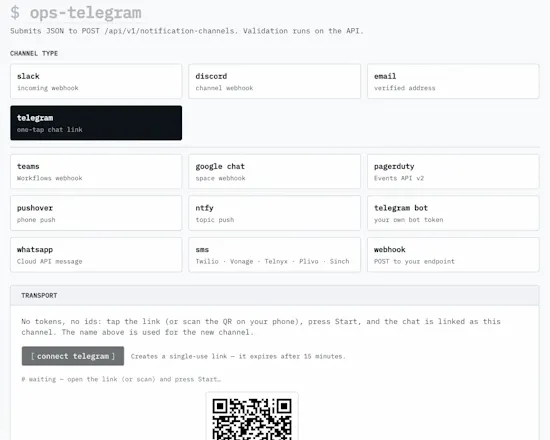
- It sends alerts to Slack, Discord, Telegram, WhatsApp, SMS, PagerDuty, email and webhook. A short 60-second problem stays quiet, and reminders repeat until someone answers
- It gives you a status page with your colours and logo, 90 days of history, live incidents, planned maintenance, plus RSS, JSON and a small SVG badge
- You can control it with a REST API, scoped tokens, an official Terraform provider, and an MCP server for your AI tools
- You can run the region probes on your own servers
It is one small app, about 23 MB. You run docker compose up and it is live. There is no cluster to manage.
About price: the Standard plan is free. You do not need a card, and business use is fine. The first 1,000 users get a bigger founding plan and keep it for life. Pro is coming for bigger teams. Everything is AGPL, so you can host it yourself with no limits.
Uptimepage watches itself too. The status badge in the repo comes from the running app.
Please tell me what is missing or weak. I really want to know if the code control and the self-host part work well for you. I will be here in the comments today.
Report
How do the alerts actually get triggered when a check fails, and is there any kind of throttling or grouping so you don't spam your status page if something flaps?
Report
Maker
@sleymanseklke1 Alerts come from incidents, not from single failed checks. A check has to fail a few times in a row before an incident opens and we send anything (2 by default, you can change it per monitor). Recovery needs the same number of good checks. So a short blip sends no alert and never appears on the status page.
A monitor can also only have one open incident at a time, and each channel gets one message per event. If nobody reacts, you can turn on a reminder (every hour by default).
Report
How does the incident lifecycle actually work when a check recovers mid-way, do users see a clean timeline on the public status page or does it look patchy until you manually resolve?
Report
Maker
@hilalj1hg Incidents open and close automatically. A check must fail several times in a row before an incident opens (default is 2 times, and you can also require several regions to agree). The status page only shows confirmed incidents, not every single check result. One good check in the middle of an outage does not close and reopen the incident. It stays one incident. Manual resolve and updates still exist if you want them.
Report
How does the free hosted tier actually compare in limits when self-hosting, and do you have any concerns about running everything as a single Rust binary for larger deployments with strict uptime requirements?
Report
Maker
@n_ayak2561 Two real questions here, let me answer both:
1. Limits: the free plan (Standard) gives you 20 monitors, checks every 3 minutes, 30 days of history, 3 regions, and 1 status page. If you sign up now, you also get the Founding plan free for life: 50 monitors, 60-second checks, all regions, and 90 days of history. Self-hosting has no limits.
2. The single binary: that binary is only the app. The app does not keep important data in memory, so you can run many copies at the same time and share the load. Each region has its own checker, so checks keep working even if one region goes down.
Report
The single Rust binary + self-host option is such a relief after wrestling with multi-service monitoring stacks. Love that the check, incident, and status page loop all live in one place without glue code.
The single binary setup was genuinely painless, took me maybe ten minutes to get a check running and see it light up my status page when I pulled the plug. Love that the incident flow is baked in instead of bolted on.
The single Rust binary was up and running in like 10 minutes, and watching a failing check turn into a live incident on the page right away was a really nice surprise.


How do the alerts actually get triggered when a check fails, and is there any kind of throttling or grouping so you don't spam your status page if something flaps?
@sleymanseklke1 Alerts come from incidents, not from single failed checks. A check has to fail a few times in a row before an incident opens and we send anything (2 by default, you can change it per monitor). Recovery needs the same number of good checks. So a short blip sends no alert and never appears on the status page.
A monitor can also only have one open incident at a time, and each channel gets one message per event. If nobody reacts, you can turn on a reminder (every hour by default).
How does the incident lifecycle actually work when a check recovers mid-way, do users see a clean timeline on the public status page or does it look patchy until you manually resolve?
@hilalj1hg Incidents open and close automatically. A check must fail several times in a row before an incident opens (default is 2 times, and you can also require several regions to agree).
The status page only shows confirmed incidents, not every single check result. One good check in the middle of an outage does not close and reopen the incident. It stays one incident. Manual resolve and updates still exist if you want them.
How does the free hosted tier actually compare in limits when self-hosting, and do you have any concerns about running everything as a single Rust binary for larger deployments with strict uptime requirements?
@n_ayak2561 Two real questions here, let me answer both:
1. Limits: the free plan (Standard) gives you 20 monitors, checks every 3 minutes, 30 days of history, 3 regions, and 1 status page. If you sign up now, you also get the Founding plan free for life: 50 monitors, 60-second checks, all regions, and 90 days of history. Self-hosting has no limits.
2. The single binary: that binary is only the app. The app does not keep important data in memory, so you can run many copies at the same time and share the load. Each region has its own checker, so checks keep working even if one region goes down.
The single Rust binary + self-host option is such a relief after wrestling with multi-service monitoring stacks. Love that the check, incident, and status page loop all live in one place without glue code.
@zgurbuzogl23098 Thanks! My focus was keeping it simple to run.
The single binary setup was genuinely painless, took me maybe ten minutes to get a check running and see it light up my status page when I pulled the plug. Love that the incident flow is baked in instead of bolted on.
@aleyna6ucd Really glad to hear it
The single Rust binary was up and running in like 10 minutes, and watching a failing check turn into a live incident on the page right away was a really nice surprise.