
Launching today

Venn.ai
Delegate real work to AI agents with safety guardrails
482 followers
Delegate real work to AI agents with safety guardrails
482 followers
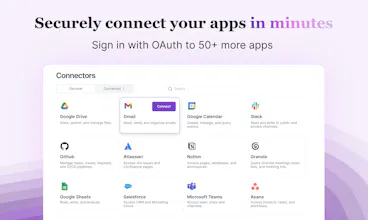
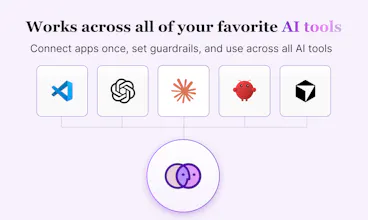
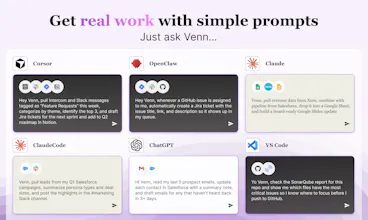
Connect Claude, Cursor, OpenClaw, ChatGPT, and VS Code agents to your apps — then set guardrails for around what they can do. Draft but don't send. Update but don't delete. Full action-level control, complete visibility, no coding required.




Clipboard Canvas v2.0
I've struggled with integrating multiple AI agents while maintaining control, so I love the guardrails feature in Venn! How customizable are the action-level permissions?
@trydoff Currently it's at a tool/action level, but we will introduce additional granularity in the coming days and weeks. What are you looking for?
As a graphic & web designer, @Venn.ai has genuinely changed how I move through a project. I've been using it to connect Claude with Asana, Google Docs, Slides, Sheets, Figma, and Slack. Instead of jumping between tools to piece together context, I can track briefs, run design research, and start building out my projects all from one thread.
@Venn.ai helps me pull task details from Asana, reference brief docs, and feed that context directly into Claude, all while staying in control and knowing exactly what the AI can access and what it can't. And for client work especially, the security side is important. Connecting this many tools means you need to trust how your data is handled, and Venn takes that seriously.
Venn.ai
@tea_vel Thanks for sharing your experience with Venn! It's always so exciting to see how people work efficiently and securely with Venn and AI!
When you set action level guardrails like "draft but don't send," does the agent queue those drafts somewhere for batch review or do you approve them one by one in real time? Nice work on this!
Venn.ai
@borrellr_ Hey Ignacio. Ah, in this example, it would be the Gmail - Create Draft tool that you can set Venn to allow, but the Gmail - Send Email tool would be disallowed. And indeed, your agent / AI-app would create and create+save a draft. You can see all of the tools available by clicking on either Preview Actions or Manage Actions on Gmail when you're in the app.
Venn.ai
@borrellr_ There's 2 ways to do this:
1. The easy to bypass way: You can just write "create drafts in gmail, but don't send it" to the AI. Even for creating drafts, Venn will ask for permission first:
But since AI is nondeterministic, you never know when it will bypass your instructions and do something else. So...
The more secure way: In the Venn UI, disable "Send Email."
This way, the AI can never send emails until you change that permission.
The drafts are created in gmail, ready for me to review and send:
@Venn.ai I LOVE Venn! It has genuinely changed how I work. My day spans Gmail, Slack, Notion, Asana, Google Drive, and more. With Venn, I can kick off a new hire onboarding sequence across all of them in one flow, and when it comes to recruiting, I can pull curated candidate feedback from Slack threads, emails, and docs into one place, send candidate follow-ups. There's no more hunting across systems to remember where a conversation landed.
The governance piece is what matters most to me as an HR person. I decide what Claude can and can't do, draft but don't send, update but don't delete. So much trust and efficiency with Venn! I get so much more done with Venn! 🙌
The 'set guardrails' feature is exactly what’s missing in most AI agent workflows. How do you handle edge cases where the agent gets stuck in a loop? I'm building automation for TikTok leads today and safety is my #1 concern too. Great work!
Venn.ai
@lex_streamleadsThanks! What kind of automation do you want to do with TikTok leads? In the next two weeks, we'll be releasing connections to TikTok, Instagram, and LinkedIn all through Venn so curious to know how you want to use it.
For the agent stuck in a loop question, our team is looking into this and will get back to you.
@melissa_weir1 Great question! The exact automation workflow I'm focusing on for StreamLeads has 3 different triggers:
Trigger: Scraping comments based on a specific keyword, a single viral video URL, or sweeping a creator's entire profile.
Logic/Agent: Passing that raw data to an LLM to filter out the noise and identify 'high-intent' buyers (e.g., people asking 'where to buy?' or 'link?').
Action: The agent then auto-drafts platform-compliant replies to safely funnel them without triggering TikTok's strict shadowbans.
I just launched this MVP today. The absolute hardest part of this workflow is interacting with TikTok's ecosystem without getting flagged by their anti-bot filters. If Venn is releasing stable, reliable integrations for TikTok and IG in the next two weeks, that would be a massive unlock for builders like me! Definitely keeping an eye on your updates.
@melissa_weir1 @lex_streamleads This is super helpful context, thank you.
That workflow is the kind of use case we’ve been thinking about for TikTok and IG: ingesting noisy signal, identifying buyer intent, and then taking action in a way that stays compliant with the platform.
The safety piece you called out is a big one for us too. Our approach is to give builders guardrails around what an agent is allowed to do, plus approval points for human review where the risk is higher. For loop/stuck scenarios specifically, we’re looking at safeguards like rate limiting settings so agents don’t keep spinning when they hit uncertainty, and you don't get burned.
Please stay with us as we build our roadmap!
@melissa_weir1 @tstace That approach makes total sense. Having human-in-the-loop approval points and strict rate limiting is exactly the right way to play it safe with TikTok's ecosystem. Love the vision!
If you guys need any beta testers for the TikTok/IG integrations when they roll out, I'd love to take it for a spin and give you some raw feedback from the trenches. Keep up the great work!
You start by improving daily workflows with @Venn.ai -- automating those cross-tool recurring tasks that give you back more of your time. Then you quickly change your frame of thought to preparation, execution, discovery and more. Ask yourself, "What are the benefits of connecting @Slack to @Google Calendar to @Gmail to @Jira?" Some of the things I've improved...
Daily task management
Call notes organization
Outstanding tasks
Personal follow-ups
Sprint deadline mgmt
Improved alert monitoring
They say good developers are producing 10X with AI. My hunch is that Venn will 10X the efforts of business professionals that can leverage a single connection to all their current applications.
Hey fellow AI nerds! I don't usually chime in on stuff like this but I have to say that even though I use Venn every day to build and maintain our systems here at Barndoor...you know the makers of Venn. AI has drastically improved my throughput here but since we launched our products the whole teams' productivity has sky rocketed! Here is a common use case:
Problem - We received a @Grafana alert around an anomalous set of errors in our, lets say, Flux Capacitor.
Initial Triage - I click the @Grafana alert link and preview the errors...there are a lot today for some reason...time travel isn't easy. The errors do not immediately result in any conclusive results.
Venn!!! - Connectors: @Grafana , Atlassian(Jira), @GitHub all configured with Venn to have minimal read only functionality except the ability to create a jira ticket.
Prompt - I'm seeing a surge in strange issues from our Flux Capacitor today. Here is a @Grafana link to the logs and the time range. Please:
Investigate the logs and correlate the findings with any running state in our Delorean during the times surrounding the incidents
Explain your findings and on my approval create a Jira ticket with the findings
Investigate the code base to find any potential mistakes in our time machine algorithms
Result - Nearly complete resolution of the issue from triage, to ticketing, to coding, and then review and merge 9 times out of 10 in under an hour.
Complex problems like these could often side track me for an entire day and now I'm back to building!